

編輯:關於 Android 程式設計
橫豎屏切換是 Android 開發的必經課題。預設行為下,旋轉螢幕會導致當前的 Activity 被銷毀並重新建立,這在很多情境下並不是我們想要的(例如遊戲進行到一半,或表單填到一半)。本文示範如何控制方向,以及如何關閉這套重建機制。
package com.itheima.lifecycle;

import com.itheima.hengshu.R;
import android.app.Activity;
import android.content.pm.ActivityInfo;
import android.os.Bundle;

public class MainActivity extends Activity {

    int blood;

    @Override
    protected void onCreate(Bundle savedInstanceState) {
        super.onCreate(savedInstanceState);
        setContentView(R.layout.activity_main);
        // 用程式碼鎖定為直向
        setRequestedOrientation(ActivityInfo.SCREEN_ORIENTATION_PORTRAIT);
        System.out.println("main:create");
        blood = 100;
    }
}
package com.itheima.lifecycle;

import com.itheima.hengshu.R;
import android.app.Activity;
import android.os.Bundle;

public class SecondActivity extends Activity {

    @Override
    protected void onCreate(Bundle savedInstanceState) {
        super.onCreate(savedInstanceState);
        setContentView(R.layout.activity_second);
        System.out.println("second:create");
    }
}
<LinearLayout xmlns:android="https://schemas.android.com/apk/res/android"
    xmlns:tools="https://schemas.android.com/tools"
    android:layout_width="match_parent"
    android:layout_height="match_parent"
    android:orientation="vertical"
    android:paddingBottom="@dimen/activity_vertical_margin"
    android:paddingLeft="@dimen/activity_horizontal_margin"
    android:paddingRight="@dimen/activity_horizontal_margin"
    android:paddingTop="@dimen/activity_vertical_margin"
    tools:context=".MainActivity">

    <TextView
        android:layout_width="wrap_content"
        android:layout_height="wrap_content"
        android:text="@string/hello_world" />

    <Button
        android:layout_width="wrap_content"
        android:layout_height="wrap_content"
        android:onClick="click"
        android:text="跳轉至第二個" />

    <Button
        android:layout_width="wrap_content"
        android:layout_height="wrap_content"
        android:text="點我一次智力永久 -1" />
</LinearLayout>
<?xml version="1.0" encoding="utf-8"?>
<LinearLayout xmlns:android="https://schemas.android.com/apk/res/android"
    android:layout_width="match_parent"
    android:layout_height="match_parent"
    android:orientation="vertical">

    <TextView
        android:layout_width="wrap_content"
        android:layout_height="wrap_content"
        android:text="這是第二個 Activity" />
</LinearLayout>
<?xml version="1.0" encoding="utf-8"?>
<manifest xmlns:android="https://schemas.android.com/apk/res/android"
    package="com.itheima.hengshu"
    android:versionCode="1"
    android:versionName="1.0">

    <uses-sdk
        android:minSdkVersion="8"
        android:targetSdkVersion="17" />

    <application
        android:allowBackup="true"
        android:icon="@drawable/ic_launcher"
        android:label="@string/app_name"
        android:theme="@style/AppTheme">

        <activity
            android:name="com.itheima.lifecycle.MainActivity"
            android:label="@string/app_name">
            <intent-filter>
                <action android:name="android.intent.action.MAIN" />
                <category android:name="android.intent.category.LAUNCHER" />
            </intent-filter>
        </activity>

        <activity android:name="com.itheima.lifecycle.SecondActivity" />
    </application>
</manifest>
預設情況下,旋轉螢幕會銷毀當前的 Activity,再重新建立一個新的。你可以觀察 Log 的輸出,會看到 onCreate 被再次呼叫。在模擬器中,快捷鍵 Ctrl + F11 可以反覆切換方向來驗證這個行為。
但有些應用(例如遊戲、影片播放)並不希望被重建。這時就需要「禁用橫豎屏切換的生命周期」,有兩種常見做法。
在清單文件的 Activity 節點中加入:
android:configChanges="orientation|screenSize|keyboardHidden"
這行的意思是告訴系統:這些環境變數的變化由我自己處理,請不要再幫我重建 Activity。這樣旋轉時 Activity 就不會被銷毀重建,系統會改為呼叫 onConfigurationChanged(),我們可以在其中自行調整布局。
這三個參數的含義:orientation 螢幕方向改變、screenSize 螢幕尺寸改變(Android 3.2 之後旋轉也會觸發這個)、keyboardHidden 鍵盤可用性改變。
在清單文件中直接固定方向:
<!-- 強制橫屏 -->
android:screenOrientation="landscape"

<!-- 強制直屏 -->
android:screenOrientation="portrait"
也可以在程式碼中設定,兩者效果相同:
setRequestedOrientation(ActivityInfo.SCREEN_ORIENTATION_PORTRAIT);
差別在於若兩處同時存在,以程式碼的設定為準,因為它的執行時機在清單解析之後。
如果 Activity 勢必會被重建,而你又不想讓使用者輸入的內容遺失,正確做法不是關閉重建,而是覆寫 onSaveInstanceState(Bundle outState) 把資料存進 Bundle,並在 onCreate 的 savedInstanceState 參數或 onRestoreInstanceState 中讀回。
這也是面試常問的題目:為什麼旋轉螢幕後 Activity 會重建?該如何避免資料遺失?答案就是上面這兩段——重建的目的是讓系統有機會載入另一套資源(如 layout-land),而資料保存則交給 Bundle 機制。
 Android 如何在代碼中動態設置 View 的 margin
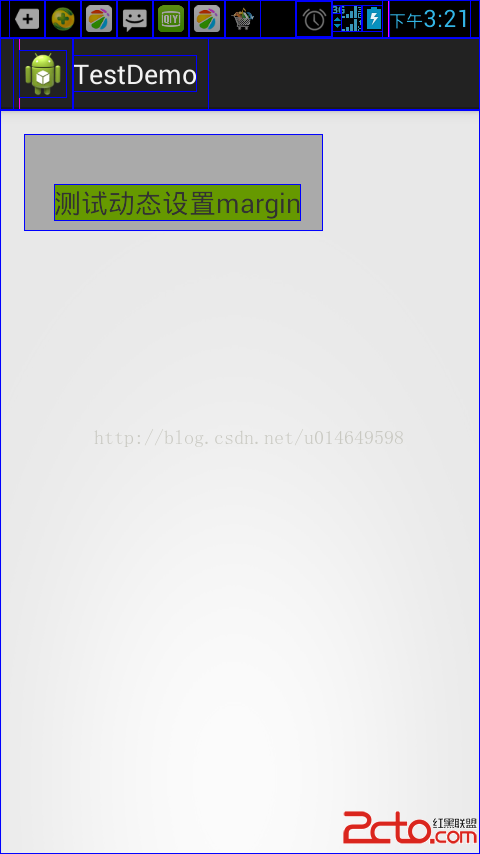
Android 的 View 提供了 setPadding 方法,卻沒有直接可用的 setMargin 方法。那麼如果要在代碼中動態設置外边距該怎麼辦呢? 答案是可以透過
 iOS 開發:UIPickerView 滾動選擇器實作教學
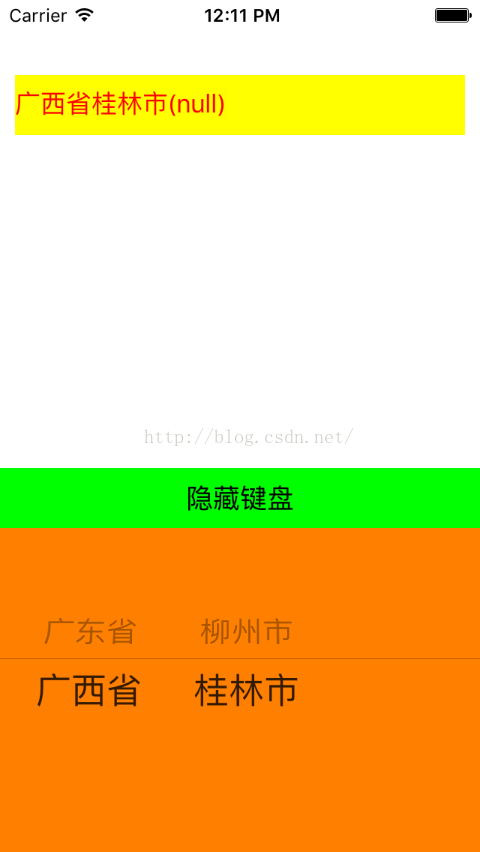
UIPickerView 的功能與 UIDatePicker 相似,但更為靈活。初始化時通常只需設定原點座標,無須指定寬高(預設大小為 frame = (0 0; 320
 Android 實作圓角 Button 按鈕
在 Android 中,若想讓 Button 具備圓角外觀,可以透過 shape 資源來完成。若再搭配 selector,還能讓按鈕在按下時切換不同樣式,提升操作回饋。
 Linux 進程等待與程式替換:wait、waitpid 與 exec 函數
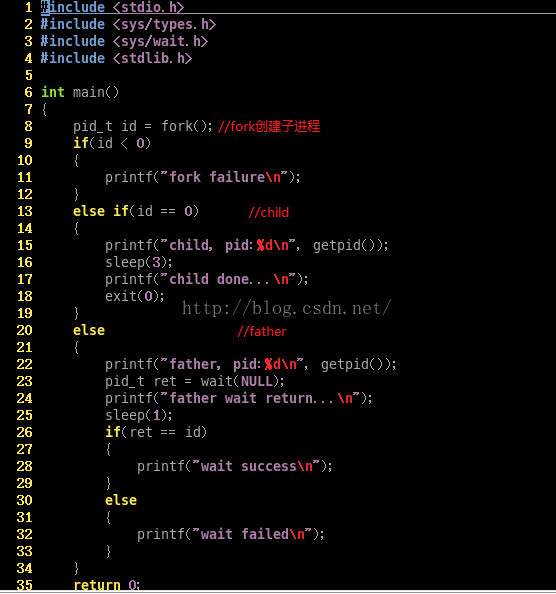
在 Linux 系統中,父進程通常需要等待子進程結束,以取得其退出狀態並釋放相關資源。若未妥善處理,子進程可能成為僵屍進程,佔用進程表資訊。wait 與 waitpid