

編輯:關於 Android 程式設計
有時候我們需要改變一張圖片的顏色,比如只替換非透明的部分。可以通過遍歷每個像素點,對符合條件的像素重新賦色,再重建 Bitmap 來實現:
public static final Bitmap createRGBImage(Bitmap bitmap, int color) {
    int bitmap_w = bitmap.getWidth();
    int bitmap_h = bitmap.getHeight();
    int[] arrayColor = new int[bitmap_w * bitmap_h];
    int count = 0;
    for (int i = 0; i < bitmap_h; i++) {
        for (int j = 0; j < bitmap_w; j++) {
            int color1 = bitmap.getPixel(j, i);
            // 這裡也可以取出 R、G、B 進行更多處理,
            // 暫時只是要處理除透明以外的顏色,改變其他顏色
            if (color1 != 0) {
                // 保留原顏色,也可在此擴展更多處理
            } else {
                color1 = color;
            }
            arrayColor[count] = color;
            count++;
        }
    }
    bitmap = Bitmap.createBitmap(arrayColor, bitmap_w, bitmap_h, Config.ARGB_4444);
    return bitmap;
}
核心思路是:通過 getPixel 讀取每個像素的顏色值,判斷是否為透明(值為 0),再按需替換為目標顏色,最後用處理後的顏色數組重建一張新的 Bitmap。如果需要更細緻的效果,還可以在循環中拆出 R、G、B 三個分量分別調整。
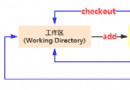 Android 進階教程:Git 本地操作完全詳解
標籤(空格分隔):Android 進階 一、引言 在此前的 Android 基礎入門系列里,我們已經帶大家初步玩過 Git。而在進階系列中,我們會系統地把 Git 梳理一
 Android EditText 即時統計輸入字數
在做輸入框字數統計時,例如顯示剩餘字數或已輸入字數,可以使用 EditText 提供的 addTextChangedListener 來監聽文字變化。實作重點是在 Tex
 OpenGL ES 星空動畫踩坑記:顏色陣列與紋理同時啟用導致黑屏閃退
照著《Android 應用開發揭秘》第 13 章的範例做 OpenGL 星空時,遇到了典型的「版本不一致」症狀:Android 2.2 模擬器一片黑、什麼都沒畫出來;An
 Android 用戶註冊介面實作教學:從佈局到監聽器
本篇文章以一個實用的 Android 用戶註冊頁為例,帶讀者從零開始完成一個包含基礎表單控制項的註冊介面。範例重點不在複雜的後端驗證,而是透過 Android 原生控制項