

編輯:關於 Android 程式設計
MediaScanner 負責對資料夾做遞迴掃描,找出其中的媒體檔案。
libmedia → libmedia.soframeworks/av/media/libmedia/MediaScanner.cpp呼叫鏈是這樣的:由 JNI 進入 processDirectory,再由 doProcessDirectory 與 doProcessDirectoryEntry 兩支函式互相搭配,完成遞迴。
分工很乾脆:doProcessDirectory 負責「掃一個資料夾裡的所有項目」,doProcessDirectoryEntry 負責「判斷單一項目是什麼、該怎麼處理」。遇到子資料夾就再呼叫前者,遞迴於焉成立。
MediaScanResult MediaScanner::doProcessDirectory(
        char *path, int pathRemaining, MediaScannerClient &client, bool noMedia) {
    char* fileSpot = path + strlen(path);
    struct dirent* entry;

    // 含 .nomedia 檔的目錄,內部所有檔案都視為非媒體
    DIR* dir = opendir(path);
    MediaScanResult result = MEDIA_SCAN_RESULT_OK;
    while ((entry = readdir(dir))) {
        if (doProcessDirectoryEntry(path, pathRemaining, client, noMedia, entry, fileSpot)
                == MEDIA_SCAN_RESULT_ERROR) {
            result = MEDIA_SCAN_RESULT_ERROR;
            break;
        }
    }
    closedir(dir);
    return result;
}
這裡有兩個細節值得留意。第一,fileSpot 是個游標,指向路徑字串尾端的暫存位置,遞迴時可以在同一個 buffer 上反覆拼接與回退,避免層層配置新字串。第二,noMedia 這個旗標會一路往下傳——一旦某個目錄被標記為 noMedia,其所有子項目都跟著被跳過,這正是 .nomedia 檔能讓 Gallery 忽略整個目錄的原理。
MediaScanResult MediaScanner::doProcessDirectoryEntry(
        char *path, int pathRemaining, MediaScannerClient &client, bool noMedia,
        struct dirent* entry, char* fileSpot) {
    struct stat statbuf;
    const char* name = entry->d_name;
    int type = entry->d_type;

    // 某些檔案系統不提供 d_type,需要靠 stat 補判
    if (type == DT_UNKNOWN) {
        if (stat(path, &statbuf) == 0) {
            if (S_ISREG(statbuf.st_mode)) {
                type = DT_REG;      // 檔案
            } else if (S_ISDIR(statbuf.st_mode)) {
                type = DT_DIR;      // 目錄
            }
        }
    }

    if (type == DT_DIR) {
        bool childNoMedia = noMedia;
        // 名稱以 '.' 開頭的目錄(如 macOS 的 .Trashes)直接視為非媒體
        if (name[0] == '.') childNoMedia = true;

        if (stat(path, &statbuf) == 0) {
            status_t status = client.scanFile(path, statbuf.st_mtime, 0,
                    true /*isDirectory*/, childNoMedia);
            if (status) return MEDIA_SCAN_RESULT_ERROR;
        }
        // 繼續往下遞迴
        strcat(fileSpot, "/");
        MediaScanResult result = doProcessDirectory(path, pathRemaining - nameLength - 1,
                client, childNoMedia);
        if (result == MEDIA_SCAN_RESULT_ERROR) return MEDIA_SCAN_RESULT_ERROR;

    } else if (type == DT_REG) {
        stat(path, &statbuf);
        status_t status = client.scanFile(path, statbuf.st_mtime, statbuf.st_size,
                false /*isDirectory*/, noMedia);
        if (status) return MEDIA_SCAN_RESULT_ERROR;
    }
    // 其他類型(連結、裝置檔等)直接跳過
    return MEDIA_SCAN_RESULT_OK;
}
readdir() 回傳的 d_type 在部分檔案系統上是 DT_UNKNOWN,此時必須退回用 stat() 判斷型別。這是跨檔案系統寫 C 常踩的坑。. 開頭的目錄一律設 childNoMedia,同時也不掃描其內容。這讓系統天然忽略 macOS 留下的 .Trashes、.Spotlight-V100 等雜項。scanFile(),讓上層能建立完整的目錄樹資訊。MEDIA_SCAN_RESULT_ERROR,避免半成品寫入媒體資料庫。strcat 寫出界。C 字串操作最容易出事的正是這種邊界條件。 動手實作 Android 硬體抽象層(HAL)程式碼
前面已經寫過了 Java 層的應用與系統服務,這一步要往下走進 native 層,實作一個對應自訂硬體的 HAL 模組。HAL 的本質是一套「有強制規範的動態連結庫」,
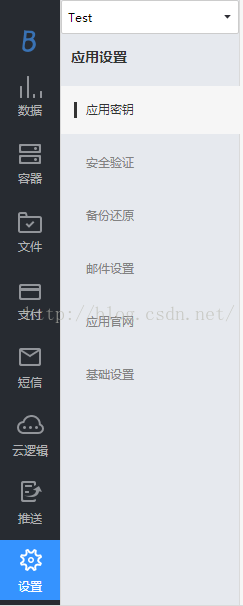 Android 開發實戰:用 Bmob 快速接入短信驗證碼功能
本文將帶你完整實現「發送短信驗證碼」與「校驗驗證碼」這兩個常見功能,全程借助第三方雲服務平台 Bmob 來完成。那麼 Bmob 究竟是什麼?簡單來說,它是一個面向移動端的
 Android 基礎(七):清單文件、Intent、生命周期與啟動模式
一、清單文件 AndroidManifest.xml 每個 Android 應用都需要一個名為 AndroidManifest.xml 的清單文件,固定放在應用根目錄下。
 Android 接入支付寶支付的完整實戰指南
提到支付寶,幾乎沒有人會感到陌生——日常購物付款、朋友之間轉賬,都離不開它。而對 Android 開發者來說,把這套成熟的支付能力接進自己的 App,幾乎是產品走向商業化