

編輯:關於 Android 程式設計
Service 是 Android 四大組件之一,擔綱背景任務的重任。本文整理 Service 的定義、用途、類型與啟動方式,並透過播放音樂的範例,示範 startService 與 bindService 兩種用法的實作。
定義:Service 在後台運行、沒有使用者介面,優先級高於 Activity。
用途:播放音樂、記錄地理位置變化、監聽某種動作等。
注意:Service 運行在主線程,不能用來做耗時請求;若需耗時操作,應在服務中另開子執行緒。
兩種啟動方式的特點:startService 方式下,服務與啟動源沒有任何聯繫,且無法取得服務物件;bindService 方式則透過 IBinder 回傳 ServiceConnection 物件,藉此取得 Service 物件並呼叫其方法。
1. 建立一個繼承 Service 的類別並完成必要方法;2. 在 AndroidManifest.xml 中註冊;3. 進行呼叫。
public class MusicService extends Service {
    public void onCreate() { super.onCreate(); }
    public IBinder onBind(Intent intent) { return null; }
    public int onStartCommand(Intent intent, int flags, int startId) {
        return super.onStartCommand(intent, flags, startId);
    }
    public void onDestroy() { super.onDestroy(); }
}
呼叫方式:
Intent intent1 = new Intent(MainActivity.this, MyStartService.class);
startService(intent1);
服務端透過繼承 Binder 並回傳一個能取得 Service 實例的物件,同時封裝播放與暫停方法:
public class BindMusicService extends Service {
    private MediaPlayer mPlayer;

    public IBinder onBind(Intent intent) {
        return new MyBinder();
    }

    public void onCreate() {
        super.onCreate();
        mPlayer = MediaPlayer.create(getApplicationContext(), R.raw.meizu_music);
        mPlayer.setLooping(true);
    }

    public void Play() { mPlayer.start(); }
    public void Pause() { mPlayer.pause(); }

    public class MyBinder extends Binder {
        public BindMusicService getService() {
            return BindMusicService.this;
        }
    }
}
客戶端實作 ServiceConnection,在 onServiceConnected 回調中取得服務物件,之後即可呼叫其方法;不再使用時呼叫 unbindService 解除綁定:
ServiceConnection con = new ServiceConnection() {
    public void onServiceConnected(ComponentName name, IBinder binder) {
        service = ((BindMusicService.MyBinder) binder).getService();
    }
    public void onServiceDisconnected(ComponentName name) { }
};

// 綁定服務
bindService(intent2, con, BIND_AUTO_CREATE);
// 呼叫播放 / 暫停
service.Play();
service.Pause();
// 解除綁定
unbindService(con);
透過這個範例可以清楚看到,bindService 讓客戶端能直接持有服務物件並呼叫其公開方法,非常適合需要與服務頻繁互動的情境。
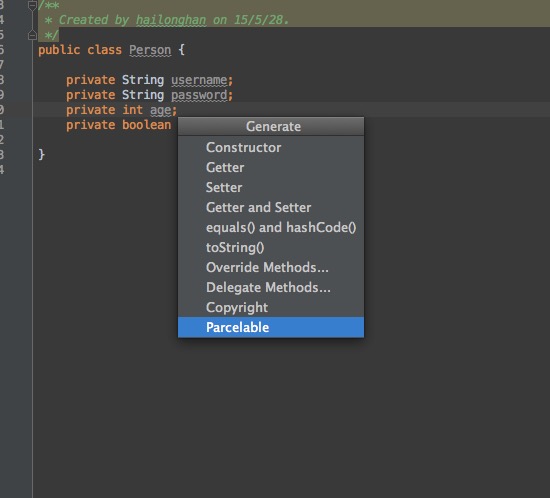 Android Studio 必裝插件:Parcelable 代碼自動生成
在 Android 開發裡,只要想把對象通過 Intent 或 Bundle 傳遞,就得老老實實實現 Parcelable 接口:寫 writeToParcel、聲明 C
 Android ProgressBar 反向進度條:讓進度從右向左走
在項目開發中,我們時常會遇到這樣的需求:用條形圖展示某個比例,並且要求右對齊。此時與其手動繪製,不如直接複用系統的 ProgressBar,既省事又美觀。 那麼,如何讓
 模擬器安裝 APK 出現 INSTALL_FAILED_NO_MATCHING_ABIS 怎麼辦
在電腦的 Android 模擬器上安裝 APK 時,如果看到 INSTALL_FAILED_NO_MATCHING_ABIS 這個錯誤訊息,安裝就會中斷,App 自然無法
 Android 常用選擇器組件 CalendarView、DatePicker、TimePicker 與 NumberPicker 使用大全
本文一起複習幾個常用的基礎 UI 組件。Android 對這些組件封裝得非常完善,基本上套上屬性就能直接用,極大減輕了開發者的負擔;當然如果想深入研究,這其中仍有不少值得