

編輯:關於 Android 程式設計
Android 4.4 KitKat 引入了 FLAG_TRANSLUCENT_STATUS 與 FLAG_TRANSLUCENT_NAVIGATION,讓狀態列與導覽列可以半透明,內容得以延伸到系統列的下方——這就是所謂的沉浸式效果。翻遍各大論壇再自己實測之後,可以歸納出兩條可行路線。
建立 values-v19 資料夾(因為這個屬性從 API 19 才支援),在其中新增 styles.xml:
<!-- Base application theme. -->
<style name="AppTheme" parent="Theme.AppCompat.Light.NoActionBar">
    <!-- Toolbar(ActionBar)顏色 -->
    <item name="colorPrimary">@color/colorPrimary</item>
    <!-- 狀態列顏色 -->
    <item name="colorPrimaryDark">@color/colorPrimaryDark</item>
    <!-- Toolbar 標題顏色 -->
    <item name="android:textColorPrimary">@color/white</item>
    <!-- 視窗背景色 -->
    <item name="android:windowBackground">@color/colorPrimary</item>

    <!-- 半透明系統列 -->
    <item name="android:windowTranslucentStatus">true</item>
    <item name="android:windowTranslucentNavigation">true</item>
</style>
原始範例中 colorPrimaryDark 誤寫成與 colorPrimary 同值,實作時記得改成真正想用的深色。
如果你需要自訂狀態列與導覽列的填色(而不只是半透明),SystemBarTintManager 是個方便的選擇。
步驟一:加入依賴
implementation 'com.readystatesoftware.systembartint:systembartint:1.0.3'
步驟二:在 Activity 的 onCreate() 中呼叫
/** 套用 KitKat 以上的半透明效果 */
private void applyKitKatTranslucency() {
    if (Build.VERSION.SDK_INT >= Build.VERSION_CODES.KITKAT) {
        setTranslucentStatus(true);

        SystemBarTintManager mTintManager = new SystemBarTintManager(this);
        mTintManager.setStatusBarTintEnabled(true);
        mTintManager.setNavigationBarTintEnabled(true);
        mTintManager.setTintDrawable(
                UIElementsHelper.getGeneralActionBarBackground(this));
    }
}

@TargetApi(19)
private void setTranslucentStatus(boolean on) {
    Window win = getWindow();
    WindowManager.LayoutParams winParams = win.getAttributes();
    final int bits = WindowManager.LayoutParams.FLAG_TRANSLUCENT_STATUS;
    if (on) {
        winParams.flags |= bits;
    } else {
        winParams.flags &= ~bits;
    }
    win.setAttributes(winParams);
}
不論用哪種做法,主版面配置的最外層必須加上:
android:fitsSystemWindows="true"
少了這一行,系統會認為你的內容不該延伸到系統列下方,狀態列就會維持白色,前面做的設定等於白費。
這些技巧在當年很先進,但今天有幾點值得注意:
Window.setStatusBarColor() 與 setNavigationBarColor(),可以直接指定顏色,不必再靠 SystemBarTint 這種反射手法。配合 styles.xml 裡的 android:statusBarColor 更乾脆。View.SYSTEM_UI_FLAG_LIGHT_STATUS_BAR 可讓狀態列圖示變深色,白底時才看得清楚。WindowInsetsController 取代了大量 systemUiVisibility 旗標,舊旗標已被標記為過時。WindowInsetsCompat。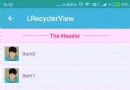 LRecyclerView 進階用法:側滑菜單、長按拖拽、滑動刪除一次搞定
LRecyclerView 現在能做什麼 反覆思考並兼顧使用便利性之後,LRecyclerView 整合了 SwipeMenu 系列能力:Item 左右側滑菜單、長按拖拽
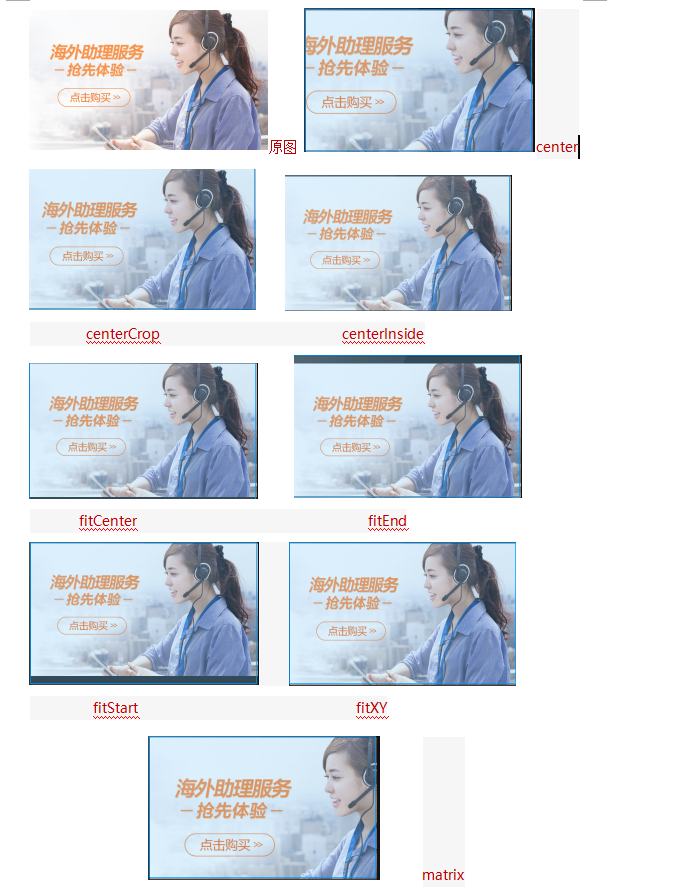 Android 自定義控件:實現圖片等比例縮放與自適應容器
在 Android 開發中,系統內建控制項有時難以直接滿足特定 UI 需求。例如圖片輪播希望圖片完整顯示且不變形,單靠 ImageView 的 scaleType 往往會
 Android 面試必考:橫豎屏切換時 Activity 生命周期的完整變化
橫豎屏切換的 lifecycle 變化是面試高頻題,但很多人背了答案卻說不清原理。最靠譜的辦法是自己跑一遍日誌。以下用一個把所有生命周期方法都打了 log 的 Activ
 Android 手勢識別與處理:雙擊、滑動與拖曳完整解析
概述 View 類有個 View.OnTouchListener 內部介面,透過重寫 onTouch(View v, MotionEvent event) 可以處理 to