

編輯:關於 Android 程式設計
說明:檔案會存到 Android 的內部儲存路徑,也就是 /data/應用包名(全名)/files。這個位置屬於 App 私有空間,不需要任何權限,也不會出現在檔案總管中,卸載 App 時會一併清除。
package com.example.filerw;

import com.example.server.FileServer;
import android.os.Bundle;
import android.app.Activity;
import android.view.Menu;
import android.view.View;
import android.widget.EditText;
import android.widget.TextView;

public class MainActivity extends Activity {
    private EditText contentEdit;
    private String file_name = "file.txt";
    private FileServer fileServer;
    private TextView showText;

    protected void onCreate(Bundle savedInstanceState) {
        super.onCreate(savedInstanceState);
        setContentView(R.layout.activity_main);
        contentEdit = (EditText) findViewById(R.id.content);
        showText = (TextView) findViewById(R.id.showText);
        fileServer = new FileServer(getApplicationContext());
    }

    public void MainClick(View v) {
        switch (v.getId()) {
            case R.id.save:
                String str = contentEdit.getText().toString();
                fileServer.save(file_name, str);
                break;
            case R.id.read:
                String show = fileServer.read(file_name);
                showText.setText(show);
                break;
            default:
                break;
        }
    }

    // 選單
    public boolean onCreateOptionsMenu(Menu menu) {
        getMenuInflater().inflate(R.menu.main, menu);
        return true;
    }
}
把檔案操作獨立成一個 FileServer 類別,Activity 只負責呼叫,職責切分會清楚很多:
package com.example.server;

import java.io.ByteArrayOutputStream;
import java.io.FileInputStream;
import java.io.FileNotFoundException;
import java.io.FileOutputStream;
import org.apache.http.util.EncodingUtils;
import android.content.Context;

public class FileServer {
    private Context context;
    private FileInputStream in;
    private FileOutputStream out;

    public FileServer(Context context) {
        this.context = context;
    }

    /** 存檔 */
    public void save(String name, String content) {
        try {
            out = context.openFileOutput(name, Context.MODE_PRIVATE);
            out.write(content.getBytes());
            out.close();
        } catch (FileNotFoundException e) {
            e.printStackTrace();
        } catch (Exception e) {
            System.out.println(e.toString());
        }
    }

    /** 讀檔 */
    public String read(String name) {
        String file_content = null;
        try {
            ByteArrayOutputStream byteOut = new ByteArrayOutputStream();
            in = context.openFileInput(name); // 開啟檔案
            byte[] buf = new byte[1024];
            while ((in.read(buf)) != -1) {
                byteOut.write(buf); // 把讀出的資料寫進緩衝區
            }
            file_content = EncodingUtils.getString(byteOut.toByteArray(), "GBK"); // 轉碼
            byteOut.close();
            in.close();
        } catch (FileNotFoundException e) {
            e.printStackTrace();
        } catch (Exception e) {
            System.out.println(e.toString());
        }
        return file_content;
    }
}
上面這份寫法能跑,但仍有幾處值得調整:
EncodingUtils 從 API 22 起已被標記為 deprecated,建議直接改用 new String(byteOut.toByteArray(), "GBK"),效果相同且不依賴舊 API。
讀取時的 while ((in.read(buf)) != -1) 有個隱性問題:它每次都會把整個 1024 位元組的緩衝區寫進輸出流,即使最後一輪只讀到少量位元組,尾部仍會殘留上一輪的舊資料,導致檔案內容被寫壞。正確做法是把實際讀到的長度記下來:
int len;
while ((len = in.read(buf)) != -1) {
    byteOut.write(buf, 0, len);
}
編碼的部分也建議改成 UTF-8。GBK 在簡體中文環境沒問題,但若文字含日文、韓文或 emoji 就會出現亂碼,而 UTF-8 是 Android 的預設編碼。
最後,openFileOutput() 的 MODE_PRIVATE 表示每次寫入都會覆蓋原檔。若希望附加而非覆寫,可改用 Context.MODE_APPEND。
補充一個情境判斷:內部儲存沒有容量提示也沒有系統檔案瀏覽器可檢視,適合存放設定值、暫存資料這類不需要使用者直接接觸的內容;若檔案要讓使用者看到或分享,應該改用 MediaStore 或 getExternalFilesDir() 這類外部路徑。
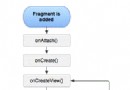 Android Fragment 生命週期詳解
Fragment 的生命週期 每個 Fragment 都有自己的一套生命週期回調方法,並自行處理用戶輸入事件。對應的生命週期可參考下圖: 創建 Fragment 要創建
 Android ImageView scaleType 與 adjustViewBounds 效果整理
scaleType 與 adjustViewBounds 的基本關係 ImageView 顯示圖片時,scaleType 決定縮放與對齊方式;adjustViewBoun
 Android RecyclerView 下拉刷新與上拉加載:SwipeRefreshLayout 與 SwipeToLoadLayout
為何 RecyclerView 需要下拉刷新與上拉加載 許多 App 已從 ListView 改用 RecyclerView。實作下拉刷新與上拉加載,是列表頁常見需求。本
 Android SeekBar 用法總結
SeekBar 是 Android 中常見的進度條控制項,常用於音量調整、播放進度、亮度設定或表單評分。它可以是系統預設樣式,也可以替換成自訂的背景與滑塊圖形。 基本屬性