

編輯:關於 Android 程式設計
系統預設的 Toast 樣式有限,若需要自訂尺寸、背景與多行內容,可以透過自訂 View 來達成。
RelativeLayout layout = (RelativeLayout) getLayoutInflater()
        .inflate(R.layout.layout_custom_toast, null);

((TextView) layout.findViewById(R.id.tvCheckoutWay)).setText("11111");
((TextView) layout.findViewById(R.id.tvPercent)).setText("22222");

Toast toast = new Toast(getApplicationContext());
toast.setDuration(Toast.LENGTH_SHORT);
toast.setGravity(Gravity.CENTER_VERTICAL | Gravity.BOTTOM, 0,
        (int) getResources().getDimension(R.dimen.spacing_4));
toast.setView(layout);   // 指定自訂檢視
toast.show();
<?xml version="1.0" encoding="utf-8"?>
<RelativeLayout xmlns:android="https://schemas.android.com/apk/res/android"
    android:layout_width="wrap_content"
    android:layout_height="wrap_content">

    <LinearLayout
        android:layout_width="200dp"
        android:layout_height="48dp"
        android:background="@drawable/bg_toast_data"
        android:gravity="center">

        <TextView
            android:id="@+id/tvCheckoutWay"
            android:layout_width="wrap_content"
            android:layout_height="wrap_content"
            android:layout_gravity="center"
            android:gravity="center"
            android:text="AAAA" />

        <TextView
            android:id="@+id/tvPercent"
            android:layout_width="wrap_content"
            android:layout_height="wrap_content"
            android:gravity="center"
            android:text="{100%}"
            android:textColor="@color/green_deep"
            android:textSize="@dimen/text_size_menu" />
    </LinearLayout>
</RelativeLayout>
最外層的 Layout 不要放背景圖片,否則寬高怎麼調都不會生效。尺寸與背景都應該設在中間那一層 LinearLayout 上,最外層只當容器用。

從 Android 11(API 30)起,系統對自訂 Toast 檢視做了限制,背景應用無法再顯示自訂樣式的 Toast,只會呈現文字型提示。若需要完全自訂的浮動提示,建議改用 Snackbar 或自行以 WindowManager 實作彈出層。
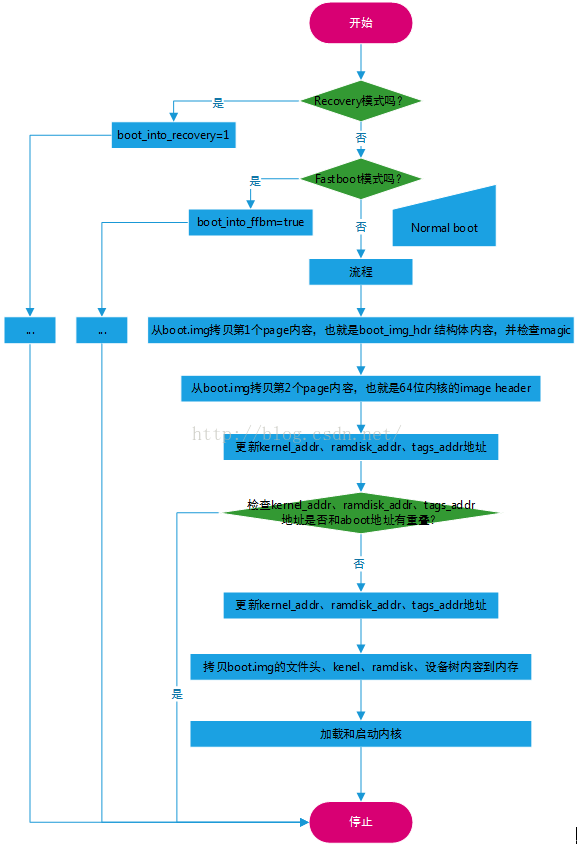 MSM8909 + Android 5.1.1 開機流程(七):boot_linux_from_mmc() 逐段解析
先名詞解釋:FFBM(Fast Factory Boot Mode)是快速工程開機模式,讓工廠測試用的 APK 能提早啟動,不必等整個 Android 開機完成。 本篇要
 用 Path 與 PathMeasure 繪製支付成功打勾動畫
前言 用支付寶付款後,成功或失敗都會播放一段描邊動畫。要做同樣效果,你可以請設計師輸出 GIF,但圖片檔吃記憶體又無法自適應解析度。其實用 Path 加上 PathMe
 QQ 第三方登錄實戰:讓使用者快速進入 App
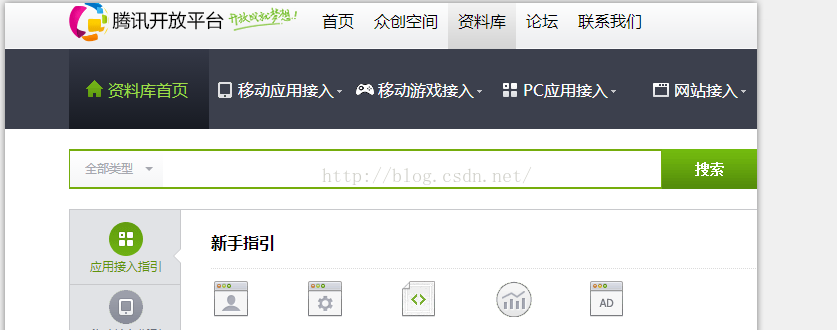
前言第三方登入已成為許多應用的常見功能,使用者不必輸入帳號密碼即可快速進入 App。本文以 QQ 登入為例,說明 Android 端的整合流程。準備工作前往騰訊開放平台,
 XListView 詳解:下拉重新整理與上拉載入的實現原理
XListView 是一個常見的開源列表控制項,主要提供下拉重新整理與上拉載入更多功能。它在原生 ListView 的基礎上加入了頭部與底部視圖,並透過觸控事件與捲動回調