

編輯:關於 Android 程式設計
應用場景:小遊戲。
要在 Android 上實現動態任意拖放圖片,使用 ImageView 會比較棘手,這裡介紹一種使用 Button 的方法。
1. 界面上有任意個元素,使用者選中其中一個後在螢幕上拖動,拖動完成後圖片元素停留在 ACTION_UP 的位置。
2. 首先在界面上設定任意個 Button 元素,並設定 background:
android:layout_width="fill_parent"
android:layout_height="fill_parent"
android:scrollbars="none"
android:listSelector="#00000000">
。。。
3. 主 Activity 需要 implements OnTouchListener,在 onTouch 中根據觸摸事件的座標計算並移動元件:
touchCrowListener = new OnTouchListener()
{
int[] temp = new int[] { 0, 0 };
int oldxxx = 0;
int oldyyy = 0;
public boolean onTouch(View v, MotionEvent event)
{
int eventaction = event.getAction();
int x = (int) event.getRawX();
int y = (int) event.getRawY();
。。。。。。
//----------------------------------------------------------------------------------------------
v.layout(x - temp[0], y - temp[1], x + v.getWidth() - temp[0], y - temp[1] + v.getHeight());
v.postInvalidate();
4. 使用 Button 的好處在於易於控制,因為可以運用 layout 屬性與 postInvalidate 方法,而且 background 設定也能達到 ImageView 的顯示效果。
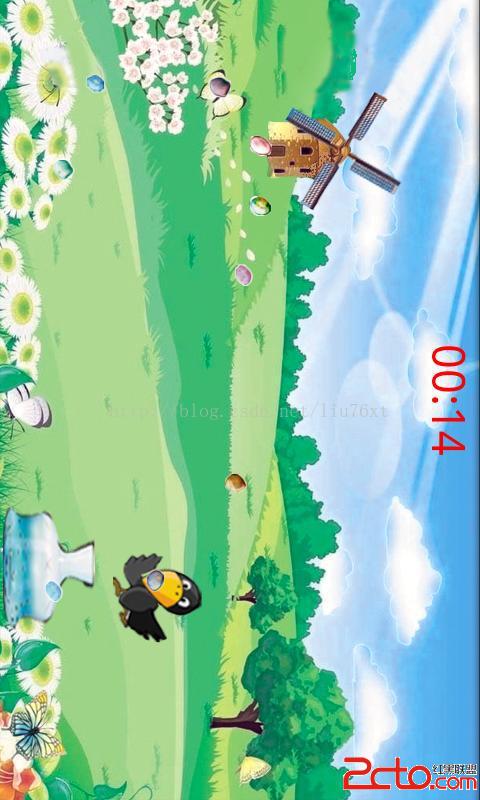
以上功能在「烏鴉喝水」小遊戲中有所使用【https://openbox.mobilem.360.cn/index/d/sid/162210 https://zhushou.360.cn/detail/index/soft_id/162210】。烏鴉和小石子都是透過 Button 加上設定 Button 的 background 來實現的。
 Android 手勢密碼元件詳解:開源庫用法與底層實作
簡介 最近專案需要用到手勢解鎖,翻了一些 demo 都覺得要改的地方太多,索然自己包了一層。這個開源庫主要提供這些能力: 支援手勢繪製與密碼保存,解鎖時自動比對並回報結
 讀書筆記(第一章)——關於 View 的系統解析
Chapter 1 Views View 管理指的就是管理 view 的層次結構,而 view 的層次為其他許多功能提供支持,比如 responder 鏈(響應者鏈)。
 Android 速覽:一張圖看懂 View 生命週期
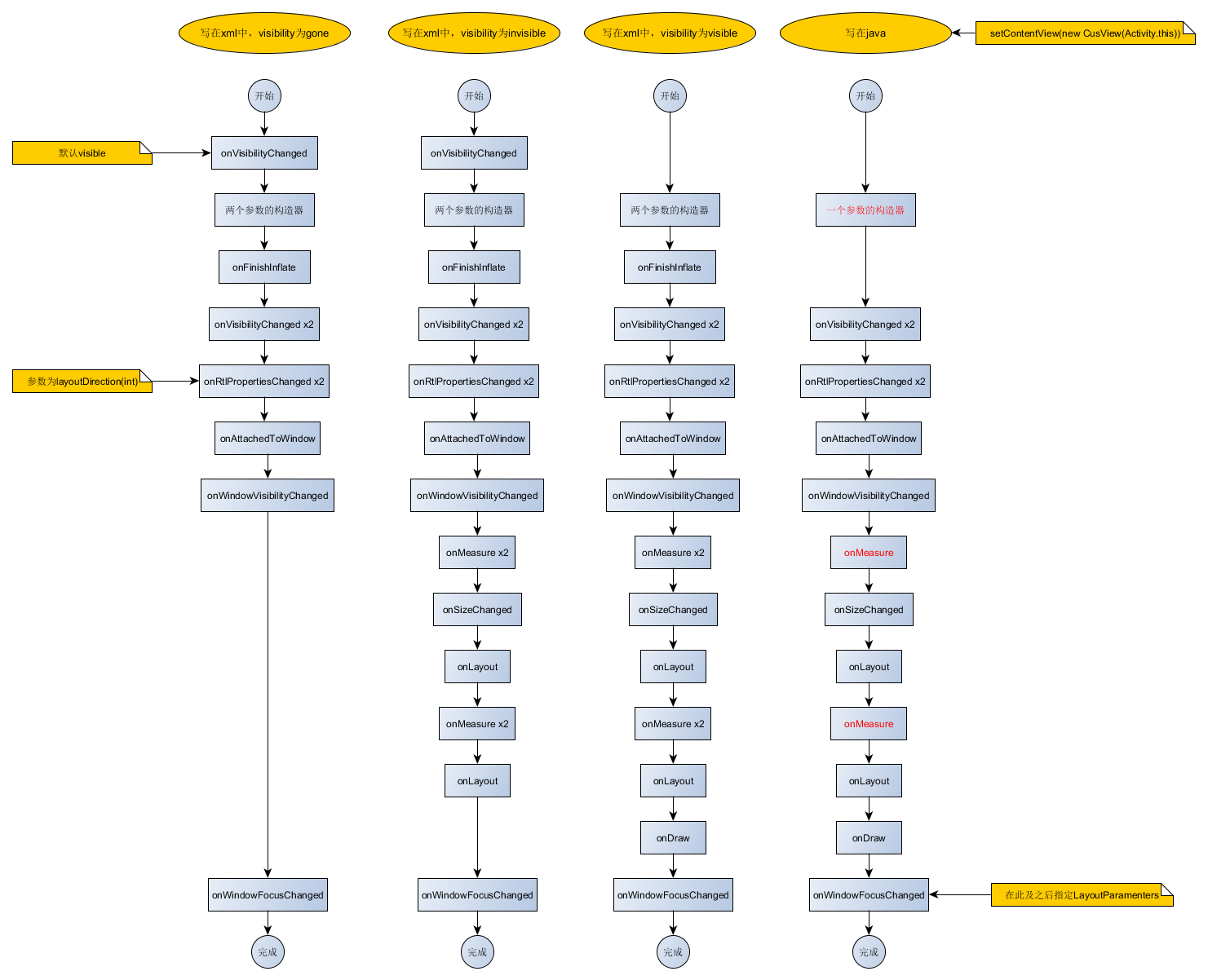
Android 自助餐之 View 生命週期學習自訂 View 時,掌握它的生命週期是必修的一課。View 從被建立、測量、佈局到繪製,有著一套清晰的流程,而各個回呼方法
 Android 電話撥號器實例詳解
本文以一個完整實例說明 Android 電話撥號器的開發流程。從建立專案、設計版面、撰寫 Activity,到設定權限與測試,都會逐步說明。 建立專案 首先建立一個 A