

編輯:關於 Android 程式設計
在開發 Android 專案時,有個查詢手機與座機歸屬地的需求,然而 Android 本身並未提供查詢歸屬地的資料庫,因此需要自己想辦法來滿足專案需求。
我最初的想法,是把歸屬地資料存進一個普通檔案,內容採用 JSON 格式,每次啟動 App 時再把 JSON 內容轉換成 Java 物件。Google 提供了一款工具 Gson,可以直接把 JSON 字串轉換成我們定義好的 Class,比 Java 原生的 JsonObject 好用很多。然而考量到資料庫大小與查詢效率,我最後仍決定使用資料庫查詢。
首先需要下載歸屬地資料庫,把 DB 檔放到 assets 或 raw 目錄中。
App 啟動後,需要把 DB 檔複製到 SD 卡中自訂的目錄。你可能會疑惑,為什麼別人都是複製到 data 目錄下專案的 databases 資料夾,而我卻沒有這麼做?原因是查看該目錄需要 root 權限;而且我在測試時發現,把整個 DB 檔複製到 data 目錄時並未完整複製,只是一部分,推測應該是檔案過大所致,因此改為複製到 SD 卡。
複製程式碼如下:
public static final String DB_NAME = callHomeDB.db; private int BUFFER_SIZE = 1024; private String getDirPath() { String path = fileHandler.sdcardFolder.getAbsolutePath(); return path; } private void copyContactLocation() { try { String path = getDirPath() + / + DB_NAME; File file = new File(path); if (!file.exists()) { InputStream is = MainActivity.instance.getResources() .getAssets().open(DB_NAME); FileOutputStream fos = new FileOutputStream(path); byte[] buffer = new byte[BUFFER_SIZE]; int count = 0; while ((count = is.read(buffer)) > 0) { fos.write(buffer, 0, count); } fos.close(); is.close(); } } catch (FileNotFoundException e) { log.e(File not found); e.printStackTrace(); } catch (IOException e) { log.e(IO exception); e.printStackTrace(); } }接著說明查詢。有一種做法可以直接把 DB 檔轉換成一個 Database 資料庫物件:
SQLiteDatabase db = SQLiteDatabase.openOrCreateDatabase(path, null);
可以直接操作 SQLiteDatabase 實例來查詢資料庫。如果查詢次數非常少,用這種方式看不出差異;但查詢次數大時就不建議了,因為效率太低,會嚴重拖累整個專案框架的執行效率,讓很多操作變得不靈敏。
為了提高查詢效率,我改用 Android 提供的 SQLiteOpenHelper 類,查詢效率大幅提升,相信 Android 在底層做了不少優化。
首先需要重寫 Database 的上下文,程式碼如下:
package com.open.lxxms.handler; import java.io.File; import com.open.lib.MyLog; import android.content.Context; import android.content.ContextWrapper; import android.database.DatabaseErrorHandler; import android.database.sqlite.SQLiteDatabase; import android.database.sqlite.SQLiteDatabase.CursorFactory; /** * CustomDatabaseContext 2015-1-10 下午7:51:05 * * @author 喬曉松 coolspan@sina.cn */ public class CustomDatabaseContext extends ContextWrapper { public String tag = CustomDatabaseContext; public MyLog log = new MyLog(tag, true); private String mDirPath; public CustomDatabaseContext(Context base, String dirPath) { super(base); this.mDirPath = dirPath; log.e(CustomPathDatabaseContext); } @Override public File getDatabasePath(String name) { File result = new File(mDirPath + File.separator + name); if (!result.getParentFile().exists()) { result.getParentFile().mkdirs(); } return result; } @Override public SQLiteDatabase openOrCreateDatabase(String name, int mode, CursorFactory factory) { log.e(openOrCreateDatabase1); return SQLiteDatabase.openOrCreateDatabase(getDatabasePath(name), factory); } @Override public SQLiteDatabase openOrCreateDatabase(String name, int mode, CursorFactory factory, DatabaseErrorHandler errorHandler) { log.e(openOrCreateDatabase2); return SQLiteDatabase.openOrCreateDatabase(getDatabasePath(name) .getAbsolutePath(), factory, errorHandler); } } 下面是我封裝的 DB 工具類:
package com.open.lxxms.handler; import java.io.File; import java.io.FileNotFoundException; import java.io.FileOutputStream; import java.io.IOException; import java.io.InputStream; import android.content.Context; import android.database.Cursor; import android.database.sqlite.SQLiteDatabase; import android.database.sqlite.SQLiteDatabase.CursorFactory; import android.database.sqlite.SQLiteOpenHelper; import android.os.Environment; import com.open.lib.MyLog; import com.open.lxxms.MainActivity; /** * DBOptions 2015-1-10 下午8:57:47 * * @author 喬曉松 coolspan@sina.cn */ public class DBHandler extends SQLiteOpenHelper { public String tag = DBOptions; public MyLog log = new MyLog(tag, true); public static final String DB_NAME = callHomeDB.db; private int BUFFER_SIZE = 1024; public static final String PACKAGE_NAME = com.open.lxxms; public static final String DB_PATH = /data + Environment.getDataDirectory().getAbsolutePath() + / + PACKAGE_NAME; public static DBHandler getInstance(Context context) { DBHandler dbOptions = new DBHandler(context, null, null, 1); return dbOptions; } public DBHandler(Context context, String name, CursorFactory factory, int version) { // super(context, name, factory, version); super(new CustomDatabaseContext(context, getDirPath()), DB_NAME, factory, version); try { String path = getDirPath() + / + DB_NAME; File file = new File(path); if (!file.exists()) { InputStream is = MainActivity.instance.getResources() .getAssets().open(callHomeDB.db); FileOutputStream fos = new FileOutputStream(path); byte[] buffer = new byte[BUFFER_SIZE]; int count = 0; while ((count = is.read(buffer)) > 0) { fos.write(buffer, 0, count); } fos.close(); is.close(); } } catch (FileNotFoundException e) { log.e(File not found); e.printStackTrace(); } catch (IOException e) { log.e(IO exception); e.printStackTrace(); } log.e(DBOptions); } public static FileHandler fileHandler = FileHandler.getInstance(); private static String getDirPath() { String path = fileHandler.sdcardFolder.getAbsolutePath(); return path; } @Override public void onCreate(SQLiteDatabase db) { // TODO Auto-generated method stub log.e(onCreate); } @Override public void onUpgrade(SQLiteDatabase db, int oldVersion, int newVersion) { // TODO Auto-generated method stub log.e(onUpgrade); } public String getResult(SQLiteDatabase database, String number) { // log.e(number); String result = 未知號碼; number = number.replaceAll( , ); // try { if (number.length() > 7) { String firstNum = number.substring(0, 1); if (number.length() >= 10) { if (0.equals(firstNum)) { String s1 = number.substring(1); String s2 = s1; String second = s1.substring(0, 1); if (second.equals(1) || second.equals(2)) { s2 = s1.substring(0, 2); } else { s2 = s1.substring(0, 3); } String sql = select location from tel_location where _id = ? ; String[] param = new String[] { s2 }; if (database != null && database.isOpen()) { Cursor cursor = database.rawQuery(sql, param); if (cursor.moveToNext()) { result = cursor.getString(0); } cursor.close(); } } else { if (number.indexOf(+86) == 0) { number = number.substring(3); } if (number.indexOf(86) == 0) { number = number.substring(2); } String s1 = number.substring(0, 7); String sql = select location from mob_location where _id = ? ; String[] param = new String[] { s1 }; if (database != null && database.isOpen()) { Cursor cursor = database.rawQuery(sql, param); if (cursor.moveToNext()) { result = cursor.getString(0); } cursor.close(); } } } else { result = 本地號碼; } } else { if (number.length() < 4) { result = 未知號碼; } else { result = 本地號碼; } } // } catch (Exception e) { // e.printStackTrace(); // } return result; } } 使用方法:
DBHandler dbOptions = DBHandler.getInstance(context); SQLiteDatabase database = dbOptions.getReadableDatabase();
String result = dbOptions.getResult(database, number);
歸屬地資料庫:https://download.csdn.net/detail/qxs965266509/8367219
如有轉載,請著名出自 https://blog.csdn.net/qxs965266509
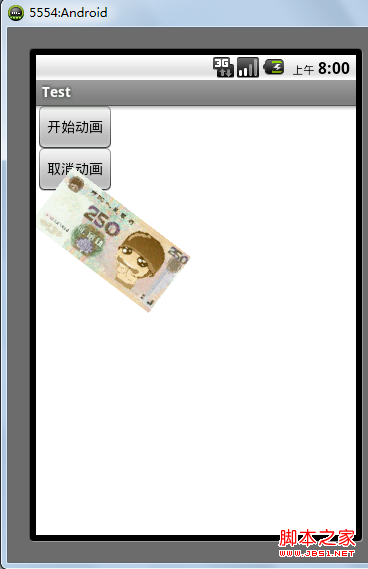 Android 動畫之 RotateAnimation 應用詳解
Android 中提供了四種基本動畫: AlphaAnimation:透明度動畫效果 ScaleAnimation:縮放動畫效果 TranslateAnimation:
 Android 實作:Include 佈局 + Fragment + ViewPager 滑動切換頁面
前面的文章已經講完「隨手拍」專案的圖像處理部分,本篇聚焦主介面的佈局與頁面滑動切換。參考鴻洋的影片教學與郭霖的《第一行代碼》(兩位部落格都強烈推薦),完成了以下內容: (
 Android 繪製太極圖實例
太極圖是常見的圖形繪製案例,很適合用來練習 Canvas 與 Paint。透過圓弧、半圓與小圓的組合,可以用純程式碼畫出黑白雙魚。 繪製步驟 先畫出外圈,將圓分成黑白
 Android 模擬登入並評論 CSDN 的實作解析
有些應用會需要模擬網站登入與互動,例如自動發佈評論。本文以 CSDN 為例,說明如何分析表單欄位、取得動態參數,並以 HTTP 請求完成登入與留言。實際操作時仍需遵守網站