

編輯:關於 Android 程式設計
自訂 View 可避免在 XML 中重複撰寫相同版面。以下以左右兩個 TextView 的列表項目為例。
建立 item_list_cus_2.xml,包含標題與內容兩個 TextView。
在 attrs.xml 中使用 declare-styleable 宣告 title 與 content。
public class ItemListCustomText extends RelativeLayout {
    private TextView tvLeft;
    private TextView tvRight;

    public ItemListCustomText(Context context, AttributeSet attrs) {
        super(context, attrs);
        View view = View.inflate(context, R.layout.item_list_custom_2, this);
        tvLeft = (TextView) view.findViewById(R.id.tv_item_list_cus_2_title);
        tvRight = (TextView) view.findViewById(R.id.tv_item_list_cus_2_con);

        TypedArray t = context.obtainStyledAttributes(attrs, R.styleable.ItemListCustomText);
        tvLeft.setText(t.getString(R.styleable.ItemListCustomText_title));
        tvRight.setText(t.getString(R.styleable.ItemListCustomText_content));
        t.recycle();
    }

    public void setTitle(String title) {
        tvLeft.setText(title);
    }

    public void setContent(String content) {
        tvRight.setText(content);
    }
}在 XML 中加入自訂命名空間,然後使用 ItemListCustomText,並傳入 title 與 content。
在程式碼中也可呼叫 setTitle 與 setContent 更新內容。
自訂 View 能讓版面配置更簡潔,也方便後續維護。若多個畫面有相同結構,自訂 View 會是很好的選擇。
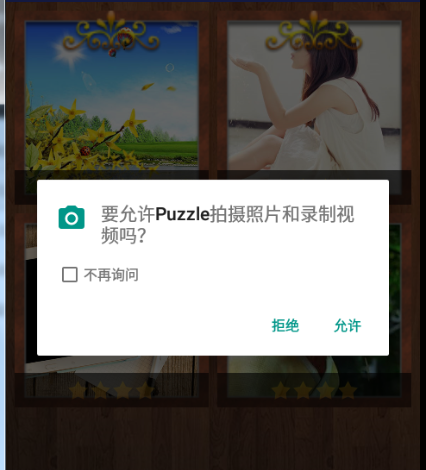 Android 6.0 運行時權限機制入門與實戰
6.0 的權限模型變了 在 6.0 之前,權限都是在安裝時一次性授予的,用戶若不點同意就裝不上。從 Android 6.0(API 23)開始,系統改為運行時權限:當你的
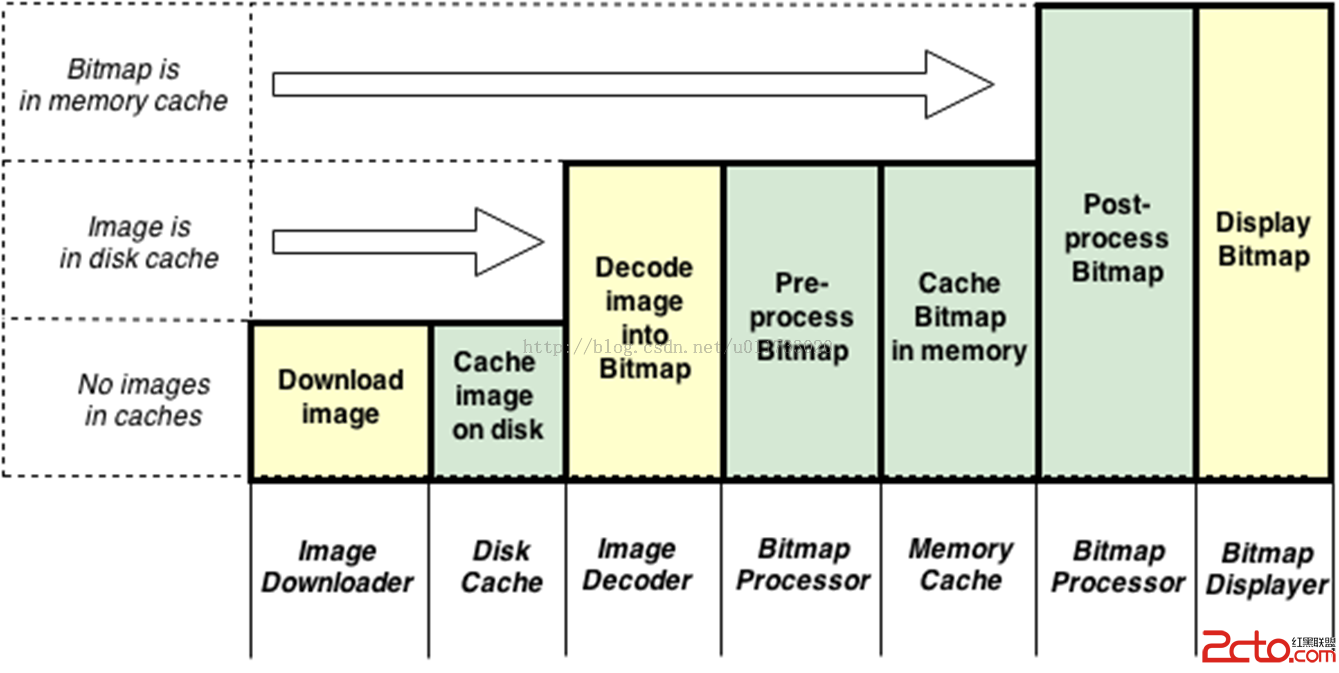 Android-Universal-Image-Loader 源碼解讀:圖片異步加載與緩存
前言: 在 Android 開發中,圖片加載是個老生常談卻又頗具挑戰的問題。處理不好,各種怪問題層出不窮,比如加載導致介面卡頓、程式 crash。因此,如何高效加載大量圖
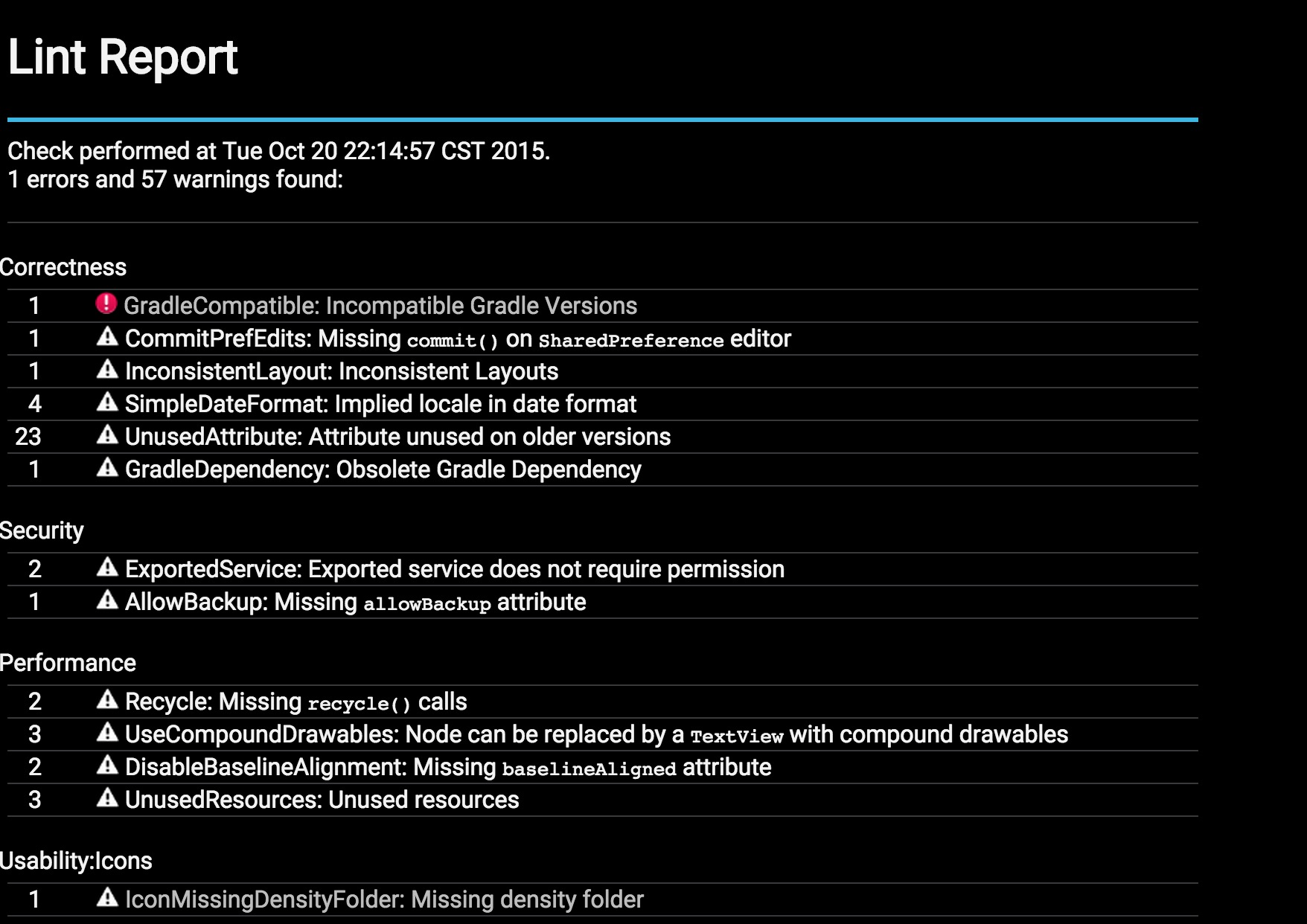 Android 靜態代碼檢查利器 Lint 的三種用法
基於 Gradle 的 Lint 檢查 在 gradle 中自帶了一個 lint 任務,可以直接執行靜態代碼檢查,但前提是你要在 build.gradle 中配置好 li
 安卓 JNI 進階實戰:動態註冊 native 方法與 JNI 資料型別全解析
前言 或許你已經能跑通最簡單的 JNI 呼叫了。說實話這不算什麼,網路上這類教學一大堆。雖然 JNI 大多數時候用不到我們安卓工程師親自處理,畢竟門檻不低,但既然要用,