

編輯:關於 Android 程式設計
接續前一篇,這次要處理的是第三個問題:Service 與客戶端的綁定究竟如何實現,也就是跨進程調用的細節。
(一)Service 的生命週期
(二)Service 的自動重啟問題
(三)Service 與客戶端的綁定如何實現,即跨進程調用問題
綁定本質上是透過 Binder 完成的:客戶端呼叫 bind 服務。先看 ContextImpl 的實作:
private boolean bindServiceCommon(Intent service, ServiceConnection conn, int flags, UserHandle user) {
    IServiceConnection sd;
    if (mPackageInfo != null) {
        sd = mPackageInfo.getServiceDispatcher(conn, getOuterContext(), mMainThread.getHandler(), flags);
    }
    try {
        IBinder token = getActivityToken();
        if (token == null && (flags & BIND_AUTO_CREATE) == 0
                && mPackageInfo != null
                && mPackageInfo.getApplicationInfo().targetSdkVersion
                        < android.os.Build.VERSION_CODES.ICE_CREAM_SANDWICH) {
            flags |= BIND_WAIVE_PRIORITY;
        }
        service.prepareToLeaveProcess();
        int res = ActivityManagerNative.getDefault().bindService(
                mMainThread.getApplicationThread(),
                getActivityToken(), service,
                service.resolveTypeIfNeeded(getContentResolver()),
                sd, flags, user.getIdentifier());
        if (res < 0) {
            throw new SecurityException("Not allowed to bind to service " + service);
        }
        return res != 0;
    } catch (RemoteException e) {
        throw new RuntimeException("Failure from system", e);
    }
}
接著 LoadedApk 會建立一個用於跨進程連線的 Binder 物件,也就是 ServiceDispatcher 內部的 InnerConnection:
public final IServiceConnection getServiceDispatcher(ServiceConnection c,
        Context context, Handler handler, int flags) {
    synchronized (mServices) {
        LoadedApk.ServiceDispatcher sd = null;
        ArrayMap<ServiceConnection, LoadedApk.ServiceDispatcher> map = mServices.get(context);
        if (map != null) {
            sd = map.get(c);
        }
        if (sd == null) {
            sd = new ServiceDispatcher(c, context, handler, flags);
            if (map == null) {
                map = new ArrayMap<ServiceConnection, LoadedApk.ServiceDispatcher>();
                mServices.put(context, map);
            }
            map.put(c, sd);
        } else {
            sd.validate(context, handler);
        }
        return sd.getIServiceConnection();
    }
}
static final class ServiceDispatcher {
    private final ServiceDispatcher.InnerConnection mIServiceConnection;
    private final ServiceConnection mConnection;

    private static class ConnectionInfo {
        IBinder binder;
        IBinder.DeathRecipient deathMonitor;
    }

    private static class InnerConnection extends IServiceConnection.Stub {
        final WeakReference<LoadedApk.ServiceDispatcher> mDispatcher;

        InnerConnection(LoadedApk.ServiceDispatcher sd) {
            mDispatcher = new WeakReference<LoadedApk.ServiceDispatcher>(sd);
        }

        // 這個方法由 ActivityManagerService 在綁定完成後回呼
        // service 就是遠程物件 onBind 所回傳的那個 Binder
        // 這裡才是服務端與客戶端傳遞 Binder 物件的通道
        public void connected(ComponentName name, IBinder service) throws RemoteException {
            LoadedApk.ServiceDispatcher sd = mDispatcher.get();
            if (sd != null) {
                sd.connected(name, service);
            }
        }
    }

    public void connected(ComponentName name, IBinder service) {
        if (mActivityThread != null) {
            mActivityThread.post(new RunConnection(name, service, 0));
        } else {
            doConnected(name, service);
        }
    }

    public void doConnected(ComponentName name, IBinder service) {
        ServiceDispatcher.ConnectionInfo old;
        ServiceDispatcher.ConnectionInfo info;
        synchronized (this) {
            if (mForgotten) {
                // 在回調到達前就已 unbind,直接忽略
                return;
            }
            old = mActiveConnections.get(name);
            if (old != null && old.binder == service) {
                return;
            }
            if (service != null) {
                mDied = false;
                info = new ConnectionInfo();
                info.binder = service;
                info.deathMonitor = new DeathMonitor(name, service);
                try {
                    service.linkToDeath(info.deathMonitor, 0);
                    mActiveConnections.put(name, info);
                } catch (RemoteException e) {
                    mActiveConnections.remove(name);
                    return;
                }
            } else {
                mActiveConnections.remove(name);
            }
            if (old != null) {
                old.binder.unlinkToDeath(old.deathMonitor, 0);
            }
        }
        if (old != null) {
            mConnection.onServiceDisconnected(name);
        }
        // 這就是我們綁定服務後取得遠程物件代理的回調
        if (service != null) {
            mConnection.onServiceConnected(name, service);
        }
    }

    public void doDeath(ComponentName name, IBinder service) {
        mConnection.onServiceDisconnected(name);
    }
}
int bindServiceLocked(IApplicationThread caller, IBinder token, Intent service,
        String resolvedType, IServiceConnection connection, int flags, int userId) {

    ServiceLookupResult res = retrieveServiceLocked(service, resolvedType,
            Binder.getCallingPid(), Binder.getCallingUid(), userId, true, callerFg);

    // bindings 中記錄綁定請求,後續 requestServiceBindingsLocked() 處理
    AppBindRecord b = s.retrieveAppBindingLocked(service, callerApp);

    if ((flags & Context.BIND_AUTO_CREATE) != 0) {
        s.lastActivity = SystemClock.uptimeMillis();
        // 帶了自動啟動標志則建立服務;若已啟動則不做任何事
        if (bringUpServiceLocked(s, service.getFlags(), callerFg, false) != null) {
            return 0;
        }
    }

    if (s.app != null && b.intent.received) {
        // 服務已啟動且綁定過,直接發布連線
        try {
            c.conn.connected(s.name, b.intent.binder);
        } catch (Exception e) {
            Slog.w(TAG, "Failure sending service " + s.shortName + " to connection "
                    + c.conn.asBinder(), e);
        }
        // 一般情況下 onBind 只會執行一次,除非請求 doRebind
        if (b.intent.apps.size() == 1 && b.intent.doRebind) {
            requestServiceBindingLocked(s, b.intent, callerFg, true);
        }
    } else if (!b.intent.requested) {
        // 服務尚未綁定過,走後續流程,最終會呼叫 onBind
        requestServiceBindingLocked(s, b.intent, callerFg, false);
    }
    return 1;
}
仔細看會發現一個有意思的細節:InnerConnection 裡並沒有 unConnected 方法,unBind 流程中也找不到任何地方呼叫它,那條路徑上只有服務端的 unBind 以及可能的 onDestroy。
答案在 Binder 的死亡通知機制。ServiceDispatcher 在 doConnected 中為遠端 Binder 註冊了一個 IBinder.DeathRecipient(也就是 DeathMonitor)。只有當服務端那個 Binder 真正死亡時,binderDied() 才會被觸發,進而呼叫 doDeath() 並最終回到 ServiceConnection.onServiceDisconnected()。
換句話說,onServiceDisconnected 不是「客戶端解綁」的回調,而是「服務進程掛了」的通知。這兩個語意在實務上常被混淆,理解清楚之後,處理服務異常重連的邏輯就會順很多。
 Android ViewPager 畫廊效果:一次顯示多張圖片與滑動實現
ViewPager 本身通常一次只顯示一頁,但透過 clipChildren 屬性與適當的 margin,可以讓左右頁面的內容露出,形成類似畫廊的視覺效果。 關鍵設定
 Android 牛刀小試之"AA 算錢軟件"開發(二)
今天主要修復了幾個 bug,換了背景圖片和圖標,並新增了變動人數功能——可以指定參與 AA 的人數來參與計算。同時利用 getResources().getIdentif
 Android 傳感器開發完全解析:分類、框架與實作
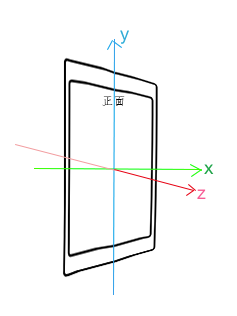
Android 裝置內建多種傳感器,可用於偵測動作、環境與位置變化。本文從傳感器分類、Android Sensor Framework 到常見實作,整理出完整的開發脈絡。
 Android 資料儲存:SQLite 資料庫使用詳解
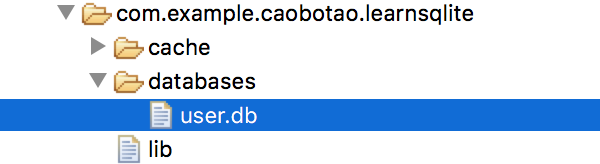
SQLite 是一款開源的嵌入式關聯式資料庫,第一個 Alpha 版本發布於 2000 年。它在可攜性、易用性、緊湊性、高效性與可靠性方面都有突出表現。 在 Androi