

編輯:關於 Android 程式設計
說得直白一點,inflate 的作用就是把一個 XML 中定義的布局「找出來」,變成一個可以在程式碼中操作的 View 物件。這個能力在你想把某個布局塞進 AlertDialog、塞進自定義控件、或動態加入列表項時,是必備的。
Android 鼓勵把介面寫在 XML 裡,但 XML 只是「描述」,程式真正需要的是 View 物件。inflate 就是這兩者之間的橋樑:它讀取 XML、建立對應的 View 樹、套用屬性,最後把根節點交還給你。
假設我們要做一个「點擊縮圖後彈出大圖」的功能。首先準備一個布局檔 view.xml:
<?xml version="1.0" encoding="utf-8"?>
<LinearLayout xmlns:android="https://schemas.android.com/apk/res/android"
    android:orientation="vertical"
    android:layout_width="fill_parent"
    android:layout_height="fill_parent" >

    <ImageView
        android:id="@+id/image"
        android:layout_width="fill_parent"
        android:layout_height="fill_parent"
        android:scaleType="fitCenter" />

</LinearLayout>
然後在程式碼中先 inflate 出這個布局,再透過它去 findViewById 取得內部的 ImageView:
// 載入 view.xml 布局代表的視圖
View viewDialog = getLayoutInflater().inflate(R.layout.view, null);

// 取得 viewDialog 中 ID 為 image 的組件
ImageView image = (ImageView) viewDialog.findViewById(R.id.image);

// 設定要顯示的圖片
image.setImageBitmap(BitmapFactory.decodeFile(fileNames.get(position)));

// 用對話框顯示使用者單擊的圖片
new AlertDialog.Builder(MediaProviderTest.this)
        .setView(viewDialog)
        .setPositiveButton("確定", null)
        .show();
1. findViewById 的範圍很重要。拿到 inflate 出來的 View 之後,必須用 viewDialog.findViewById() 而不是 Activity.findViewById(),否則找不到該布局內的控件。這是新手最常犯的錯誤。
2. 第二個參數 root 的意義。inflate(resource, root) 中的 root 決定要不要把新布局掛到某個父容器上。當你只是要「取出來自己用」(例如塞進 Dialog),傳 null 即可;若 root 不為 null 且 attachToRoot 為 true,布局會被直接加入該父容器並回傳 root 本身。
3. 布局根節點的 layout_ 參數在 root 為 null 時會失效。因為沒有父容器可供參照,layout_width、layout_height 這類 LayoutParams 相關屬性會被忽略。遇到「inflate 出來的 View 尺寸不對」,多半就是這個原因,此時應在程式碼中手動 setLayoutParams。
4. 三參數版本。inflate(resource, root, attachToRoot) 把「是否附加」獨立出來,語意最清楚,推薦使用。
自定義 View 中載入子布局:很多控件的做法是繼承 LinearLayout,在 onFinishInflate 或建構子中 inflate 一個對應的 XML 再 addView,這樣既保有 XML 排版的可讀性,又能封裝成一個可重複使用的控件。
自定義 Dialog / 底部彈窗:把整個彈窗內容寫成 XML,再透過 inflate 取出設定給 Dialog,是分離 UI 與邏輯最清爽的方式。
自定義 Adapter 的 getView:這是使用頻率最高的地方,配合 ViewHolder 模式可以顯著提升列表流暢度。
LayoutInflater 從哪裡來?Activity 本身就是 Context,可直接呼叫 getLayoutInflater();在非 Activity 的地方則用 LayoutInflater.from(context),兩者效果相同。
inflate 就是「XML 布局 → View 物件」的轉換器。掌握三件事就夠用:用 getLayoutInflater() 或 LayoutInflater.from() 取得實例;記得用回傳的 View 去 findViewById;root 傳 null 時 LayoutParams 會失效。理解這幾點,動態介面組裝就不再有黑盒子。
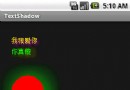 Android 陰影效果實作:Paint.setShadowLayer 一次搞定文字、圖形與圖片
陰影能讓畫面更有層次,而且 Android 內建就支援得很完整——文字、圓形、矩形、圖片全都適用,只要學會一個方法。 原理很單純 把要加陰影的物件想成「主層」,然後
 微信紅包怎麼搶?搶紅包教學與技巧
微信紅包可於群組或私聊中發送與領取。以下整理搶紅包的基本流程與注意事項。1. 先安裝並登入微信。2. 加入好友或群組,才能收到紅包。3. 看到紅包後點擊開啟,即可領取。4
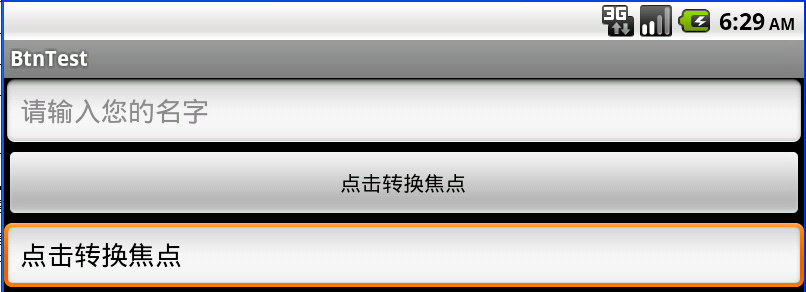 Android EditText 輸入框實作與事件處理
EditText 的角色EditText 是 Android 中最重要的使用者輸入控制項。除了使用 getText 取得內容,實務上常需要限制長度、過濾輸入類型,或提供提
 CollapsingToolbarLayout 源碼解析
純色 Toolbar 的滑動機制 AppBarLayout 內建 OnOffsetChangedListener,當垂直偏移改變時會回呼 onOffsetChanged。