

編輯:關於 Android 程式設計
看到有人挑戰「100 天寫 100 個網頁」,我也來用 100 天寫 100 個完整的 Android 程式。這些程式的基本要求有兩點:
1. 完整性——每個程式都必須獨立可運行。
2. 不重複性——所用的重點知識點都不一樣。
本章參考書籍:Hello Android。
先寫一個簡單的頁面,在文字框輸入網址,點擊 GO 按鈕後就能打開該網站。
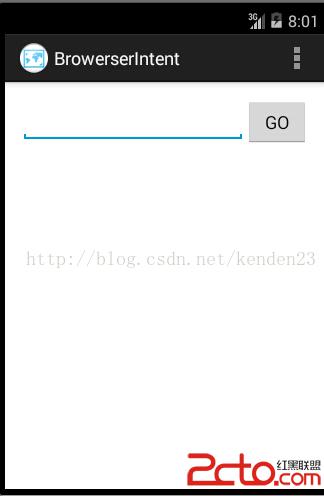
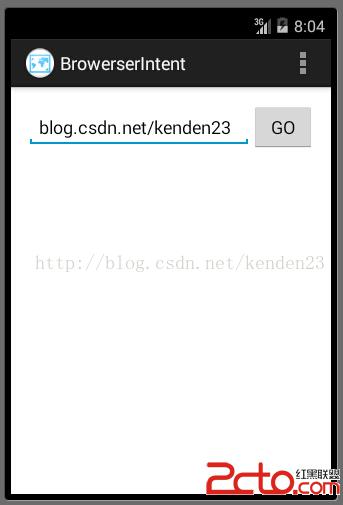

新建一個專案,主要檔案包括 Browser.java、activity_browser.xml、strings.xml 與 AndroidManifest.xml。
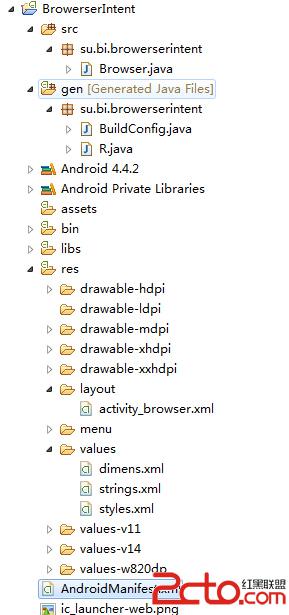
activity_browser.xml:
 <LinearLayout xmlns:android="https://schemas.android.com/apk/res/android"
   xmlns:tools="https://schemas.android.com/tools"
   android:layout_width="match_parent" android:layout_height="match_parent"
   android:orientation="horizontal" tools:context="su.bi.browerserintent.Browser" >
   <EditText android:id="@+id/url_field" android:layout_width="0dip" android:layout_height="wrap_content"
     android:layout_weight="1.0" android:imeOptions="actionGo" android:inputType="textUri" android:lines="1" />
   <Button android:id="@+id/go_button" android:layout_width="wrap_content" android:layout_height="wrap_content"
     android:text="@string/go_button" />
 </LinearLayout>
知識點:
1. 使用 LinearLayout 版面,加入一個 EditText 作為輸入網址的文字框。注意此處 layout_width 設為 0dip,配合 layout_weight="1.0",就能讓文字框擴展佔滿該行剩餘的空間,因此直接把 layout_width 設為零即可。
2. 參數 imeOptions="actionGo" 與 inputType="textUri" 會告訴 Android 使用帶有「.com」「/」以及 Go 鍵的軟鍵盤,按下該鍵即可直接跳轉到指定網頁。
1. 設定好輸入與按鍵處理:
 protected void onCreate(Bundle savedInstanceState) {
   super.onCreate(savedInstanceState);
   setContentView(R.layout.activity_browser);
   // 取得介面元件
   urlText = (EditText) findViewById(R.id.url_field);
   goButton = (Button) findViewById(R.id.go_button);
   // 設定事件處理
   goButton.setOnClickListener(new OnClickListener() {
     public void onClick(View v) { openBrowser(); }
   });
   urlText.setOnKeyListener(new OnKeyListener() {
     public boolean onKey(View v, int keyCode, KeyEvent event) {
       if (event.getKeyCode() == KeyEvent.KEYCODE_ENTER) {
         openBrowser();
         return true;
       }
       return false;
     }
   });
 }
goButton 使用 setOnClickListener 註冊點擊監聽;urlText 使用 setOnKeyListener 監聽,按下 ENTER 時呼叫 openBrowser。
2. openBrowser() 函式定義:
 private void openBrowser() {
   Uri uri = Uri.parse(urlText.getText().toString());
   Intent intent = new Intent(Intent.ACTION_VIEW, uri);
   startActivity(intent);
 }
建立一個 Intent,使用瀏覽器打開這個網址。至此,整個程式就能運行了。
如果輸入 blog.csdn.net/kenden23,程式就會崩潰;重新輸入 https://blog.csdn.net/kenden23 則能正常工作。可見必須是以 https:// 開頭的文字才能正常運行。這就需要小小處理一下,也就是字串處理的問題。重新定義 openBrowser():
 private static final String HTTPHEAD = "https://";
 public static <T> boolean equ(T a, T b) { return a == b; }
 private void openBrowser() {
   String address = urlText.getText().toString();
   address = checkHttpAddress(address);
   Uri uri = Uri.parse(address);
   Intent intent = new Intent(Intent.ACTION_VIEW, uri);
   startActivity(intent);
 }
 private String checkHttpAddress(String address) {
   int len = HTTPHEAD.length();
   len = len < address.length() ? len : address.length();
   String str = address.substring(0, len);
   if (equ(str, HTTPHEAD)) {
     return address;
   }
   return HTTPHEAD + address;
 }
小技巧:自訂 equ 的好處是不會把 == 誤寫成 =,壞處則是多寫點程式碼。核心是 checkHttpAddress():判斷使用者輸入是否帶有「https://」,若沒有就自動補上,若已有則保持不變。
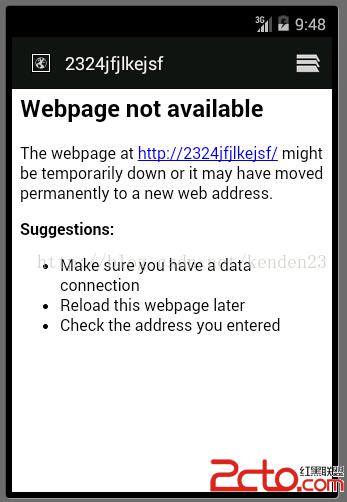
經過這樣的處理,無論使用者輸入什麼字串都不會崩潰,最多只是找不到網站(如下圖),這樣的行為是正常的。
至此大功告成。
 Android ListView 圓角效果實作解析
在介面設計中,直角與圓角各有適用場景。相較於稜角分明的列表,圓角設計通常更柔和,也更容易營造輕鬆活潑的視覺感受。本文示範如何為 Android 的 ListView 加上
 使用 ViewDragHelper 實作仿 QQ6.0 側滑界面
ViewDragHelper 的作用 在自定義 ViewGroup 中實作拖拽時,常需要處理事件攔截、多指觸控、速度判斷與位置修正。ViewDragHelper 是 An
 Android ListView 載入動畫的實作方式
ListView 是 Android 開發中最常使用的控制項之一,但千篇一律的外觀難免讓人覺得單調。若能為列表加入載入動畫,不僅能提升視覺層次,也能帶來更流暢的使用者體驗
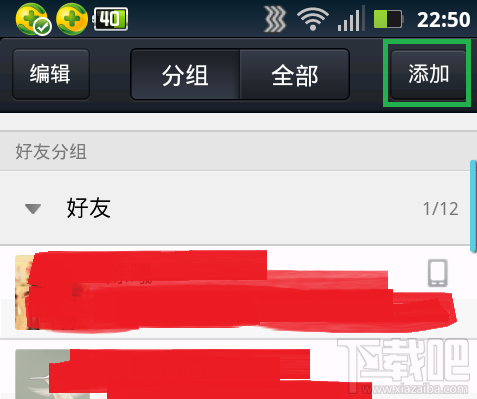 手機QQ怎麼加好友?六種新增聯絡人的方式
電腦版QQ加好友的流程大家都很熟,手機版的入口則換了位置,而且提供的方式比想像中多。從「+」號進入後,總共有六種路徑可以選,其中四種是加好友,另外兩種與群組有關。手機QQ