

編輯:關於 Android 程式設計
ListView 是 Android 開發中最常使用的控制項之一,但千篇一律的外觀難免讓人覺得單調。若能為列表加入載入動畫,不僅能提升視覺層次,也能帶來更流暢的使用者體驗。本文分享幾種常見的 ListView 動畫效果與實作方法。
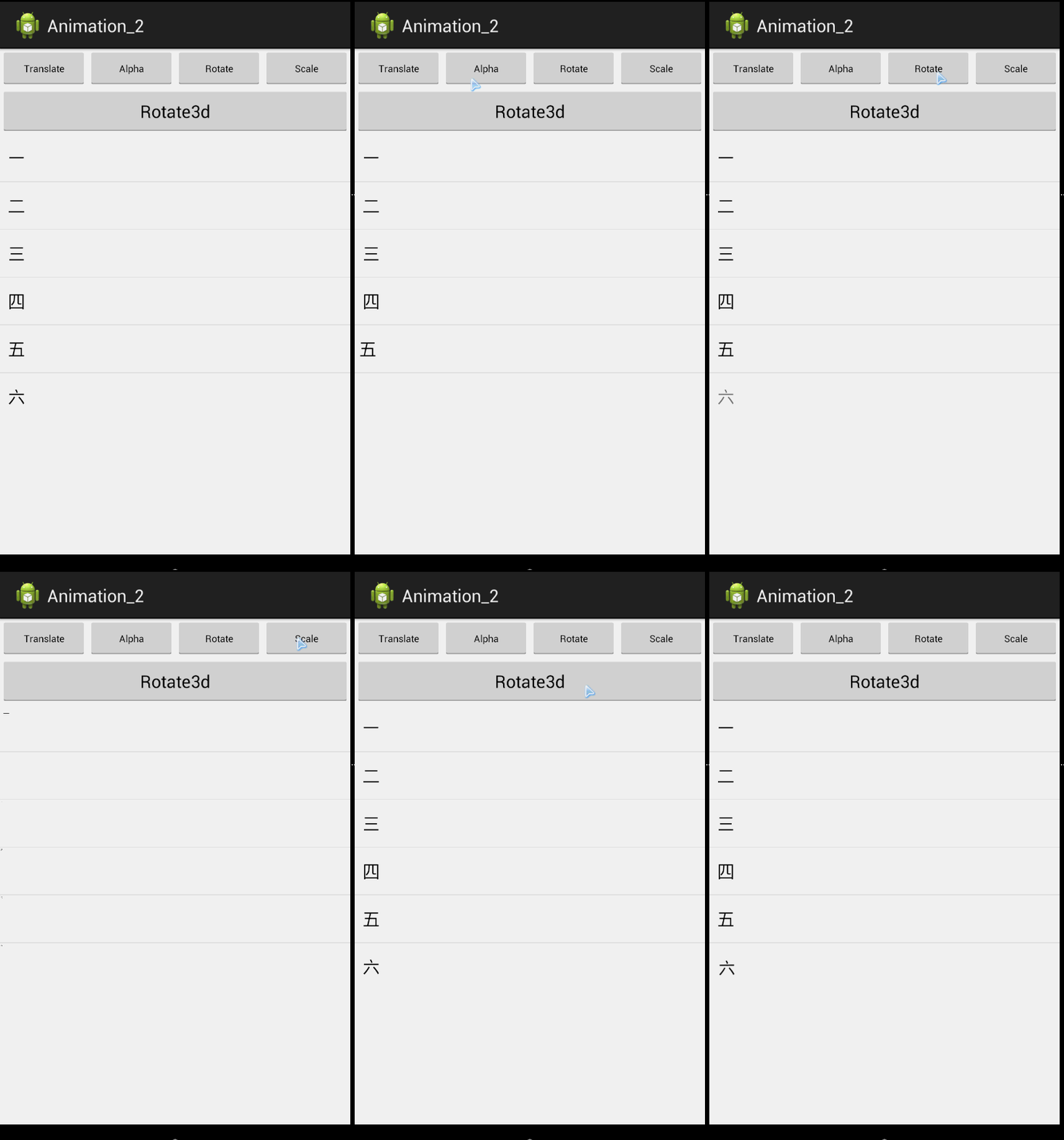
核心概念是利用 LayoutAnimationController 搭配不同種類的 Animation,再透過 ListView.setLayoutAnimation() 套用,最後呼叫 notifyDataSetInvalidated() 觸發動畫播放。以下列出平移、淡入、旋轉、縮放與 3D 旋轉五種效果的實作。
private Button button, button2, button3, button4, button5;
private ListView mListView;
private Animation animation;
private LayoutAnimationController controller;
private String[] arry = { "一", "二", "三", "四", "五", "六" };
private ArrayAdapter<String> adapter;

protected void onCreate(Bundle savedInstanceState) {
    super.onCreate(savedInstanceState);
    setContentView(R.layout.activity_main);
    initView();
    adapter = new ArrayAdapter<String>(this, android.R.layout.simple_list_item_1, arry);
    mListView.setAdapter(adapter);
}

private void initView() {
    mListView = (ListView) findViewById(R.id.list);
    button = (Button) findViewById(R.id.btn_tran);
    button.setOnClickListener(this);
    button2 = (Button) findViewById(R.id.btn_alpha);
    button2.setOnClickListener(this);
    button3 = (Button) findViewById(R.id.btn_rotate);
    button3.setOnClickListener(this);
    button4 = (Button) findViewById(R.id.btn_scale);
    button4.setOnClickListener(this);
    button5 = (Button) findViewById(R.id.rotate3d);
    button5.setOnClickListener(this);
}

@Override
public void onClick(View arg0) {
    // LayoutAnimationController.ORDER_NORMAL;  順序顯示
    // LayoutAnimationController.ORDER_REVERSE; 反序顯示
    // LayoutAnimationController.ORDER_RANDOM;  隨機顯示
    switch (arg0.getId()) {
        case R.id.btn_tran:
            animation = new TranslateAnimation(-50f, 0f, 0f, 0f);
            animation.setDuration(500);
            controller = new LayoutAnimationController(animation, 1f);
            controller.setOrder(LayoutAnimationController.ORDER_NORMAL);
            mListView.setLayoutAnimation(controller);
            adapter.notifyDataSetInvalidated();
            break;
        case R.id.btn_alpha:
            animation = new AlphaAnimation(0f, 1f);
            animation.setDuration(500);
            controller = new LayoutAnimationController(animation, 1f);
            controller.setOrder(LayoutAnimationController.ORDER_NORMAL);
            mListView.setLayoutAnimation(controller);
            adapter.notifyDataSetInvalidated();
            break;
        case R.id.btn_rotate:
            animation = new RotateAnimation(0f, 360f);
            animation.setDuration(500);
            controller = new LayoutAnimationController(animation, 1f);
            controller.setOrder(LayoutAnimationController.ORDER_NORMAL);
            mListView.setLayoutAnimation(controller);
            adapter.notifyDataSetInvalidated();
            break;
        case R.id.btn_scale:
            animation = new ScaleAnimation(0.1f, 1.0f, 0.1f, 1.0f);
            animation.setDuration(500);
            controller = new LayoutAnimationController(animation, 1f);
            controller.setOrder(LayoutAnimationController.ORDER_NORMAL);
            mListView.setLayoutAnimation(controller);
            adapter.notifyDataSetInvalidated();
            break;
        case R.id.rotate3d:
            animation = new Rotate3dAnimation(0, 360, 200, 200, 0, true);
            animation.setDuration(1000);
            controller = new LayoutAnimationController(animation, 0.1f);
            controller.setOrder(LayoutAnimationController.ORDER_NORMAL);
            mListView.setLayoutAnimation(controller);
            adapter.notifyDataSetInvalidated();
            break;
        default:
            break;
    }
}
掌握上述模式後,開發者便能自由搭配各種動畫,打造符合需求的列表載入效果。
 第三方 SDK 接入:百度地圖(一)HelloBaiduMap
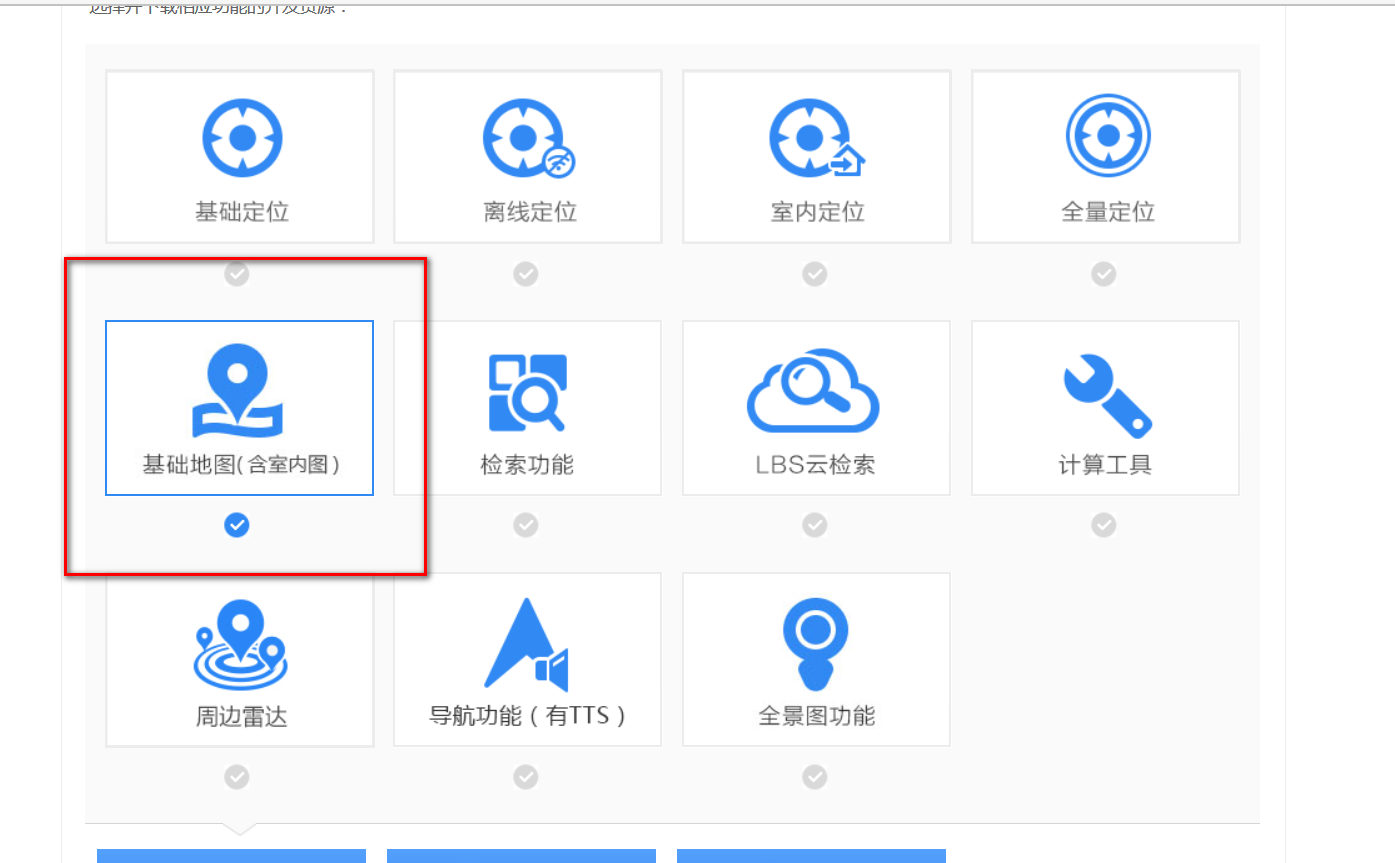
百度官方文檔:https://lbsyun.baidu.com/index.php?title=androidsdk 使用步驟 下載百度地圖 SDK 並申請密鑰。
 Android Framework 啟動流程解析:從 Zygote 到 SystemServer
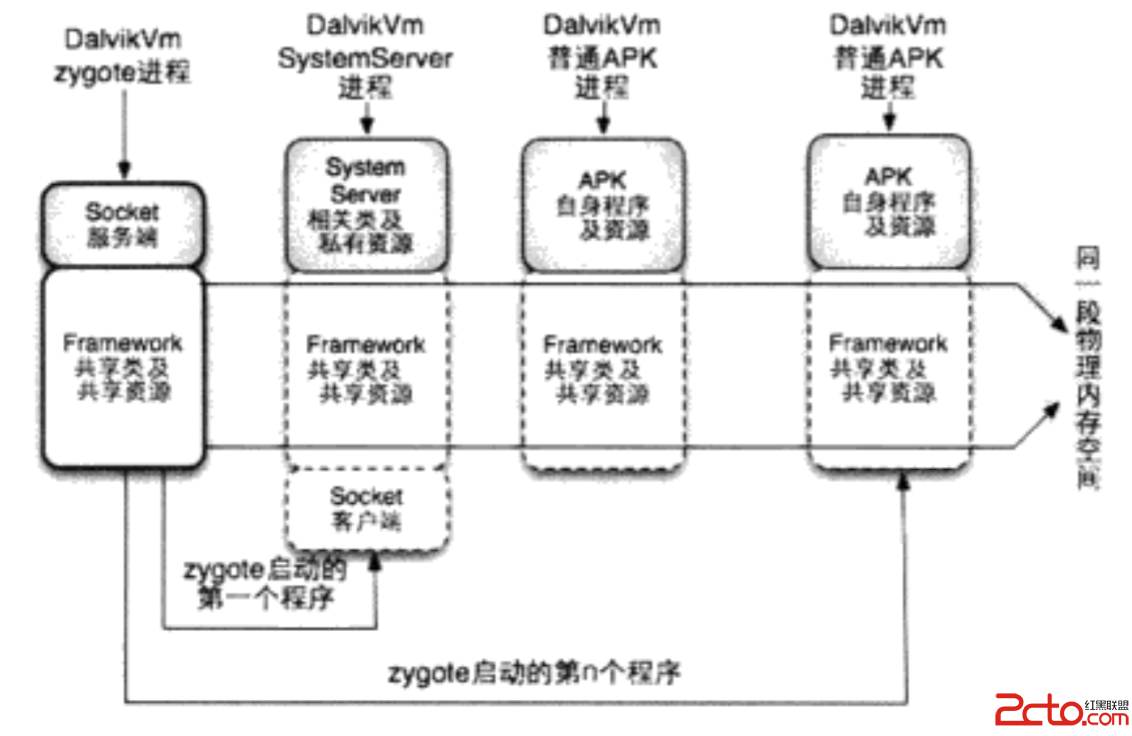
Framework 啟動的整體目標Android 開機的過程,可以視為逐步建立系統運行所需環境的過程。從核心層、init 到 Zygote,再到 SystemServer
 動手做一個搜狐新聞風格的 ViewpagerIndicator
很久沒寫部落格了,今天無事,一次補一篇。 如標題所示,這次我們來仿做搜狐新聞的頂部選項卡效果,先看成品。 一、拆解效果 內容區顯然是 ViewPager;頂部橫向選項
 Android 百度地圖實戰:搜索、定位與自定義圖標氣泡彈窗
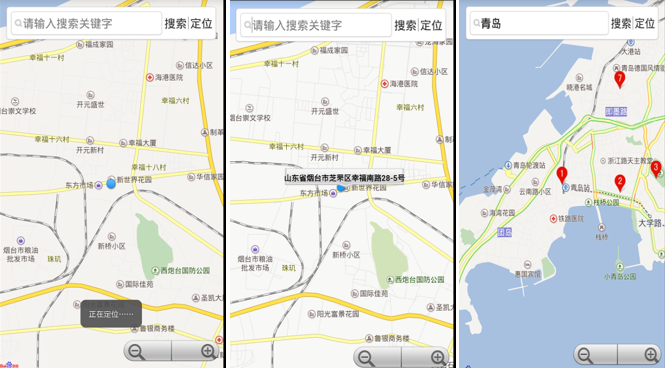
實現目標本文以百度地圖 Android SDK 為基礎,整理一套可直接實踐的搜索、定位與自定義標記方案。除了完成關鍵字檢索與當前位置展示,還會說明如何利用自定義圖標呈現定