

編輯:關於 Android 程式設計
接下來一段時間,我會持續翻譯並整理 Android 官方關於效能提升的文件。這是佈局篇的另一主題:透過標籤複用佈局。
題外話:實務上常常會用到高度相似的佈局片段。既然一樣,不妨把它整段抽出來獨立成一個檔案,一方面避免在多個檔案中重複書寫,另一方面日後要改也只需改一處。
Android 提供了豐富控件方便互動,但你多少還是會需要重複使用某些大型元件組合。與其在每個佈局檔裡重寫一次,不如用 <include> 與 <merge> 讓一個佈局出現在另一個佈局中。
複用佈局在這種情況下特別有用:它讓你能建立複雜但可重複使用的元件,例如一組 yes/no 按鈕、一個帶文字的自定義進度條。這也意味著 App 中某些元素是通用的,你可以為它們建立自定義 View,讓複用更靈活。
如果你已經知道哪些佈局要反覆使用,就為它們建立一個新的佈局檔。以下來自 G-Kenya 程式碼實驗室的例子,定義了一個會被每個 Activity 引用的標題欄:
<FrameLayout xmlns:android="https://schemas.android.com/apk/res/android"
    android:background="@color/titlebar_bg"
    android:layout_height="wrap_content"
    android:layout_width="match_parent">

    <ImageView
        android:layout_height="wrap_content"
        android:layout_width="wrap_content"
        android:src="@drawable/gafricalogo" />
</FrameLayout>
這個 View 應該與你希望它在各 Activity 中的呈現效果一致,這樣才能被安心複用。
要把可複用元件加入另一個佈局,用 <include>。以下同樣來自 G-Kenya 的例子,用來引入上面那個標題欄:
<LinearLayout xmlns:android="https://schemas.android.com/apk/res/android"
    android:background="@color/app_bg"
    android:gravity="center_horizontal"
    android:layout_height="match_parent"
    android:layout_width="match_parent"
    android:orientation="vertical">

    <include layout="@layout/titlebar" />

    <TextView
        android:layout_height="wrap_content"
        android:layout_width="match_parent"
        android:padding="10dp"
        android:text="@string/hello" />
    ...
</LinearLayout>
你也可以在 <include> 標籤上覆寫被引入佈局的屬性,例如 android:layout_* 這類參數:
<include
    android:id="@+id/news_title"
    android:layout_height="match_parent"
    android:layout_width="match_parent"
    layout="@layout/title" />
但要注意:若想覆寫佈局屬性,必須同時覆寫 layout_height 與 layout_width,其他屬性才會生效。這是 Android 的規則——include 上的其他屬性只有在明確指定寬高時才會被套用。
<merge> 能有效降低佈局層級。舉例來說,你的佈局是一個垂直 LinearLayout,而想複用的佈局也是垂直 LinearLayout——那麼以另一個 LinearLayout 作為複用佈局的根元素,就會產生「垂直 LinearLayout 包著另一個垂直 LinearLayout」的結果。這種同類型的嵌套毫無意義,還會拖慢 UI 效能。
要避免這種情況,可以在複用佈局中改用 <merge> 當根元素:
<merge xmlns:android="https://schemas.android.com/apk/res/android">
    <Button
        android:layout_height="wrap_content"
        android:layout_width="fill_parent"
        android:text="@string/add" />
    <Button
        android:layout_height="wrap_content"
        android:layout_width="fill_parent"
        android:text="@string/delete" />
</merge>
這樣一來,當你用 <include> 複用它時,系統會忽略 <merge> 標籤本身,直接把兩個 Button 放到 include 所在的位置,父容器的層級因此少了一層。
簡單記法:<include> 負責「把別人的佈局搬過來」,<merge> 負責「搬過來時不要多包一層」。兩者搭配使用,既能消除重複程式碼,又不會付出額外層級的效能代價。
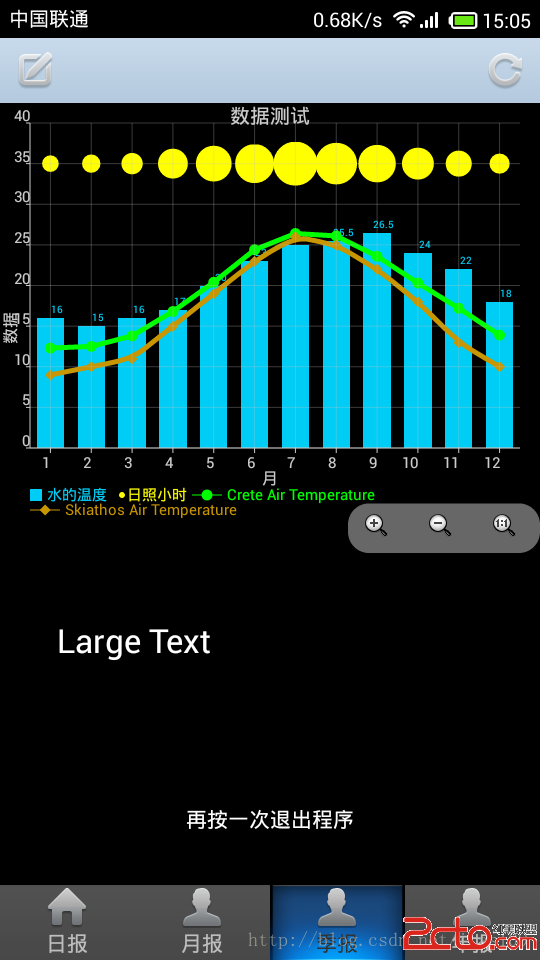 Android 再按一次返回鍵完全退出應用程式
在 Android 中,finish 只能關閉目前的 Activity。若應用程式有多個 Activity 同時存在於返回堆疊中,就無法一次全部結束。此時可以透過自訂 A
 微信「附近的人」看不到我?四個常見原因與解法
「附近的人」可以發現周邊正在使用微信的使用者,打招呼、聊天都方便。但有時會遇到一種狀況:別人搜得到其他人,卻搜不到我。這類問題通常不是故障,而是某個設定沒開或位置資訊失效
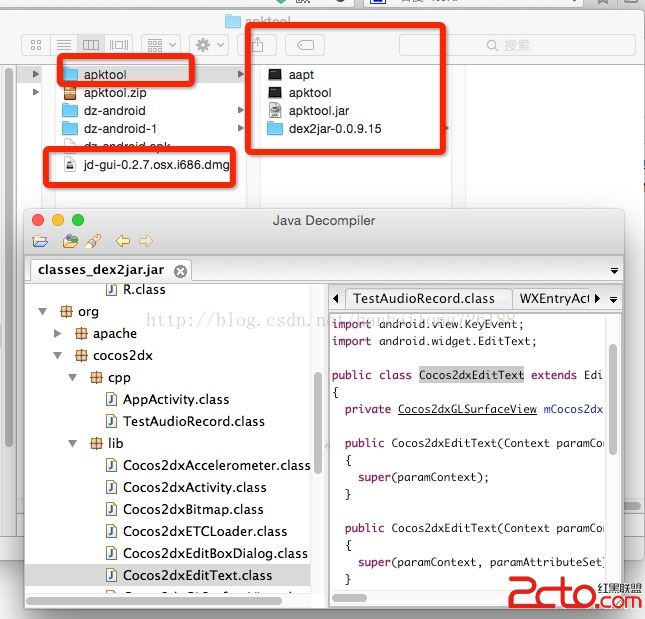 Mac 電腦如何進行 APK 反編譯——使用 apktool、dex2jar、jd-gui
最近群裡有人問如何在 Mac 下反編譯 APK。以前我都是在 Windows 下操作,那邊工具比較齊全(例如改之理這類集成工具),心想 Mac 下應該也差不多,於是趁著嗑
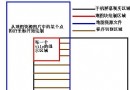 Android 遊戲開發:攝像頭(Camera)原理與地圖滾動更新實作
在遊戲開發裡,「攝像頭」不是那個硬體鏡頭,而是一個虛擬的取景框。移動它,畫面上顯示的內容就跟著變——這是 RPG 場景運鏡的基礎。本篇說明它的原理、地圖切割繪製的做法,以