

編輯:關於 Android 程式設計
Android L 發布後,想第一時間把原始碼拉下來研究,關鍵在於 repo 這個多倉庫管理工具。以下以 Linux(Ubuntu)環境為例,把整個流程走一遍。
(1) curl https://storage.googleapis.com/git-repo-downloads/repo > ~/bin/repo
(2) chmod a+x ~/bin/repo
(3) export PATH=~/bin:$PATH
curl 是 Linux 下以指令發送網路請求的常用工具,用它把 repo 抓下來後,將所在目錄加入 PATH 環境變數,之後就能直接呼叫。
抓取 master 分支:
(1) mkdir src && cd src
(2) repo init -u https://android.googlesource.com/platform/manifest
(3) repo sync
若想指定特定分支(以 5.0 為例):
(1) mkdir src && cd src
(2) repo init -u https://android.googlesource.com/platform/manifest -b android-5.0.0_r2
(3) repo sync先列出所有可用分支:
(1) cd .repo/manifests && git branch -a | cut -d / -f 3
android-4.4.4_r2.0.1
android-4.4_r1
android-4.4_r1.0.1
android-4.4_r1.1
android-4.4_r1.1.0.1
android-4.4_r1.2
android-4.4_r1.2.0.1
android-4.4w_r1
android-5.0.0_r1
android-5.0.0_r2
接著初始化、同步並全域切換:
(2) repo init -b android-5.0.0_r2
(3) repo sync
(4) repo start android-5.0.0_r2 --all
(5) repo branches
* android-5.0.0_r2 | in all projects
(6) cd external/jsmn && git branch
* android-5.0.0_r2如果團隊內多人需要同一份原始碼,反覆從伺服器抓取既慢又耗流量,可以在內網架一台鏡像。
先從官方伺服器建立鏡像:
(1) mkdir -p ~/aosp/mirror
(2) cd ~/aosp/mirror
(3) repo init -u https://android.googlesource.com/mirror/manifest --mirror
(4) repo sync
其他人再從這台鏡像取用:
(1) mkdir -p ~/aosp/master
(2) cd ~/aosp/master
(3) repo init -u /home/username/aosp/mirror/platform/manifest.git
(4) repo sync
定期更新鏡像與本地倉庫:
(1) cd ~/aosp/mirror
(2) repo sync
(3) cd ~/aosp/master
(4) repo sync
整套流程走過一遍之後,後續每次更新只要重跑 repo sync 即可,日常使用相當省事。
 Android 智慧簡訊開發實戰:會話列表與選單動畫
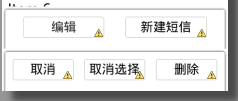
畫面結構與互動目標 智慧簡訊的會話頁通常由兩部分組成:上方是可滾動的會話列表,下方則是操作選單。列表負責呈現最近的對話內容,而底部選單提供編輯、新增簡訊等功能。為了讓操作
 Android 視圖狀態及重繪流程分析:深入了解 View
視圖狀態是互動效果的核心 Android View 具有多種狀態,例如 enabled、focused、selected、pressed 與 window_focused
 Android 用 ViewPager 實作左右無限循環輪播圖與底部指示點
這個範例要解決的是一個很常見的需求:輪播圖可以左右無限循環——最後一張再往右滑會回到第一張,第一張往左滑會跳到最後一張,底部並搭配指示點。先來看效果: 版面配置 &l
 USB 調試已開啟卻沒有授權視窗?adb 衝突排查
使用 Vysor、豌豆荚等工具時,若明明已開啟 USB 調試,卻一直沒有跳出授權視窗,可能是 adb 版本或背景進程衝突所致。常見原因部分軟體,例如即時通訊或手機管理工具