

編輯:關於 Android 程式設計
LayoutInflater 是應用開發中非常實用的一個類別,它被暱稱為「佈局填充器」,也有人戲稱它是「打氣筒」——因為它的作用就是把 XML 佈局檔「充」到我們想要的位置上。本文將說明它的用途、取得方式,以及 inflate() 方法的種種用法。
LayoutInflater 用來尋找 res/layout/ 下的 XML 佈局檔,並將其實例化為一個 View 物件。這一點有點類似 findViewById(),但兩者並不相同:findViewById() 是在既有佈局中尋找具體的 widget 控制項(如 Button、TextView);而對於尚未載入或想動態載入的介面,就必須使用 LayoutInflater.inflate() 來載入。
簡單來說:對於一個已經載入的介面,用 Activity.findViewById() 取得其中的元素;而對於尚未載入的佈局,則用 LayoutInflater.inflate() 動態載入。
LayoutInflater layoutInflater = getLayoutInflater(); LayoutInflater layoutInflater2 = LayoutInflater.from(this); LayoutInflater layoutInflater3 = (LayoutInflater) this.getSystemService(Context.LAYOUT_INFLATER_SERVICE);
其實三種方式殊途同歸,最終都是透過 getSystemService 取得服務:第一種 getLayoutInflater() 內部呼叫的是 getWindow().getLayoutInflater();第二種 LayoutInflater.from(context) 內部則是呼叫 context.getSystemService(Context.LAYOUT_INFLATER_SERVICE)。
inflate() 有幾種多載形式,最常見的是:
public View inflate (int resource, ViewGroup root) public View inflate (XmlPullParser parser, ViewGroup root) public View inflate (XmlPullParser parser, ViewGroup root, boolean attachToRoot) public View inflate (int resource, ViewGroup root, boolean attachToRoot)
其中 resource 是需要載入的佈局檔 ID;root 則是根物件——如果 root 不為 null,就把這個 root 作為新載入 XML 的根視圖;若為 null,則該 XML 檔本身就是根視圖。
先定義一個要動態載入的 item 佈局:
<?xml version="1.0" encoding="utf-8"?> <LinearLayout xmlns:android="https://schemas.android.com/apk/res/android" android:id="@+id/test" android:layout_width="match_parent" android:layout_height="match_parent" android:orientation="vertical" > <TextView android:id="@+id/inflate_txt" android:layout_width="match_parent" android:layout_height="match_parent" android:text="測試"/> </LinearLayout>
接著在按鈕的點擊事件中,用 inflate 載入這個佈局,取得其中的 TextView 並設定內容,最後放進 AlertDialog 顯示:
LayoutInflater layoutInflater = getLayoutInflater(); View view = layoutInflater.inflate(R.layout.item, null); TextView text = (TextView) view.findViewById(R.id.inflate_txt); text.setText("https://www.cnblogs.com/xiaofeixiang"); text.setTextSize(18); text.setTextColor(Color.RED); AlertDialog.Builder builder = new AlertDialog.Builder(MainActivity.this); builder.setView(view); AlertDialog alertDialog = builder.create(); alertDialog.show();
透過這個範例可以看到,LayoutInflater 讓我們能把任何 XML 佈局動態地轉成 View,再靈活地嵌入到對話框、清單項目或其他容器中,是動態 UI 組建的基礎工具。
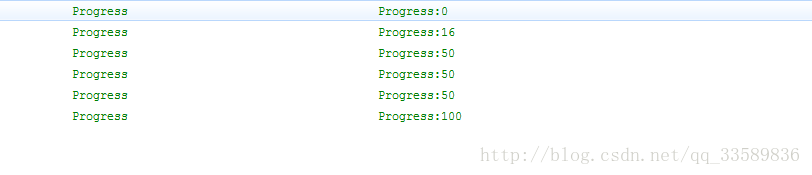 用 Timer 讓 WebView 進度條勻速推進
用 WebView 載入網頁時,若遇到網路較慢,畫面會出現一片空白,體驗很差。加上進度條是標準解法,但直接把 onProgressChanged() 的數值塞給 Prog
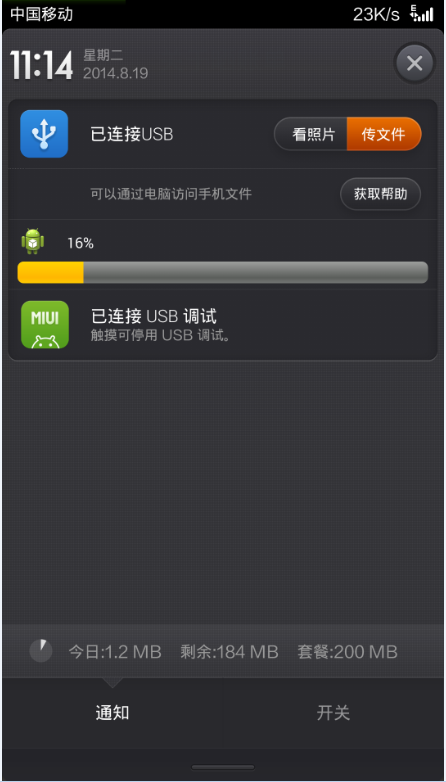 Android 版本更新實作:通知欄下載進度與自動安裝流程
應用版本更新是許多 App 必備的流程。常見做法是在啟動時檢查伺服器版本,若發現新版本,就在通知欄建立下載任務,並即時更新進度,完成後引導使用者安裝。 檢查版本與建立下
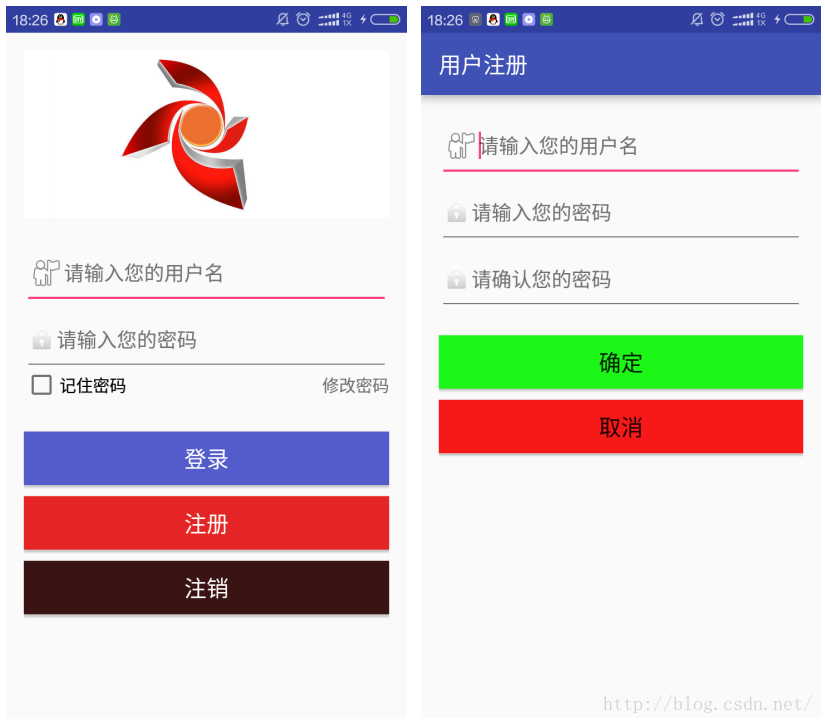 Android 登入註冊介面開發與使用者資訊管理完整實作詳解
剛開始學 Android 時寫的第一個小專案,功能是登入、註冊、註銷、修改密碼、記住密碼這五個基本操作,涵蓋的知識點有三塊: 1. Button、TextView、Edi
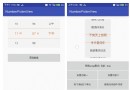 NumberPickerView:一款 UI 體驗優於原生 NumberPicker 的自訂控制項
NumberPickerView一款在 Android 平台上具備更靈活屬性的 NumberPicker 替代品。專案地址https://github.com/Carbs