

編輯:關於 Android 程式設計
Context 大概是 Android 應用裡最常被使用、也最容易被誤用的元素。
正因為它無所不在、到處傳遞,稍不留意就會造成與預期完全不同的行為。載入資源、啟動 Activity、取得系統服務、拿到內部檔案路徑、建立 View,全都需要 Context 參與。以下整理 Context 的運作方式,以及在實際專案中使用它的判斷準則。
並非所有 Context 實例都等價。依來源不同,能力與生命週期會有細微差異。
應用行程中的單例。在 Activity 或 Service 裡可以透過 getApplication() 取得,任何 Context 物件也都能用 getApplicationContext() 取得。無論從哪裡、用哪種方式拿,同一個行程內永遠是同一個實例。
兩者都繼承自 ContextWrapper,對外實作與 Context 相同的 API,但實際上是把呼叫代理給內部隱藏的 Context 實例,也就是所謂的 base context。系統每次建立新的 Activity 或 Service,都會同時建立一個新的 ContextImpl 來承擔真正的工作。每個 Activity、Service 及其對應的 base context 都是彼此唯一的。
它本身不是 Context,內部也不持有 Context。但每當廣播送達,框架會傳一個 Context 物件給 onReceive()。這個物件是 ReceiverRestrictedContext 實例,有兩個方法被刻意停用:registerReceiver() 與 bindService(),在 onReceive() 中呼叫會失敗。每處理一次廣播,傳入的 Context 都是新實例。
它本身也不是 Context,但可透過 getContext() 取得。若 ContentProvider 與呼叫方位於同一行程,getContext() 回傳的是 Application 單例;若呼叫方在其他行程,則會回傳一個代表該 Provider 所在套件的全新實例。
最常見的問題是:某個物件或類別內部保存了 Context 引用,而它自身的生命週期卻比該 Context 更長。例如自製單例需要 Context 來載入資源或取得 ContentProvider,於是順手把目前的 Activity 存了進去。
public class CustomManager {
    private static CustomManager sInstance;

    public static CustomManager getInstance(Context context) {
        if (sInstance == null) {
            sInstance = new CustomManager(context);
        }
        return sInstance;
    }

    private Context mContext;

    private CustomManager(Context context) {
        mContext = context;
    }
}
問題在於我們無法保證傳進來的 Context 從哪裡來。單例透過靜態引用維持唯一實例,這意味著該物件以及它引用到的一切永遠無法被回收。如果那個 Context 其實是 Activity,於是與該 Activity 相關的所有 View 和其他大物件都跟著被留住,形成記憶體洩漏。
public class CustomManager {
    private static CustomManager sInstance;

    public static CustomManager getInstance(Context context) {
        if (sInstance == null) {
            // 一律使用 Application Context
            sInstance = new CustomManager(context.getApplicationContext());
        }
        return sInstance;
    }

    private Context mContext;

    private CustomManager(Context context) {
        mContext = context;
    }
}
這樣一來,呼叫端傳什麼都不重要了,因為保存的引用是安全的。Application Context 本身就是單例,再多一個靜態引用指向它也不會造成洩漏。同樣的技巧也適用於背景執行緒或等待中的 Handler 需要長期持有 Context 的情況。
那為什麼不乾脆一律使用 Application Context?因為不同 Context 的能力並不相同。
| 操作 | Application | Activity | Service | ContentProvider | BroadcastReceiver |
|---|---|---|---|---|---|
| 顯示 Dialog | NO | YES | NO | NO | NO |
| 啟動 Activity | NO1 | YES | NO1 | NO1 | NO1 |
| Layout Inflation | NO2 | YES | NO2 | NO2 | NO2 |
| 啟動 Service | YES | YES | YES | YES | YES |
| 綁定 Service | YES | YES | YES | YES | NO |
| 發送廣播 | YES | YES | YES | YES | YES |
| 註冊 BroadcastReceiver | YES | YES | YES | YES | NO3 |
| 載入資源值 | YES | YES | YES | YES | YES |
NO1:Application Context 確實能啟動 Activity,但它會建立一個新的 task,導致回退堆疊(back stack)與預期不符。這通常不是好的實務做法。
NO2:填充動作在技術上可以完成,但會套用系統預設主題,而非你的 app 在 manifest 中定義的主題。
NO3:Android 4.2 以上,若 Receiver 為 null(用於取得 sticky broadcast 的當前值),則允許。
從上表可以看出,Application Context 不能勝任的操作幾乎都與 UI 有關。實際上只有 Activity 能處理全部 UI 任務,其他類型的 Context 能力大致相當。
值得慶幸的是,這三類操作在實務上幾乎不需要在 Activity 範圍外進行,這很可能是框架刻意的設計。若你嘗試用 Application Context 彈出 Dialog 或啟動 Activity,系統會直接拋出例外讓 app 崩潰——這是相當明確的信號,告訴你某處用錯了。
比較不顯眼的是填充布局(inflating layout)。用 Application Context 去 inflate 版面時框架不會報錯,而是靜靜地回傳一個套用系統預設主題的 View,完全忽略你在 app 裡定義的 theme 與 style。原因很簡單:Activity 是唯一綁定了 manifest 中主題設定的 Context,其他實例一律使用系統預設主題。畫面因此長得不如預期,卻很難查。
仔細想會發現兩條結論似乎互斥:既要長期保存引用就該用 Application Context,但要做 UI 相關工作又必須用 Activity。若你的設計真的同時落入這兩種需求,強烈建議重新檢視架構——這種情況往往是「反框架」寫法的訊號。
絕大多數情況下,直接使用當前元件內部就能取得的 Context,只要保存的時間不超過該元件的生命週期,就是安全的。一旦需要讓 Context 引用的存活時間超過 Activity 或 Service(哪怕只是暫時的),就應該轉換為 Application Context。
 用 Material Design 復刻釘釘通訊錄詳情頁
前陣子翻釘釘的時候,被通訊錄詳情頁的視覺效果吸引住了——頭部圖片漸變、名字縮放、圓形頭像懸浮、下方內容推滑上移,過渡得非常順。正好在手頭研究 Material Desig
 Android 数据存储之 SharedPreferences:轻量级键值持久化
除了 SQLite,SharedPreferences 是另一种轻量级的存储方式。它的本质是一个基于 XML 文件的键值对存储,适合保存配置项这类零散的小数据,文件位于
 Android 截屏功能實作:使用 Drawing Cache 儲存畫面
截屏的基本思路Android 中可利用 View 的 Drawing Cache 取得畫面快照。做法是先開啟 drawing cache,再取得 Bitmap,最後壓縮成
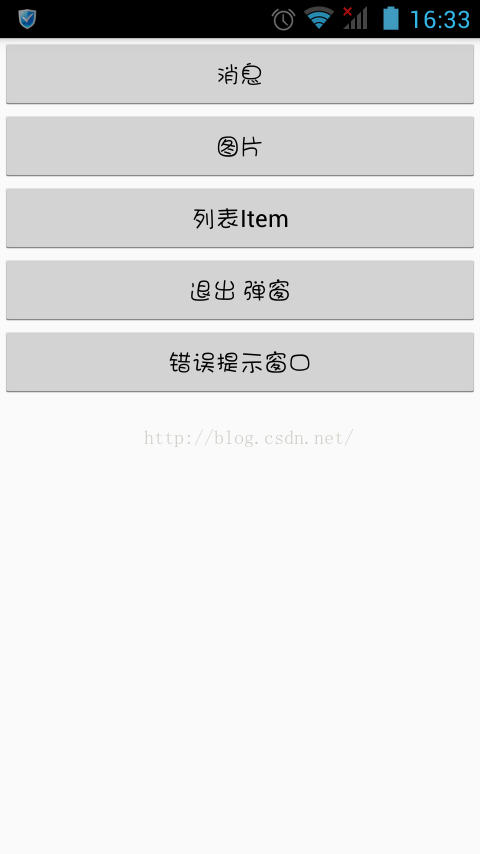 Android 仿 iOS 底部彈窗:IOS_Dialog_Library 使用示例
做 Android 開發久了,多少都會嫌系統自帶的 Dialog 樣式單調,和設計稿放在一起總覺得別扭。本文介紹一款開源的仿 iOS 底部彈窗庫 IOS_Dialog_L