

編輯:關於 Android 程式設計
URL 類別的 openStream() 方法可以直接取得該資源的 InputStream,用它來讀取遠端內容非常省事。以下示範兩種常見需求:只顯示網路圖片,以及顯示的同時把圖片存檔。

<RelativeLayout xmlns:android="https://schemas.android.com/apk/res/android"
    xmlns:tools="https://schemas.android.com/tools"
    android:layout_width="match_parent"
    android:layout_height="match_parent"
    android:paddingBottom="@dimen/activity_vertical_margin"
    android:paddingLeft="@dimen/activity_horizontal_margin"
    android:paddingRight="@dimen/activity_horizontal_margin"
    android:paddingTop="@dimen/activity_vertical_margin"
    tools:context="dujun.king.urlgetimage.MainActivity" >

    <ImageView
        android:id="@+id/imageView1"
        android:layout_width="wrap_content"
        android:layout_height="wrap_content"
        android:layout_centerHorizontal="true"
        android:layout_alignParentBottom="true"
        android:layout_marginBottom="196dp"
        android:src="@drawable/ic_launcher" />
</RelativeLayout>
package dujun.king.urlgetimage;

import java.io.InputStream;
import java.net.URL;

import android.app.Activity;
import android.graphics.Bitmap;
import android.graphics.BitmapFactory;
import android.os.Bundle;
import android.os.Handler;
import android.os.Message;
import android.widget.ImageView;

public class MainActivity extends Activity {
    Bitmap bitmap;
    ImageView imageview;

    Handler handler = new Handler() {
        @Override
        public void handleMessage(Message msg) {
            if (msg.what == 0x9527) {
                // 顯示從網路下載的圖片
                imageview.setImageBitmap(bitmap);
            }
        }
    };

    @Override
    protected void onCreate(Bundle savedInstanceState) {
        super.onCreate(savedInstanceState);
        setContentView(R.layout.activity_main);
        imageview = (ImageView) findViewById(R.id.imageView1);

        // 另開執行緒下載,不可在主執行緒進行網路 I/O
        new Thread() {
            @Override
            public void run() {
                try {
                    URL url = new URL("https://www.baidu.com/img/bdlogo.png");
                    InputStream is = url.openStream();
                    bitmap = BitmapFactory.decodeStream(is);
                    // 透過 Handler 通知 UI 更新
                    handler.sendEmptyMessage(0x9527);
                    is.close();
                } catch (Exception e) {
                    e.printStackTrace();
                }
            }
        }.start();
    }
}
<manifest xmlns:android="https://schemas.android.com/apk/res/android"
    android:versionCode="1"
    android:versionName="1.0"
    package="dujun.king.urlgetimage">

    <uses-sdk
        android:minSdkVersion="15"
        android:targetSdkVersion="15" />

    <!-- 存取網際網路的權限 -->
    <uses-permission android:name="android.permission.INTERNET" />
</manifest>
只要在同一個執行緒中多做一次讀取,把內容寫進本機檔案即可:
new Thread() {
    @Override
    public void run() {
        try {
            URL url = new URL("https://www.baidu.com/img/bdlogo.png");

            // 第一次讀取:解析成 Bitmap 供顯示
            InputStream is = url.openStream();
            bitmap = BitmapFactory.decodeStream(is);
            handler.sendEmptyMessage(0x9527);
            is.close();

            // 第二次讀取:寫入檔案
            is = url.openStream();
            OutputStream os = openFileOutput("baidulogo.png", MODE_WORLD_READABLE);
            byte[] buff = new byte[1024];
            int len = 0;
            // 網路下載通常無法一次完成,逐段寫入有效資料
            while ((len = is.read(buff)) > 0) {
                os.write(buff, 0, len);
            }
            is.close();
            os.close();
        } catch (Exception e) {
            e.printStackTrace();
        }
    }
}.start();
這個範例有兩處在現代 Android 上必須修正。第一是 MODE_WORLD_READABLE,它在 API 17 已被標記為 deprecated,API 24 起呼叫時會直接拋出 SecurityException,因為它能讓其他應用讀取你的私有檔案。若確實需要對外分享圖片,正確做法是透過 FileProvider 產生 content:// URI 並授予臨時讀取權限。
第二是同一張圖片下載了兩次,浪費流量。合理的做法是把回應內容先讀進 byte[],再分別用 BitmapFactory.decodeByteArray() 解碼顯示、用檔案輸出流寫檔。
作為語法示範它足夠清楚,但網路圖片載入是 Android 上最容易出效能與記憶體問題的一環。幾個關鍵升級方向:
參考文獻:瘋狂 Android 講義(第 2 版),李剛 編著
原文地址:https://blog.csdn.net/qingdujun/article/details/39271479
 Android SDK Support 自帶的日夜間模式切換詳解
寫這篇博客的目的是教大家利用 Android SDK 自帶的 support lib 實現 App 日間/夜間模式切換。最近看到不少關於日夜模式切換的開源專案,其實 Su
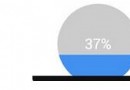 Android 自定義圓形進度條的實作步驟
某天無意間看到一個圓形進度條,便興起自己動手做一個的念頭,成品如下圖: 基本思路是這樣的: 1. 首先繪製一個實心圓 2. 繪製一個白色實心正方形,遮住實心圓 3. 在
 Android 自定義 View 實現鐘擺風格加載動畫
之前在網上看到一個 iOS 的 PendulumView 組件,小球來回擺動的效果很討喜。原生進度條實在看不上眼,於是琢磨著用自定義 View 復刻一個,之後可以用在頁面
 Android 巢狀 ListView 實作教學:清單裡再放一個清單
前陣子在專案裡遇到一個需求:ListView 的每一個項目裡面還要再嵌一個 ListView,而且兩層都要各自響應點擊。折騰一輪之後發現,真正的難點其實只有一個——如何讓