

編輯:關於 Android 程式設計
要讓使用者替應用打分,「點星星」大概是最直覺的互動方式。Android 提供了 RatingBar 元件來實作這個需求,它繼承自 SeekBar,因此本質上就是一個只能離散取值的進度條。
類別繼承結構:
java.lang.Object
  └ android.view.View
      └ android.widget.ProgressBar
          └ android.widget.AbsSeekBar
              └ android.widget.RatingBar
RatingBar(Context context):建構子。getNumStars():取得評分總數(星星有幾顆)。getRating():取得目前評分。getStepSize():取得每次變動的步長。isIndicator() / setIsIndicator(boolean):是否為純顯示模式(不可操作)。setMax(int):設定最大值。setNumStars(int):設定星星數量,對應 XML 屬性 android:numStars。setRating(float):設定目前評分,對應 android:rating。setStepSize(float):設定步長,對應 android:stepSize。setOnRatingBarChangeListener(...):設定評分變動監聽。
<RelativeLayout xmlns:android="https://schemas.android.com/apk/res/android"
    android:layout_width="match_parent"
    android:layout_height="match_parent">

    <RatingBar
        android:id="@+id/ratingBar1"
        android:layout_width="wrap_content"
        android:layout_height="wrap_content"
        android:layout_alignParentTop="true"
        android:layout_centerHorizontal="true"
        android:layout_marginTop="90dp"
        android:numStars="5"
        android:rating="3"
        android:stepSize="0.5"
        android:isIndicator="false" />

    <TextView
        android:id="@+id/textView1"
        android:layout_width="wrap_content"
        android:layout_height="wrap_content"
        android:layout_below="@+id/ratingBar1"
        android:layout_centerHorizontal="true"
        android:layout_marginTop="70dp"
        android:textAppearance="?android:attr/textAppearanceMedium" />
</RelativeLayout>
isIndicator="false" 表示使用者可以操作;若只是要展示歷史評分,把它設為 true 會更合適。
public class MainActivity extends Activity {
    private RatingBar ratingBar;
    private TextView textView;

    @Override
    protected void onCreate(Bundle savedInstanceState) {
        super.onCreate(savedInstanceState);
        setContentView(R.layout.activity_main);

        ratingBar = findViewById(R.id.ratingBar1);
        textView = findViewById(R.id.textView1);

        ratingBar.setOnRatingBarChangeListener(
                (bar, rating, fromUser) -> {
                    switch ((int) rating) {
                        case 1: textView.setText("當前的用戶評價:太糟了"); break;
                        case 2: textView.setText("當前的用戶評價:不太好"); break;
                        case 3: textView.setText("當前的用戶評價:不錯哦"); break;
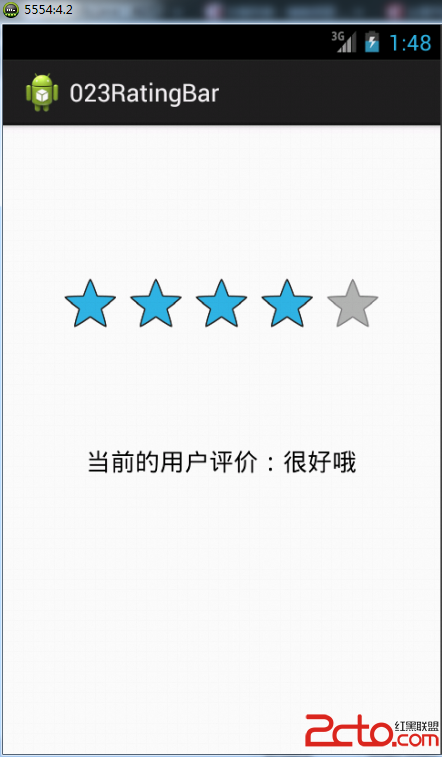
                        case 4: textView.setText("當前的用戶評價:很好哦"); break;
                        case 5: textView.setText("當前的用戶評價:太棒了"); break;
                        default: break;
                    }
                });
    }
}
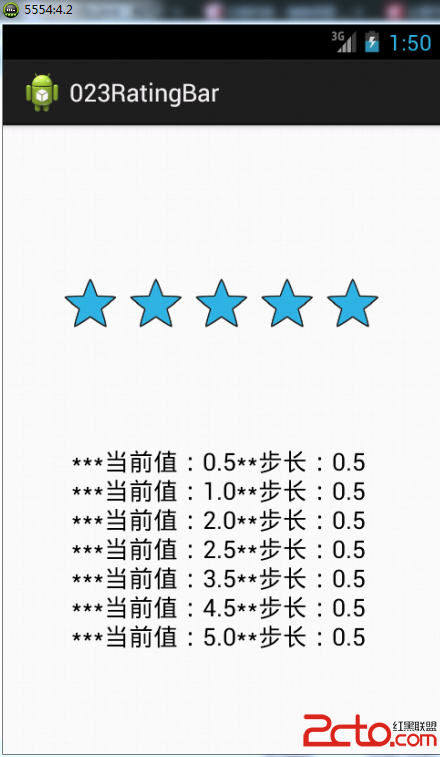
依分數顯示不同文案的效果:
setRating() 時,fromUser 會是 false;只有使用者親手點擊才是 true。若要在程式初始化時設定分數又不觸發後續邏輯,記得判斷這個旗標,否則容易出現無限迴圈或重複上報。stepSize="0.5" 會讓 RatingBar 出現半顆星的樣式,但顯示出來的分數是 float;若要存進資料庫或做統計,建議先決定好精度規則。android:progressDrawable 指定一組 selector(包含背景、次要進度、主要進度三層),就能換成愛心、金幣等自訂圖示。onSaveInstanceState() 中保存 getRating() 並於重建後還原。評分元件讓使用者能低成本地回饋意見,是很值得放進設定頁或引導流程的小功能。
下節預告:事件處理的幾種設定方式。
 實作可拖曳排序的評論圖片選擇器
進公司實習期間對照了 iOS 版的專案,發現其中一個「長按可拖曳換序」的圖片選擇器在 Android 端還沒做。閒著沒事就把這個控件補了出來。 成品對照 擷取的
 內存是手遊的硬傷:Unity 遊戲 Mono 內存管理與洩漏排查實踐
導讀 內存問題堪稱手遊的「硬傷」。一旦內存管理沒有做好,遊戲極容易出現卡頓、閃退等狀況,直接拖累玩家體驗。本文以騰訊遊戲在 Unity 開發過程中的實踐為例,梳理常見的
 同一個 TextView 顯示多種樣式文字的技巧
需求分析: 在實際開發中,我們經常需要在一處顯示樣式各異的文字。若為了區分樣式就額外堆疊多個 TextView,不僅讓版面凌亂,也會增加 ViewGroup 的層級、拖慢
 RecyclerView 從展示到下拉刷新與加載更多:一次寫清完整實踐
RecyclerView 已經出來一兩年了,最近在項目裡我把 ListView 完全換成了它,趁这个机会把整個使用過程記錄下來,方便以後溫故知新。 一、從初始化開始 R