

編輯:關於 Android 程式設計
在自定義 View、繪圖類應用中,經常需要進行一些基礎的 2D 幾何計算,例如由三點求圓、由圓弧一端與角度求另一端坐標等。本文把這些常用算法封裝成工具類,方便隨取隨用。
先用一個簡單的類描述「圓」,包含圓心坐標與半徑。
public class Circle {
    private PointF centerPoint;
    private float radius;

    public PointF getCenterPoint() { return centerPoint; }
    public void setCenterPoint(PointF centerPoint) { this.centerPoint = centerPoint; }
    public float getRadius() { return radius; }
    public void setRadius(float radius) { this.radius = radius; }
}
核心方法之一是「已知圓上三點求圓心與半徑」。它基於三點坐標列方程求解,最終得到圓心坐標與半徑。另一個方法是「由圓弧一端與圓弧角度求另一端坐標」,利用旋轉矩陣進行計算。
public class CircleUtils {

    /**
     * 根據圓上的三個點求圓心坐標、半徑
     */
    public static Circle getCircle(PointF pA, PointF pB, PointF pC) {
        float mat1, mat2, mat3;
        mat1 = ((pB.x * pB.x + pB.y * pB.y) - (pA.x * pA.x + pA.y * pA.y)) * (2 * (pC.y - pA.y))
             - ((pC.x * pC.x + pC.y * pC.y) - (pA.x * pA.x + pA.y * pA.y)) * (2 * (pB.y - pA.y));
        mat2 = (2 * (pB.x - pA.x)) * ((pC.x * pC.x + pC.y * pC.y) - (pA.x * pA.x + pA.y * pA.y))
             - (2 * (pC.x - pA.x)) * ((pB.x * pB.x + pB.y * pB.y) - (pA.x * pA.x + pA.y * pA.y));
        mat3 = 4 * ((pB.x - pA.x) * (pC.y - pA.y) - (pC.x - pA.x) * (pB.y - pA.y));

        Circle circle = new Circle();
        PointF centerPoint = new PointF();
        centerPoint.x = mat1 / mat3;
        centerPoint.y = mat2 / mat3;
        float radius = (float) Math.sqrt((pA.x - centerPoint.x) * (pA.x - centerPoint.x)
                + (pA.y - centerPoint.y) * (pA.y - centerPoint.y));
        circle.setCenterPoint(centerPoint);
        circle.setRadius(radius);
        return circle;
    }

    /**
     * 求一段圓弧另一端點的坐標
     * @param circle  圓
     * @param startP  圓弧一端的點
     * @param angle   圓弧對應的角度
     */
    public static PointF getEndPointOfArc(Circle circle, PointF startP, float angle) {
        PointF centerP = circle.getCenterPoint();
        PointF endPointF = new PointF();
        double rad = angle * Math.PI / 180;
        endPointF.x = (float) (centerP.x + (startP.x - centerP.x) * Math.cos(rad)
                - (startP.y - centerP.y) * Math.sin(rad));
        endPointF.y = (float) (centerP.y + (startP.x - centerP.x) * Math.sin(rad)
                + (startP.y - centerP.y) * Math.cos(rad));
        return endPointF;
    }
}
這兩個方法是 2D 繪圖中的基石:getCircle 讓你能從三個采樣點還原出圓的完整信息,getEndPointOfArc 則能幫助你精確計算圓弧的繪製範圍。把它們封裝成工具類後,無論是畫進度環、自定義指針還是绘制圆弧圖表,都能事半功倍。後續還會持續補充更多圖形計算方法。
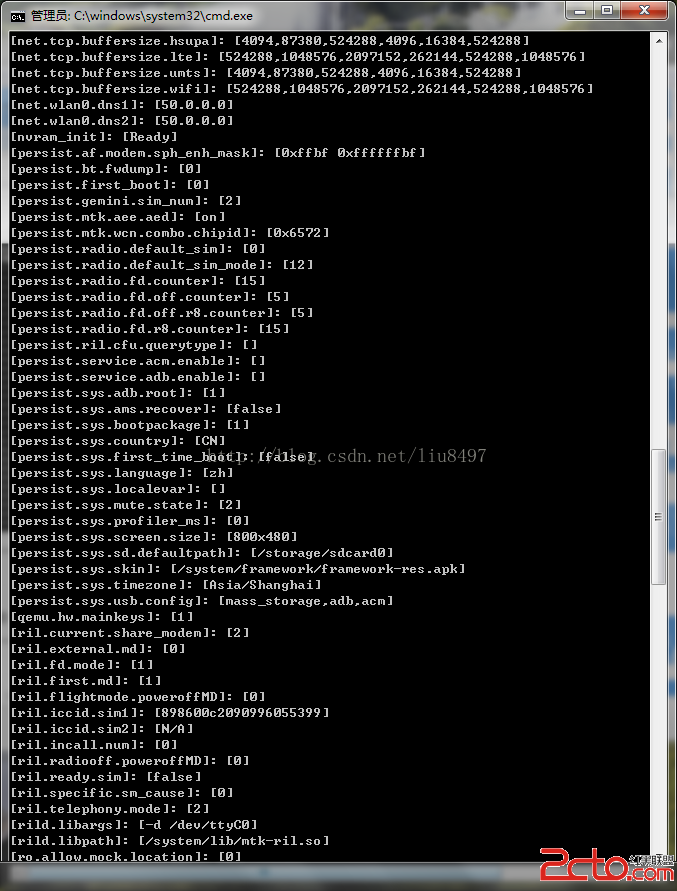 在 Android 設定中實作「預設寫入磁碟」選項
原生 Android 設定裡並沒有「預設儲存位置」這一項,但 MTK 平台加上了,於是很多時候需要在高通平台上補齊同樣的功能。本文記錄整個實作過程,從 framework
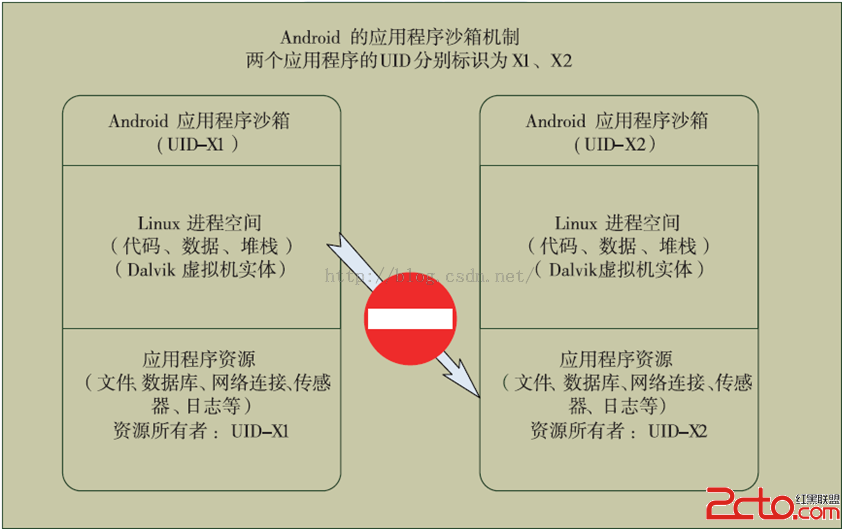 Android 安全機制七大支柱完全解析
Android 之所以能在開放的前提下維持相對可控的安全邊界,靠的不是單一防線,而是多層機制疊加出來的縱深防禦。從安裝那一刻的沙箱隔離,到執行期的大小配件檢查,再到核心層
 Android 傚外賣 App 購物車實作:懸浮標題、左右聯動與拋物線動畫
本文拆解一個外賣風格購物車的完整實作,重點放在幾個能直接搬到專案裡的技巧,以及實作過程中容易踩到的坑。 先盤點技術點 畫面看起來熱鬧,真正需要處理的核心其實就這幾項:
 手機短信的編碼方式與長度限制解析
手機短信的收發方式主要有三種:Block 方式、Text 方式與 PDU 方式,前兩者在國內鮮少使用,PDU 格式則獲得廣泛支援。短信內容的總長度為 140 個位元組(即