

編輯:關於 Android 程式設計
想讓 App 借助系統的分享面板,把文字和圖片一起分享出去?其實只要一個方法就能搞定,直接看代碼:
/**
 * 分享功能
 *
 * @param context     上下文
 * @param activityTitle Activity 的名字
 * @param msgTitle    消息標題
 * @param msgText     消息內容
 * @param imgPath     圖片路徑,不分享圖片則傳 null
 */
public void shareMsg(String activityTitle, String msgTitle, String msgText, String imgPath) {
    Intent intent = new Intent(Intent.ACTION_SEND);
    if (imgPath == null || imgPath.equals("")) {
        intent.setType("text/plain"); // 純文本
    } else {
        File f = new File(imgPath);
        if (f != null && f.exists() && f.isFile()) {
            intent.setType("image/jpg");
            Uri u = Uri.fromFile(f);
            intent.putExtra(Intent.EXTRA_STREAM, u);
        }
    }
    intent.putExtra(Intent.EXTRA_SUBJECT, msgTitle);
    intent.putExtra(Intent.EXTRA_TEXT, msgText);
    intent.setFlags(Intent.FLAG_ACTIVITY_NEW_TASK);
    startActivity(Intent.createChooser(intent, activityTitle));
}
原理很直白:構造一個 ACTION_SEND 的 Intent,根據是否傳入圖片路徑決定 setType 是 text/plain 還是 image/jpg,再把標題、內容通過 EXTRA_SUBJECT 與 EXTRA_TEXT 塞進去,最後用 createChooser 彈出系統分享面板即可。簡單幾行,就能複用整個系統的分享能力,著實方便。
 Android 倒計時按鈕怎麼做?CountDownTimer 與自定義 TimeButton 比較
發送驗證碼、限制重試間隔等功能,常會用到倒計時按鈕。最直覺的做法是使用 CountDownTimer,在 onTick 中更新文字,在 onFinish 中恢復按鈕狀態。
 Android 微信支付接入實戰:從下單、預支付到回呼的完整流程
這陣子專案要加支付功能,最後定案用微信支付。網路上資料零散,很多地方講得不完整,折騰了一輪再加上前同事指點,總算跑通了。趁記憶還新,把整個流程記錄下來。 一、前置準備
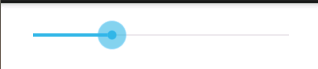 Android SeekBar 實作:用 Handler 訊息機制控制進度條自動遞增
本文分享一個以 Handler 訊息處理機制來操作 SeekBar 的實例,示範如何讓進度條可拖動、也能夠自動遞增,供需要的朋友參考。 這個案例很簡單,重點在於用 Han
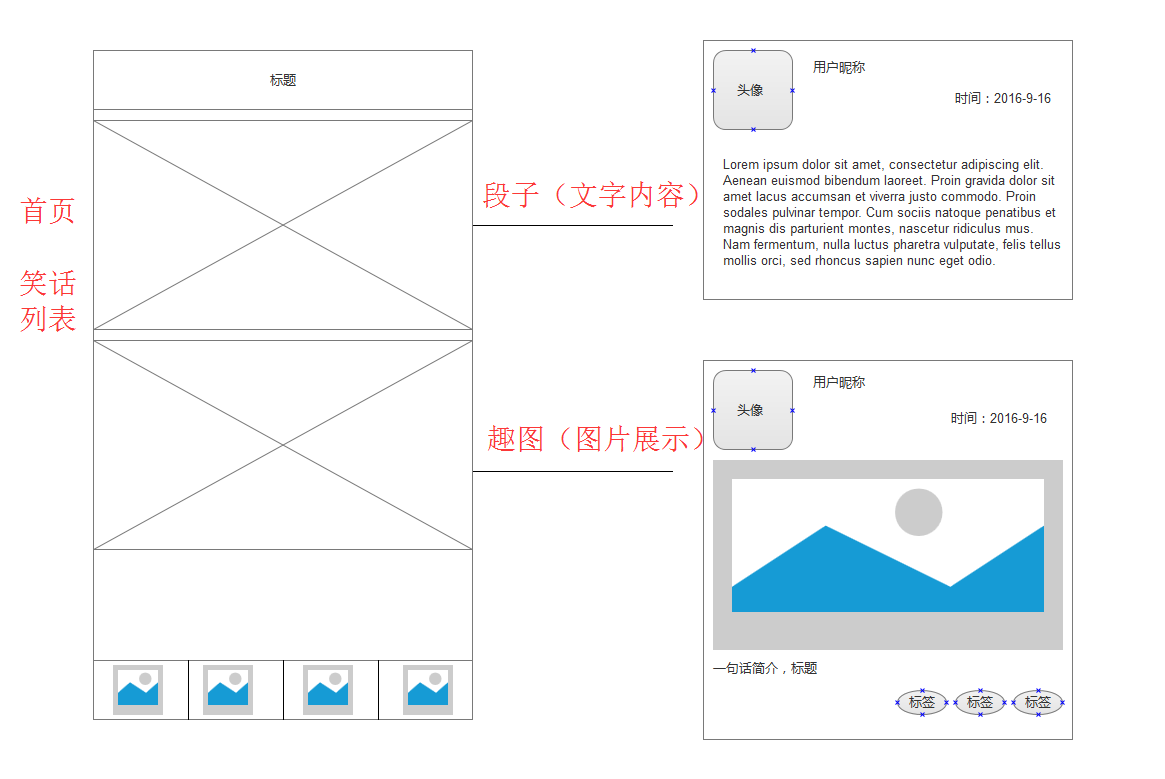 捧腹網 App 實戰:UI 與邏輯實作
介面結構 捧腹網 App 的主介面可以拆成底部導覽與上方列表。底部使用 FragmentTabHost 搭配 Fragment,上方則用 RecyclerView 呈現笑