

編輯:關於 Android 程式設計
Notification 是一種讓應用程式在不使用 Activity 的情況下提醒使用者的機制,是 invisual 的程式元件警示使用者「有需要注意的事件發生」的最佳途徑。
作為 UI 的一部分,Notification 對行動裝置尤其合適——使用者隨身帶著手機,通常會在後台開啟多個程式但不會特別注意。因此當有需要注意的事件發生時,能及時通知使用者就顯得格外重要。
Notification 由 NotificationManager 統一管理,具備以下能力:建立狀態列圖示、在展開的狀態列視窗顯示額外資訊(並啟動 Intent)、閃燈或 LED、震動、發出提示音等。
public void click1(View view) {
    // 1. 取得系統通知管理者
    NotificationManager nm = (NotificationManager) getSystemService(NOTIFICATION_SERVICE);
    // 2. 初始化 Notification 物件
    Notification notification = new Notification(R.drawable.notification,
            "我是滾動的文本", System.currentTimeMillis());
    // 3. 設定參數
    notification.flags = Notification.FLAG_AUTO_CANCEL;
    Intent intent = new Intent();
    intent.setAction(Intent.ACTION_VIEW);
    intent.setData(Uri.parse("https://www.baidu.com"));
    PendingIntent contentIntent = PendingIntent.getActivity(this, 0, intent, 0);
    notification.setLatestEventInfo(this, "我是大的標題", "我是標題下面的內容", contentIntent);
    // 4. 交給通知管理者發送
    nm.notify(0, notification);
}
public class MainActivity extends Activity {
    protected int mProgress;
    private Notification notification;
    private RemoteViews rv;
    private NotificationManager nm;
    private PendingIntent contentIntent;
    private Handler mHandler = new Handler() {
        public void handleMessage(Message message) {
            rv.setProgressBar(R.id.pb_rv, 100, mProgress, false);
            rv.setTextViewText(R.id.tv_rv, "Download:" + mProgress + "%");
            notification.contentView = rv;
            notification.contentIntent = contentIntent;
            nm.notify(0, notification);
            super.handleMessage(message);
        }
    };

    public void clicklala(View view) {
        nm = (NotificationManager) getSystemService(NOTIFICATION_SERVICE);
        notification = new Notification(R.drawable.ic_launcher, "iiiipppp",
                System.currentTimeMillis());
        notification.flags = Notification.FLAG_AUTO_CANCEL;
        // 使用自訂的 RemoteViews 作為通知內容
        rv = new RemoteViews(getPackageName(), R.layout.notify);
        rv.setTextViewText(R.id.tv_rv, "我是自定義的notification");
        rv.setProgressBar(R.id.pb_rv, 100, 0, false);
        notification.contentView = rv;
        Intent intent = new Intent();
        intent.setAction(Intent.ACTION_VIEW);
        intent.setData(Uri.parse("https://www.baidu.com"));
        contentIntent = PendingIntent.getActivity(this, 0, intent, 0);
        notification.contentIntent = contentIntent;
        nm.notify(0, notification);

        // 啟動子線程更新通知進度
        new Thread(new Runnable() {
            public void run() {
                for (int i = 0; i < 20; i++) {
                    mProgress = (i + 1) * 5;
                    try {
                        if (i < 19) Thread.sleep(1000);
                        else Thread.currentThread().interrupt();
                    } catch (InterruptedException e) {
                        e.printStackTrace();
                    }
                    mHandler.sendMessage(new Message());
                }
            }
        }).start();
    }
}
自訂佈局 notify.xml:
<?xml version="1.0" encoding="utf-8"?>
<LinearLayout xmlns:android="https://schemas.android.com/apk/res/android"
    android:orientation="vertical"
    android:layout_width="match_parent"
    android:layout_height="match_parent">
    <TextView
        android:id="@+id/tv_rv"
        android:layout_width="wrap_content"
        android:layout_height="wrap_content"
        android:text="haha" />
    <ProgressBar
        style="@android:style/Widget.ProgressBar.Horizontal"
        android:id="@+id/pb_rv"
        android:layout_width="wrap_content"
        android:layout_height="wrap_content" />
</LinearLayout>
透過 RemoteViews 搭配 Handler 在子線程中更新進度,就能做出帶有動態進度條的自訂通知。
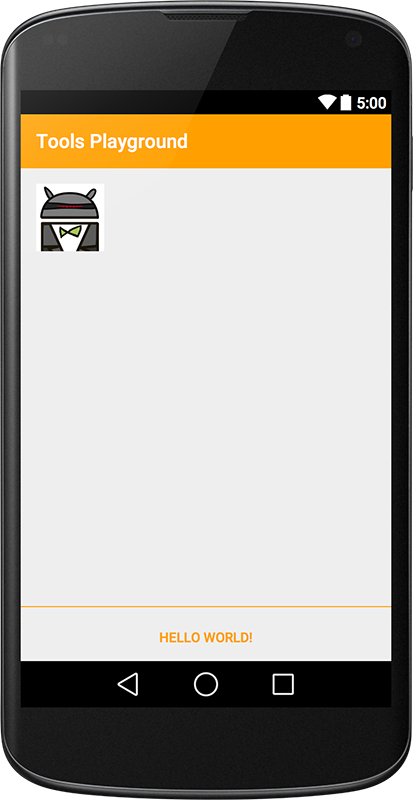 深入解析 Android 布局中的 xmlns:tools 命名空間
前言 寫 Android 版面時,Android Studio 右側的預覽視窗很方便,但有個尷尬之處:有些文字是寫在 Activity 的 Java 程式碼裡才設上去的
 Android 應用程序窗口設計框架全解析:從 Activity 啟動到視圖顯示
在 Android 系統中,一個 Activity 對應一個應用程序窗口。任何一個 Activity 的啟動,都是由 AMS(ActivityManagerService
 Android RocooFix 熱修復框架詳解
本文從熱修復技術的由來講起,回顧 Facebook 的 Dalvik 補丁經驗與 dex 分包方案,最後聚焦到 QQ 空間的熱補丁思路與 RocooFix 框架的實際使用
 Android 開發實戰:為 APP 創建桌面快捷方式
很多應用首次啟動時會自動在手機桌面生成一個快捷圖標,方便用戶快速進入。本文就來看看如何在 Android 程序中實現這一功能。 效果預覽 所需權限 <uses-