

編輯:關於 Android 程式設計
在前一篇文章中,我們探討了如何透過 Action 啟動本應用之外的 Activity 來完成業務邏輯。本篇筆記則要介紹另一種方式——透過 ComponentName 與其他應用進行互動。
ComponentName 與 Intent 同屬 android.content 套件。根據 Android 官方文件,這個類別主要用來描述應用程式中的某個元件,例如 Activity、Service、BroadcastReceiver 或 ContentProvider。
那麼,該如何以 ComponentName 定義一個元件呢?先來看它的建構子:
ComponentName(String pkg, String cls)
我們知道,在 Android 應用程式中,若要精確描述一個元件,必須掌握兩項資訊:一是元件所在的應用包名,也就是 AndroidManifest.xml 中 manifest 根節點下的 package="XXX.XXXXX.XXXXX";二是元件在應用中的完整類別路徑名稱,以 Activity 而言即為 activity 節點中 name 屬性的值。因此,ComponentName 的作用就是把「應用包名」與「元件名稱」這兩項資訊封裝在一起。
由於 Android 中元件之間的溝通主要透過 Intent 完成,而 Intent 提供了一個方法可以設定 ComponentName,於是搭配起來便能精準地導向目標元件。
我們建立兩個 Android 專案:appsend(發送方)與 appreceiver(接收方)。
首先,接收方 appreceiver 的 AndroidManifest.xml 必須明確宣告其元件:
<?xml version="1.0" encoding="utf-8"?>
<manifest xmlns:android="https://schemas.android.com/apk/res/android"
    package="com.example.appreceiver"
    android:versionCode="1"
    android:versionName="1.0">

    <uses-sdk android:minSdkVersion="11" android:targetSdkVersion="18" />

    <application android:label="@string/app_name">
        <activity android:name="com.example.appreceiver.MainActivity">
            <intent-filter>
                <action android:name="android.intent.action.MAIN" />
                <category android:name="android.intent.category.LAUNCHER" />
            </intent-filter>
        </activity>
    </application>
</manifest>
接著,在發送方 appsend 中撰寫啟動目標 Activity 的程式片段:
public void button(View view) {
    ComponentName cn = new ComponentName("com.example.appreceiver", "com.example.appreceiver.MainActivity");
    Intent intent = new Intent();
    intent.setComponent(cn);
    startActivityForResult(intent, 2);
}
透過 new ComponentName(包名, 類別名稱) 精準定位元件,再以 intent.setComponent(cn) 設定目標,最後呼叫 startActivityForResult() 即可跨應用啟動對方的 Activity,並能接收回傳結果。這種做法比單純依賴 Action 更為精確,特別適合在明確知道目標元件身分的場合使用。
 微信號可以改第二次嗎?修改機會的規則與操作步驟
關於微信號能不能改,網路上流傳很多說法,實際情況是:微信號只有一次修改機會,改完不能反悔。本文整理我實際測試過的幾個帳號結果,以及操作路徑。哪些帳號可以改【1】每個帳號首
 自定義 SwipeLayout:一步步實現列表項側滑菜單
先看效果。 圖比較多,這裡只放一張。想看 ListView、GridView 上的表現和完整源碼的,可以直接去 GitHub 翻。 廢話不多說,先交代一下來歷。前幾天
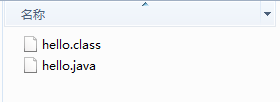 Java 4 Android 開發教程(二):寫出第一支 Hello World
安裝好 JDK 之後,第一支程式永遠是 Hello World。它看似簡單,卻能帶出 Java 程式的基本結構與編譯流程。 建立原始檔 public class he
 Android 九宮格手勢密碼的設計與實作
九宮格解鎖是常見的交互形式,本質上就是一個自定義 View:畫九個圓、判斷手指壓在哪個圓上、把路徑連起來,最後把序列輸出成密碼。 一、效果與功能 1. 程序啟動後展示 3