

編輯:關於 Android 程式設計
延續上一篇介紹的圖片下載與顯示,本文說明如何根據網址取得網頁的原始碼。其實取得網頁源碼比圖片下載更簡單,只需對既有程式碼稍作修改即可。
public class OtherActivity extends Activity {
    private TextView tv;
    private static final int LOAD_SUCCESS = 1;
    private static final int LOAD_ERROR = -1;
    private Handler handler = new Handler() {
        public void handleMessage(Message msg) {
            switch (msg.what) {
                case LOAD_SUCCESS:
                    tv.setText((String) msg.obj);
                    break;
                case LOAD_ERROR:
                    Toast.makeText(getApplicationContext(), "加載失敗", 0).show();
                    break;
            }
        }
    };
    @Override
    protected void onCreate(Bundle savedInstanceState) {
        super.onCreate(savedInstanceState);
        setContentView(R.layout.activity_main);
        tv = (TextView) findViewById(R.id.tv);
    }
    // Button 的點擊事件
    public void show(View view) {
        new Thread(new Runnable() {
            public void run() { getHttp(); }
        }).start();
    }
    // 下載網頁源碼的主方法
    private void getHttp() {
        URL url = null;
        InputStream is = null;
        ByteArrayOutputStream byteArrayOutputStream = null;
        try {
            url = new URL("https://www.baidu.com");
            HttpURLConnection conn = (HttpURLConnection) url.openConnection();
            conn.setConnectTimeout(5000);      // 設定超時 5 秒
            conn.setRequestMethod("GET");
            if (conn.getResponseCode() == 200) {
                is = conn.getInputStream();
                byteArrayOutputStream = new ByteArrayOutputStream();
                int len = 0;
                byte[] buffer = new byte[1024];
                while ((len = is.read(buffer)) != -1) {
                    byteArrayOutputStream.write(buffer, 0, len);
                }
                byteArrayOutputStream.flush();
                byte[] arr = byteArrayOutputStream.toByteArray();
                Message msg = handler.obtainMessage();
                msg.what = LOAD_SUCCESS;
                msg.obj = new String(arr);
                handler.sendMessage(msg);
            }
        } catch (Exception e) {
            handler.sendEmptyMessage(LOAD_ERROR);
            e.printStackTrace();
        } finally {
            try {
                if (is != null) is.close();
                if (byteArrayOutputStream != null) byteArrayOutputStream.close();
            } catch (Exception e) {
                handler.sendEmptyMessage(LOAD_ERROR);
                e.printStackTrace();
            }
        }
    }
}
布局檔:
<LinearLayout xmlns:android="https://schemas.android.com/apk/res/android"
    android:layout_width="match_parent"
    android:layout_height="match_parent"
    android:orientation="vertical">
    <Button android:layout_width="match_parent"
        android:layout_height="wrap_content"
        android:layout_gravity="bottom"
        android:onClick="show"
        android:text="顯示" />
    <TextView android:id="@+id/tv"
        android:layout_width="match_parent"
        android:layout_height="match_parent" />
</LinearLayout>
權限:
<uses-permission android:name="android.permission.INTERNET"></uses-permission>
重點在於將網路請求放在子執行緒中執行,並透過 Handler 將結果回傳主執行緒更新 UI,避免阻塞。
 Android 設計模式:單例模式的五種常見實作與取捨
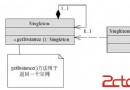
為什麼需要單例模式單例模式常用於「只需要一個實例」的情境,例如全域設定、連線管理或大型物件。若每次都要重新建立,不僅浪費資源,也可能造成狀態不一致。餓漢式單例在類別載入時
 Android 常見面試知識梳理:ANR、性能、安全與內存
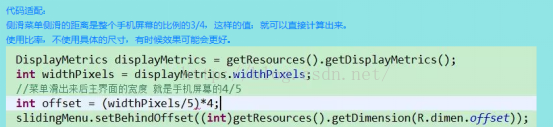
Android 面試中,除了基礎 API 與四大組件,考察重點往往還會延伸到性能優化、內存管理、安全機制與產品思維。本文將常見知識點進行系統梳理,便於快速回顧與複習。 一
 Android Activity 學習筆記
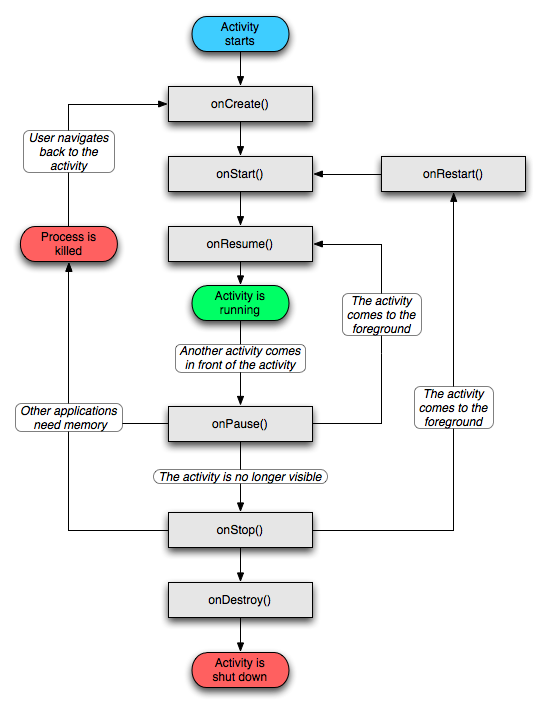
什麼是 Activity Activity 是 Android 應用程式中負責使用者互動的元件。它通常提供一個畫面視窗,開發者可透過 setContentView() 將
 Tomcat + MySQL 自建服務端(2-2):Servlet 工作原理與實戰
上一篇我們對 Servlet 的職責與它在服務端的位置有了大致認識,並在全新的 Workspace 中創建了第一個 Dynamic Web Project 和第一個 Se