

編輯:關於 Android 程式設計
Android 中用 Canvas 的 drawText 繪製文字,座標定位是基於基線(baseline)而非文字外框左上角。這點很容易被忽略,於是就出現下圖這種狀況——字母 Q 的小尾巴掉到橫線下面去了。

getTextBounds 會把結果填進一個 Rect,內容就是這個字的 left、top、right、bottom。要特別注意:left 與 top 並不是從 (0, 0) 起算——left 與 right 大致從 0 座標出發,而 top 與 bottom 是相對基線而言的(因此 top 通常為負值)。
掌握這件事,資訊就夠了:想讓文字的中心對齊某個座標點,只要用 (left + right) / 2 修正 X、(top + bottom) / 2 修正 Y,再把基線座標減掉這兩個偏移量即可。
@Override
public void onDraw(Canvas canvas) {
    mPaint.setTextSize(40f);
    mPaint.setAntiAlias(true);
    mPaint.setColor(0xffff0000);
    canvas.drawText(alphas, 30, 60, mPaint);
    mPaint.setColor(0xff000000);
    canvas.drawLine(0, 60, 1000, 60, mPaint);

    for (int i = 0; i < alphas.length(); i++) {
        int y = i * 70 + 100;
        mPaint.getTextBounds(alphas, i, i + 1, mBound);
        mPaint.setColor(0xff000000);
        canvas.drawText(String.format("%d,%d,%d,%d",
                mBound.left, mBound.top, mBound.right, mBound.bottom), 150, y, mPaint);

        mPaint.setColor(0xffff0000);
        canvas.drawCircle(60, y, 30, mPaint);

        mPaint.setColor(0xffffffff);
        // 用 bounds 中心反推基線座標,讓白字精準落在紅圈中心
        canvas.drawText(alphas, i, i + 1,
                60 - (mBound.right + mBound.left) / 2,
                y  - (mBound.bottom + mBound.top) / 2,
                mPaint);

        mPaint.setColor(0xff000000);
        canvas.drawLine(30, y, 90, y, mPaint);
        canvas.drawLine(60, y - 30, 60, y + 30, mPaint);
    }
}
程式中同時把 bounds 的四個數值印在畫面上,方便一眼對照基線、外框與實際落點之間的關係。這套算法在自繪按鈕、標籤、頭像邊框等需要文字完美居中的場景中很常用。
 Android 教學:客戶端透過 Socket 與伺服器通信的方法
本文透過實例,講解 Android 開發中客戶端如何透過 Socket 與伺服器通信,分享給大家參考。下面是一個 demo,展示 Android 客戶端透過 Socket
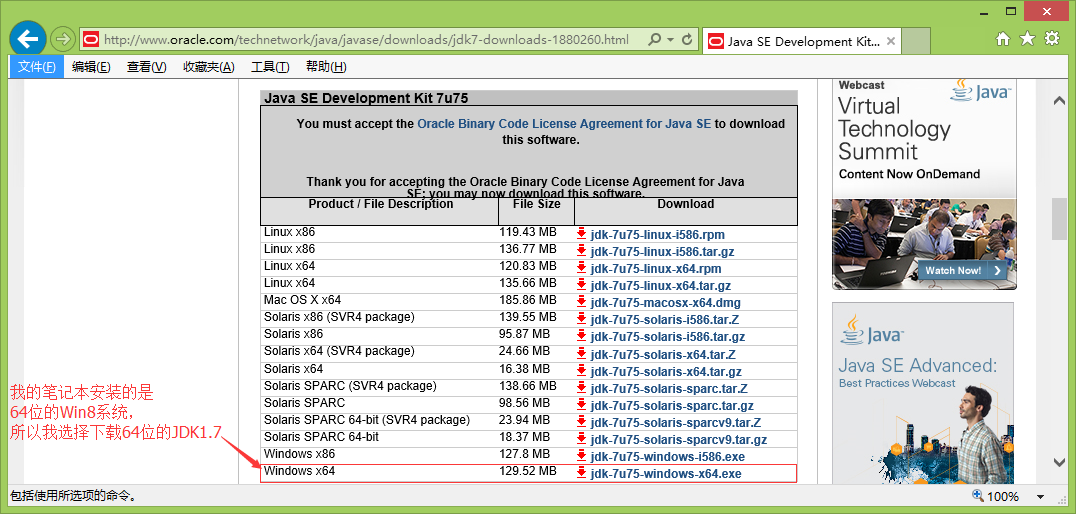 圖文詳解:從零搭建 Android Studio 開發環境
忙了一陣子沒更新部落格,這篇是補記。當年寫過一份 Android Studio 環境建置筆記一直沒發表,趁現在整理出來,主要是把整個流程記錄下來,技術含量不高,但對剛入門
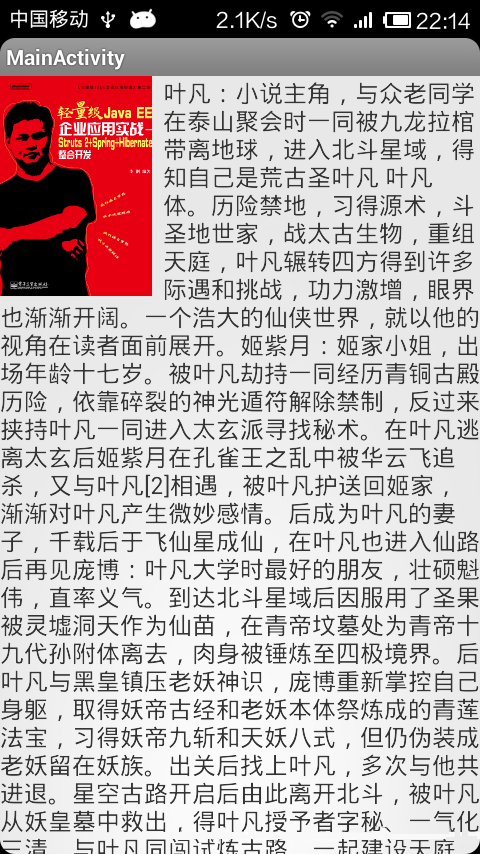 Android 文字環繞圖片:計算可容納字數與分段排版
文字環繞圖片的效果,關鍵在於計算圖片佔據的高度,再推算右側與下方 TextView 可容納的字數。實作時可先透過 ViewTreeObserver 取得圖片實際寬高,再以
 YingBeautyNote:類印象筆記的雲端筆記 App 實作
專案簡介YingBeautyNote 是一款類似印象筆記的 Android 筆記應用,目標是讓使用者隨時記錄生活點滴。相較於初版,V2.0 加入雲端儲存與帳號體系,使筆記