

編輯:關於 Android 程式設計
Android 操作 SQLite 通常會建立 SQLiteOpenHelper 子類,負責建立與升級資料庫。實際新增、修改、查詢則透過 SQLiteDatabase 完成。
public class Sqlite extends SQLiteOpenHelper {
    public Sqlite(Context context, String name, int version) {
        super(context, name, null, version);
    }

    public void onCreate(SQLiteDatabase db) {
        db.execSQL("create table user(id int, name varchar(20))");
    }

    public void onUpgrade(SQLiteDatabase db, int oldVersion, int newVersion) {
        // 依需求處理表格變更
    }
}Sqlite helper = new Sqlite(this, "test.db", 1);
SQLiteDatabase db = helper.getWritableDatabase();
ContentValues values = new ContentValues();
values.put("id", 1);
values.put("name", "zhangsan");
db.insert("user", null, values);
Cursor cursor = db.query("user", new String[]{"id", "name"},
"id=?", new String[]{"1"}, null, null, null);
while (cursor.moveToNext()) {
String name = cursor.getString(cursor.getColumnIndex("name"));
}
cursor.close();更新資料可使用 db.update,並以 where 子句指定列。操作完成後應妥善關閉 Cursor 與資料庫連線,避免資源浪費。
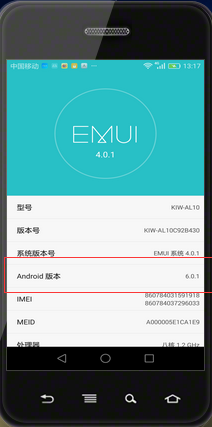 Android 6.0 執行期權限管理解析
Android 6.0 將權限分為普通權限與危險權限。普通權限不會直接威脅隱私,安裝後即可生效;危險權限涉及短信、相簿、聯絡人、位置等敏感資料,需要執行期授權。 權限分類
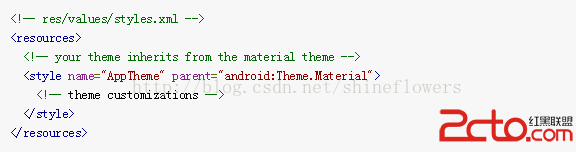 Android Material Design 入門指南:主題、版面、高度與動畫
Material Design 的核心精神在於讓介面具有清楚的層次、自然的動畫與一致的視覺語言。對於 Android 5.0 以上的應用而言,導入 Material Th
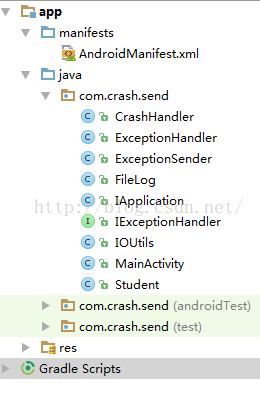 Android 崩潰異常捕獲與日誌上報實踐:不依賴第三方庫的思路
Android 崩潰異常捕獲與日誌上報實踐 再經驗豐富的開發者,也很難保證程式永遠不會出現異常。當使用者規模變大後,個別崩潰或異常堆疊就會成為排查問題的重要線索。因此,如
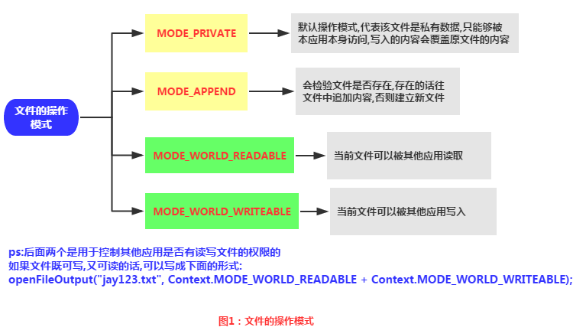 Android 資料儲存之檔案儲存完整指南
檔案儲存是 Android 中最基本的一種資料儲存方式,它完全不對內容做任何格式化處理,所有資料都原封不動地寫入檔案。核心概念其實就是輸入流與輸出流。 一、Androi