

編輯:關於 Android 程式設計
之所以是「二」,是因為之前已經遇到過一次了。這次的原因不同,因此再記錄一次,作為經驗累積。
先來看一個執行下載任務的類,它用來從伺服器下載更新用的 apk:
public class DownloadTask {
    public static File getFile(String path, String filePath, ProgressDialog progressDialog) throws Exception {
        URL url = new URL(path);
        HttpURLConnection connection = (HttpURLConnection) url.openConnection();
        connection.setConnectTimeout(2000);
        connection.setRequestMethod("GET");
        if (connection.getResponseCode() == 200) {
            int total = connection.getContentLength();
            progressDialog.setMax(total);
            InputStream is = connection.getInputStream();
            File file = new File(filePath);
            FileOutputStream fos = new FileOutputStream(file);
            byte[] buffer = new byte[1024];
            int len;
            int progress = 0;
            while ((len = is.read(buffer)) != -1) {
                fos.write(buffer);
                progress += len;
                progressDialog.setProgress(progress);
            }
            fos.flush();
            is.close();
            fos.close();
            connection.disconnect();
            return file;
        }
        return null;
    }
}
下載成功後,程式跳轉到安裝頁面,卻提示「解析包時出現錯誤」。這種錯誤著實令人頭疼——它與程式碼邏輯無關,讓人毫無頭緒。
後來筆者發現有類似案例,但該討論串並沒有提供解決方案。對比之下發現,下載回來的 apk 與伺服器資料夾裡的原始 apk 大小有些差別,於是便嘗試把每次讀取的 byte[] 做小一點,也就是調整這行:
byte[] buffer = new byte[1024];
把 1024 先改成了 128,又改成了 64,結果問題就解決了。這是個意外的收穫——下載緩衝區過大導致檔案寫入時出現細微偏差,進而使得 apk 檔案損壞、無法解析。
如果你也遇到類似問題,不妨嘗試縮小緩衝區大小,祝你好運!
 Android UI 組件之 ImageSwitcher 圖像切換器
ImageSwitcher 是 Android 中常用的圖像切換組件。它繼承自 ViewSwitcher,因此支持在切換子視圖時加入動畫效果。相比普通 ImageView
 自訂 View 實作:公告/廣告資訊上下滾動輪播
先看成果:公告欄中的文字會自下往上翻轉,一條接一條循環播放。 實作程式碼 核心思路是準備兩個上下堆疊的 TextView,透過一個開關變數 isShow 輪流更新內容
 Android 圖片批量載入完整方案:二級緩存搭配異步載入
資訊類 App 幾乎一定要從網路載入大量圖片。若要兼顧速度、流量與流暢度,標準做法是「二級緩存 + 異步載入」:先找記憶體,再找本機檔案,最後才走網路。 整體設計 一級
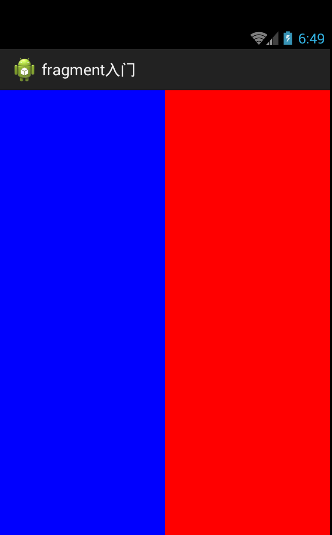 Android Fragment 動態創建詳解:從靜態聲明到執行期替換
Fragment 是什麼 Fragment 可以理解為 Activity 介面中的一個片段,或是一種行為單元。把多個 Fragment 組合成一個 Activity,就能