

編輯:關於 Android 程式設計
一開始接觸 Android 時,我只會用拖拉的方式排版,既死板又難看。後來才發現,原來它和 JSP 一樣,可以靈活地使用 XML 檔來定義佈局,效果立刻大為改善。
話不多說,直接上例子。任何佈局既可以透過程式碼實作,也可以在 XML 中完成。以下用 XML 實作一個簡單的表單佈局。
首先在 src 中:
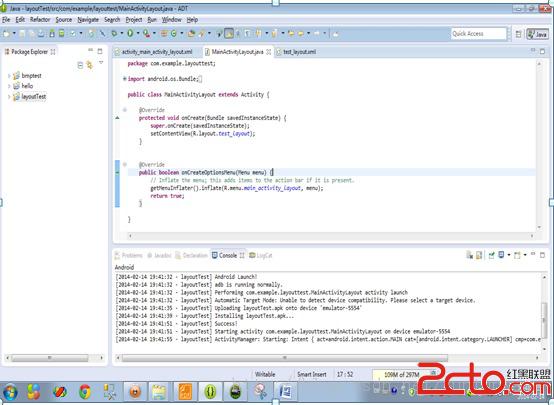
接著在 layout 目錄下新建 test_layout.xml:
<?xml version="1.0" encoding="utf-8"?>
<LinearLayout xmlns:android="https://schemas.android.com/apk/res/android"
    android:layout_width="match_parent"
    android:layout_height="match_parent"
    android:orientation="vertical" >

    <TextView
        android:text="ceshi"
        android:id="@+id/layoutTextView01"
        android:layout_width="wrap_content"
        android:layout_height="wrap_content"
        android:textColor="#ffffff" >
    </TextView>

    <EditText
        android:text=""
        android:id="@+id/EditText01"
        android:layout_width="wrap_content"
        android:layout_height="wrap_content" />

    <Button
        android:text="test"
        android:id="@+id/layoutButton1"
        android:layout_width="wrap_content"
        android:layout_height="wrap_content" />

</LinearLayout>
透過 XML 定義佈局,不僅結構一目了然,還能輕鬆調整元件的屬性與排列,遠比純粹用程式碼硬寫來得靈活。這正是 Android 開發中推薦使用 XML 佈局的核心原因。
 Android 基礎之使用 Fragment 適配不同螢幕與解析度
最近工作繁忙,一個新專案急著上線,很多功能都得重做,一路埋頭寫程式、除錯。今天因為新程式要用 Fragment 來做,雖說以前也用過 Fragment,卻沒仔細研究,於是
 Android Fragment 使用實例演示
Fragment 是 Android Honeycomb 3.0 新增的概念。本文透過一個實例,讓大家更直觀地了解 Fragment 的使用方法。 先貼上實例的運行效果截
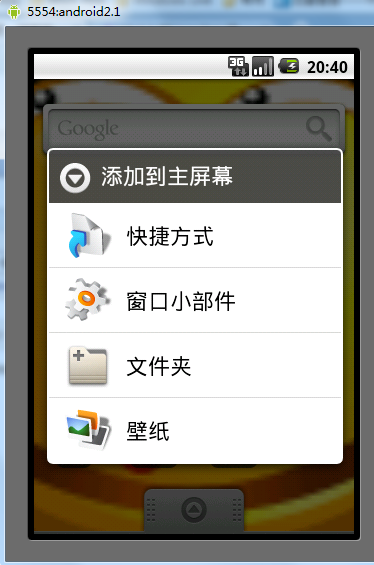 Android 讓應用出現在 Launcher「建立捷徑」清單中
在桌面空白处長按,會跳出「加到主螢幕」的對話框;接著選擇「捷徑」,就會列出所有支援建立捷徑的應用程式圖示與名稱。 這個清單並非系統硬編碼,而是 Launcher 主動向
 Android Activity 的註冊配置、啟動與關閉全解析
先看一個最直觀的演示: Activity 在四大組件中的位置 Android 提供 Activity、Service、Broadcast Receiver、Conten