

編輯:關於 Android 程式設計
「開機後自動執行某件事」是相當常見的需求,例如復原設定、初始化資料、啟動常駐服務。在 Android 中,做法是註冊一個監聽 BOOT_COMPLETED 的廣播接收器。
package com.mediatek.filemanager;

import java.io.File;
import java.io.IOException;
import android.content.BroadcastReceiver;
import android.content.Context;
import android.content.Intent;
import android.content.SharedPreferences;
import android.content.SharedPreferences.Editor;

public class BootCompletedReceiver extends BroadcastReceiver {

    @Override
    public void onReceive(Context context, Intent intent) {
        String action = intent.getAction();
        if (action.equals(android.intent.action.BOOT_COMPLETED)) {
            SharedPreferences sp = context.getSharedPreferences("filemanager", 0);
            if (sp.getBoolean("copyFile", true)) {
                try {
                    copyDirectiory("/storage/sdcard1/Ringtones", "/storage/sdcard1/Pictures");
                    Editor editor = sp.edit();
                    editor.putBoolean("copyFile", false);
                    editor.commit();
                } catch (IOException e) {
                    e.printStackTrace();
                }
            }
        }
    }
}
這裡有個實作技巧值得學:用 SharedPreferences 記一個 copyFile 旗標,任務完成後把它設為 false,這樣就不會每次開機都重複執行同一件事。
<receiver android:name="com.mediatek.filemanager.BootCompletedReceiver">
    <intent-filter>
        <action android:name="android.intent.action.BOOT_COMPLETED" />
        <category android:name="android.intent.category.DEFAULT" />
    </intent-filter>
</receiver>
<uses-permission android:name="android.permission.RECEIVE_BOOT_COMPLETED" />
onReceive 是短命的。它的執行時間以秒計,超過約 10 秒會被系統判定為 ANR。因此絕對不能在裡面做耗時工作,正確做法是呼叫 startService() 或 goAsync() 把重活交出去。
Android 3.1 之後的變化:應用若從未被使用者啟動過,系統會將它標記為 stopped 狀態,此時收不到任何廣播(包含 BOOT_COMPLETED)。使用者必須手動開啟過一次應用,開機自啟才會生效。
間接啟動限制:Android 8.0 起對背景應用啟動 Activity 有嚴格限制,Android 10 之後更進一步收緊。若開機後需要跳出任何畫面,建議改用 startForegroundService() 並顯示常駐通知。
各家客製系統的差異:部分廠商的 ROM 會自行攔截開機自啟行為,需要在設定中手動授予「自啟動」權限,否則即使程式碼正確也不會被觸發。
Direct Boot:Android 7.0 以上若要更早(在使用者解鎖前)就執行,可改用 LOCKED_BOOT_COMPLETED 廣播,但此時 Credential Encrypted 儲存空間尚未可用,只能存取 Device Protected 目錄。
 Android 產品研發:為何不要用靜態變量保存核心數據
靜態變量看似方便,卻依賴進程存活 在 Android 開發中,很多工程師會用靜態變量保存全域資料,例如訂單編號、使用者狀態或頁面參數。但 Android 的進程並非永遠安
 Android 異步訊息處理機制解析:從 Handler 到 AsyncTask
在 Android 開發中,UI 更新通常必須在主執行緒完成。若耗時任務放在子執行緒,直接操作介面元件會引發錯誤。為了解決這個問題,Android 提供了一套以 Mess
 自定義 View 實作:弧線進度條控件完整教學
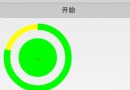
這次要做的東西以弧線為主體,畫面構成很單純:一段背景圓弧、一段表示進度的圓弧、一個圓,以及中央的文字。 點擊「開始」按鈕後會播放一段動畫,進度逐漸增加。下面開始編碼。
 Android ListView布局實戰:從ArrayAdapter到自定義Adapter
ListView 是 Android 最經典的列表元件。它的用法可以分成三個層次:最簡單的 ArrayAdapter、中階的 SimpleAdapter,以及最靈活的自定