

編輯:關於 Android 程式設計
在 Android 開發中,載入資料或執行耗時任務時,往往需要給使用者一個「正在處理」的提示。本文示範如何完全透過 Java 程式碼,把 ProgressBar 與 ProgressDialog 顯示在螢幕正中央,而不依賴額外的佈局檔。
關鍵在於取得 Activity 的根容器。呼叫 findViewById(android.R.id.content) 就能拿到最外層的 FrameLayout,接著為 ProgressBar 設定 Gravity.CENTER 的 LayoutParams,再把它加入根容器即可實現居中。若想在既有的線性佈局中動態置中某個元件,也可沿用同樣的手法。
MainActivity 程式碼如下:
package cc.testprogressdialog;
import android.os.Bundle;
import android.view.Gravity;
import android.view.View;
import android.view.ViewGroup.LayoutParams;
import android.widget.FrameLayout;
import android.widget.ProgressBar;
import android.app.Activity;
import android.app.ProgressDialog;
import android.content.Context;
/**
 * Demo 描述:
 * 用純程式碼在螢幕中央顯示 ProgressDialog 與 ProgressBar
 */
public class MainActivity extends Activity {
    private Context mContext;
    private ProgressBar mProgressBar;
    private ProgressDialog mProgressDialog;

    @Override
    protected void onCreate(Bundle savedInstanceState) {
        super.onCreate(savedInstanceState);
        setContentView(R.layout.main);
        // 顯示 ProgressBar
        createProgressBar();
        // 顯示 ProgressDialog
        //createProgressDialog();
    }

    private void createProgressBar() {
        mContext = this;
        // 取得整個 Activity 佈局的最終父容器
        FrameLayout rootFrameLayout = (FrameLayout) findViewById(android.R.id.content);
        FrameLayout.LayoutParams layoutParams =
                new FrameLayout.LayoutParams(LayoutParams.WRAP_CONTENT, LayoutParams.WRAP_CONTENT);
        layoutParams.gravity = Gravity.CENTER;
        mProgressBar = new ProgressBar(mContext);
        mProgressBar.setLayoutParams(layoutParams);
        mProgressBar.setVisibility(View.VISIBLE);
        rootFrameLayout.addView(mProgressBar);
    }

    private void createProgressDialog() {
        mContext = this;
        mProgressDialog = new ProgressDialog(mContext);
        mProgressDialog.setMessage("...請您稍等...");
        mProgressDialog.show();
    }
}
main.xml 佈局如下:
<RelativeLayout xmlns:android="https://schemas.android.com/apk/res/android"
    xmlns:tools="https://schemas.android.com/tools"
    android:layout_width="match_parent"
    android:layout_height="match_parent" >

    <TextView
        android:layout_width="wrap_content"
        android:layout_height="wrap_content"
        android:text="在螢幕中央顯示 ProgressDialog 和 ProgressBar"
        android:layout_centerHorizontal="true" />
</RelativeLayout>
 Activity 全面解析:生命週期、啟動模式與 IntentFilter 匹配規則
一、Activity 的生命週期 1. 正常情況下的生命週期 正常流程非常清晰:啟動 Activity 依次走 onCreate() → onStart() → onR
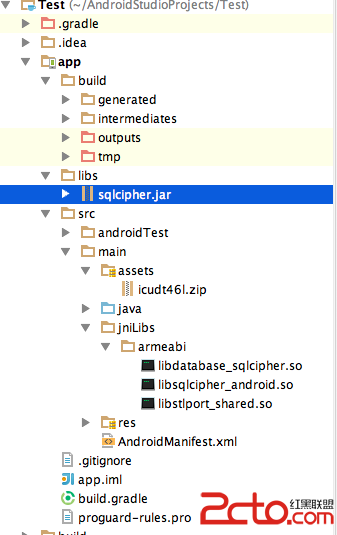 在 Android Studio 中使用 SQLCipher 加密資料庫
Android Studio 的專案結構與 Eclipse 略有差異,SQLCipher 的接入方式也需要跟著調整。以下以 Android Studio 1.3、SQLC
 Android ContentProvider 自定義提供者與跨應用程式增刪改查
ContentProvider 的核心概念 ContentProvider 是 Android 四大元件之一,主要用途是讓不同應用程式安全地共享資料。提供者會將資料封裝在
 微信怎麼加好友?添加好友失敗的原因與解法
微信怎麼加好友,對多數人來說不是難事;真正讓人頭痛的是「明明資料都填對了,卻一直加不上」。這個問題通常不是手機壞了,而是被某個環節擋住。以下先快速回顧常見的加好友方式,再