

編輯:關於 Android 程式設計
iOS 開發中有大名鼎鼎的 ASIHttpRequest 用來處理網路請求;Android 這邊同樣有一個強大的選擇——android-async-http。目前相當熱門的 Instagram 與 Pinterest 的 Android 版,用的就是這個庫。
它建構在 Apache HttpClient 之上,是一套非同步的 HTTP 請求處理庫:所有網路操作都跑在 Android 的非 UI 執行緒上,結果透過回呼方法帶回。
主要特性:
· 以非同步方式處理 HTTP 請求,並用匿名內部類別接收回呼結果
· 請求都在非 UI 執行緒執行,不會卡住介面
· 以執行緒池處理併發請求
· 支援檔案上傳與下載
· 響應結果可自動打包為 JSON 格式
· 連線中斷時自動重連
使用上很簡單:把 jar 檔放進專案的 libs 資料夾並加入建置路徑即可。
AsyncHttpClient client = new AsyncHttpClient();
client.get("https://www.baidu.com", new AsyncHttpResponseHandler() {
 @Override
 public void onSuccess(String response) {
 System.out.println(response);
 textView.setText(response);
 }
 @Override
 public void onStart() {
 super.onStart();
 System.out.println("onStart");
 }
 @Override
 public void onFinish() {
 super.onFinish();
 System.out.println("onFinish");
 }
});
以 GET 抓取指定 URL,並在回呼中處理結果。除了 GET,也支援 POST 與 PUT,且請求時可攜帶參數。以下示範用 JSON 字串作為 body 呼叫後端:
try {
 JSONObject jsonObject = new JSONObject();
 jsonObject.put("username", "ryantang");
 StringEntity stringEntity = new StringEntity(jsonObject.toString());
 client.post(MainActivity.this, "https://api.com/login", stringEntity,
 "application/json", new JsonHttpResponseHandler(){
 @Override
 public void onSuccess(JSONObject jsonObject) {
 super.onSuccess(jsonObject);
 }
 });
} catch (JSONException e) {
 e.printStackTrace();
} catch (UnsupportedEncodingException e) {
 e.printStackTrace();
}
實務上建議只保留一個靜態的 client 實例,統一管理逾時等設定:
public class HttpUtil {
 private static AsyncHttpClient client = new AsyncHttpClient();

 // 靜態區塊
 static {
 client.setTimeout(10000); // 設定連線逾時,不設定的話預設為 10 秒
 }

 // 以完整 url 取得字串
 public static void get(String urlString, AsyncHttpResponseHandler res) {
 client.get(urlString, res);
 }

 // url 帶參數
 public static void get(String urlString, RequestParams params, AsyncHttpResponseHandler res){
 client.get(urlString, params, res);
 }

 // 不帶參數,取得 json 物件或陣列
 public static void get(String urlString, JsonHttpResponseHandler res) {
 client.get(urlString, res);
 }

 // 帶參數,取得 json 物件或陣列
 public static void get(String urlString, RequestParams params, JsonHttpResponseHandler res) {
 client.get(urlString, params, res);
 }

 // 下載資料用,會回傳 byte 陣列
 public static void get(String uString, BinaryHttpResponseHandler bHandler) {
 client.get(uString, bHandler);
 }

 public static AsyncHttpClient getClient(){
 return client;
 }
}
public void downloadClick(View view) {
 String url = "https://f.hiphotos.baidu.com/album/w%3D2048/sign=38c43ff7902397ddd6799f046dbab3b7/9c16fdfaaf51f3dee973bf7495eef01f3b2979d8.jpg";
 HttpUtil.get(url, new BinaryHttpResponseHandler() {
 @Override
 public void onSuccess(byte[] arg0) {
 super.onSuccess(arg0);
 File file = Environment.getExternalStorageDirectory();
 File file2 = new File(file, "cat");
 file2.mkdir();
 file2 = new File(file2, "cat.jpg");
 try {
 FileOutputStream oStream = new FileOutputStream(file2);
 oStream.write(arg0);
 oStream.flush();
 oStream.close();
 textView.setText("可愛的貓咪已經保存在 sdcard 裡面");
 } catch (Exception e) {
 e.printStackTrace();
 Log.i("hck", e.toString());
 }
 }
 });
}
public void uploadClick(View view){
 String path = "https://10.0.2.2:8080/jsontest/servlet/UploadServlet";
 File myFile = new File("/sdcard/cat/cat.jpg");
 RequestParams params = new RequestParams();
 try {
 params.put("filename", myFile);
 AsyncHttpClient client = new AsyncHttpClient();
 client.post(path, params, new AsyncHttpResponseHandler(){
 @Override
 public void onSuccess(int statusCode, String content) {
 // TODO Auto-generated method stub
 super.onSuccess(statusCode, content);
 Toast.makeText(MainActivity.this, "上傳成功!", Toast.LENGTH_LONG).show();
 }
 });
 } catch(FileNotFoundException e) {
 }
}
由於涉及網路請求,別忘了在 AndroidManifest.xml 加上:
<uses-permission android:name="android.permission.INTERNET" />
若要寫入外部儲存,還需要 WRITE_EXTERNAL_STORAGE(API 29 之後建議改用 getExternalFilesDir() 的 App 專屬目錄)。另外 10.0.2.2 是 Android 模擬器指向宿主機 localhost 的專用位址,實機測試時要換成實際的伺服器 IP。
最後提醒:android-async-http 已停止維護多年,官方建議遷移到 OkHttp 或 Retrofit。本篇文章可作為理解非同步請求封裝思路的參考,新專案則建議直接採用仍在維護的函式庫。
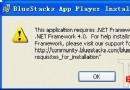 靠譜助手安裝失敗,提示需要 .NET 2.0 或 4.0 怎麼辦
安裝靠譜助手時跳出視窗,說需要 .NET Framework 2.0 或 .NET Framework 4.0——這代表系統裡沒有安裝對應的執行環境。把缺的補齊就能正常安
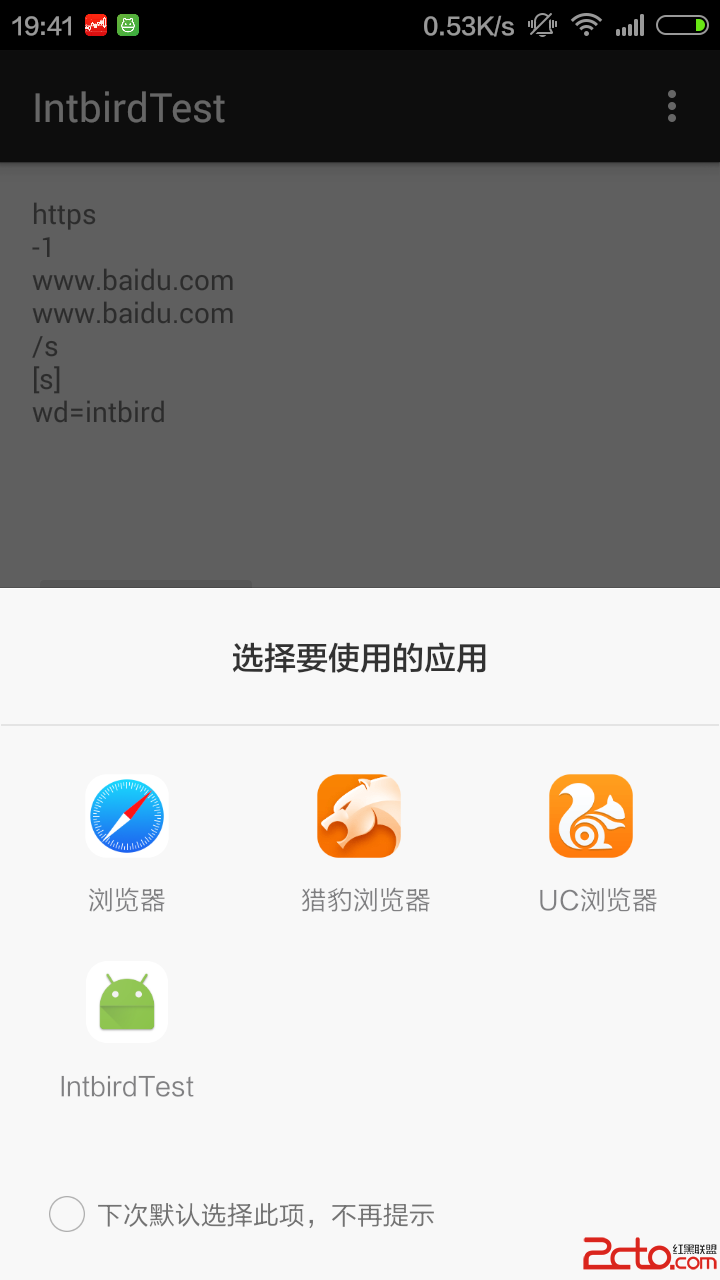 Android Intent 與 IntentFilter 詳解:Uri 解析與 Activity 匹配規則
當你希望自己的 Activity 能被其他應用打開,或者想在 WebView、第三方 App 中呼叫自己的頁面時,IntentFilter 就派上用場了。它負責「過濾」出
 Android 進階:藍牙 SPP 傳感器通訊實作
前面談過如何用麥克風採集並顯示類比信號,那種做法適合沒有 IO 控制、只需單純取值的場合。但如果傳感器自帶控制電路——例如量測血氧時需要紅外光交替發射——那麼它內部一定有
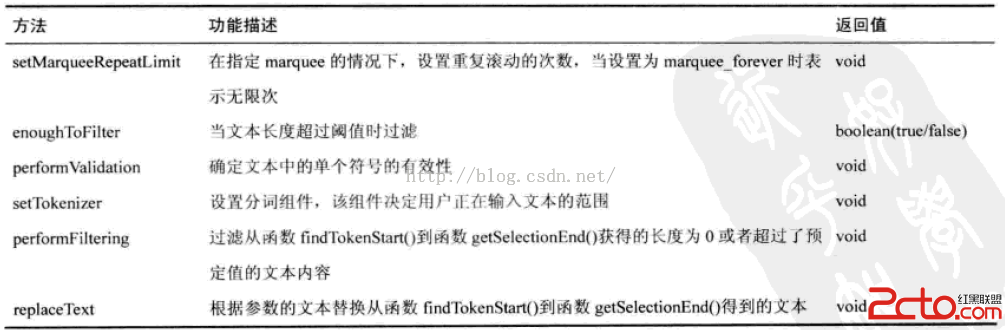 《Android 從入門到精通》(12)——自動完成文本框 AutoCompleteTextView
自動完成文本框(AutoCompleteTextView) 其繼承鏈為:java.lang.Object → android.view.View → android.vi