

編輯:關於 Android 程式設計
Android 模擬器有個 GPU 開關。打開之後,3D 加速的工作會轉交給宿主機(HOST)的 GPU;不開的話就退回 Soft 3D,也就是純靠 CPU 模擬 GPU 的運作。所以想讓 3D 程式跑得順,這個選項一定要勾。
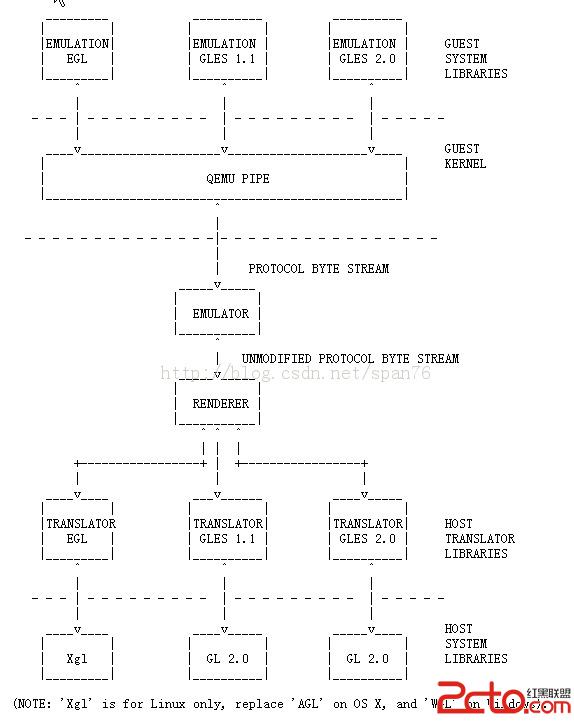
架構設計可參考官方 SDK 中的 emulator/opengl/DESIGN 文件。
在 Ubuntu Linux 上執行 sdk on Linux,若一切正常,模擬器會顯示類似下面的訊息:
emulator: Initializing hardware OpenGLES emulation support
emulator: ERROR: Could not create Context 0x3005
emulator: Could not start OpenGLES renderer?
而失敗時則會看到:
emulator: WARNING: Could not initialize OpenglES emulation, using software renderer.
也就是退回軟體渲染。
如果是自己編譯出來的 SDK,照著上面步驟做,Android 依然起不來,會出現這類錯誤:
emulator: Initializing hardware OpenGLES emulation support
Failed to create Context 0x3005
emulator: KVM mode auto-enabled!

destroyOpenGLSubwindow not implemented for separate renderer process !!!
createOpenGLSubwindow not implemented for separate renderer process !!!
repaintOpenGLDisplay not implemented for separate renderer process !!!
emulator: Realistic sensor emulation is not available, since the remote controller is not accessible:
看起來是模擬器沒有自動退回 soft 3D,仍然試圖向那個並不存在的 renderer 進程要求 pipe 通信,結果當然失敗。
另一種常見情境是在 VirtualBox 中裝 Ubuntu 12.04,再啟動 Android 模擬器。模擬器可以跑起來,但速度慢得令人難以忍受。
原因是 VirtualBox 虛擬出來的環境沒有 3D 設備,所以會看到:
emulator: Initializing hardware OpenGLES emulation support
OpenGL Warning:Failed to connect to host. Make sure 3D acceleration is enabled for this VM.
於是在 VirtualBox 設定中勾選 3D 加速,重新開機再啟動模擬器,結果得到:
Failed to create Context 0x3005
emulator: Can't start OpenGLES renderer?
emulator: WARNING: Could not initialize OpenglES emulation, using software renderer.
可見 VirtualBox 提供的 3D 支援要跑 Android 模擬器,目前仍有問題。結論是:想穩定使用 GPU 加速,直接跑在實體機器的 Linux 上會省下很多時間。
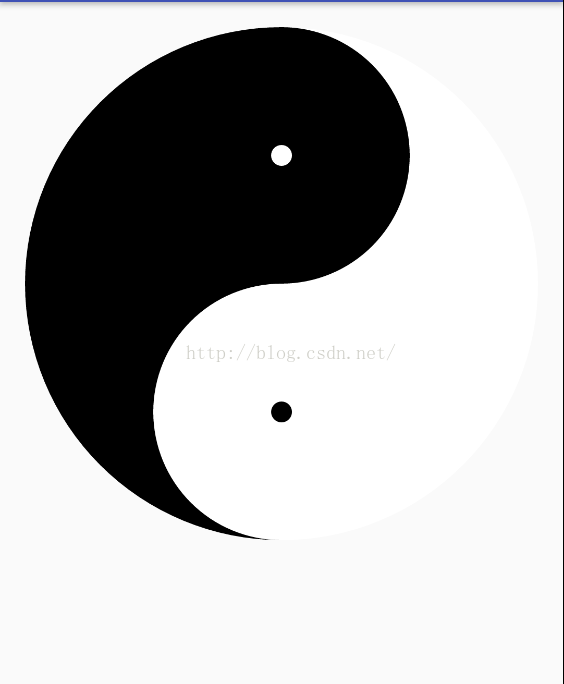 Android 繪製太極圖實例
太極圖是常見的圖形繪製案例,很適合用來練習 Canvas 與 Paint。透過圓弧、半圓與小圓的組合,可以用純程式碼畫出黑白雙魚。 繪製步驟 先畫出外圈,將圓分成黑白
 Android 動態模糊效果實作:RenderScript 與仿 Yahoo 天氣的滑動背景
前言 Yahoo 天氣的畫面上滑時,背景圖會跟著移動,而且模糊程度會隨手指位移而變化。看起來相當吸引人,但心裡也會打個問號:在 Android 上做模糊渲染很吃 CPU
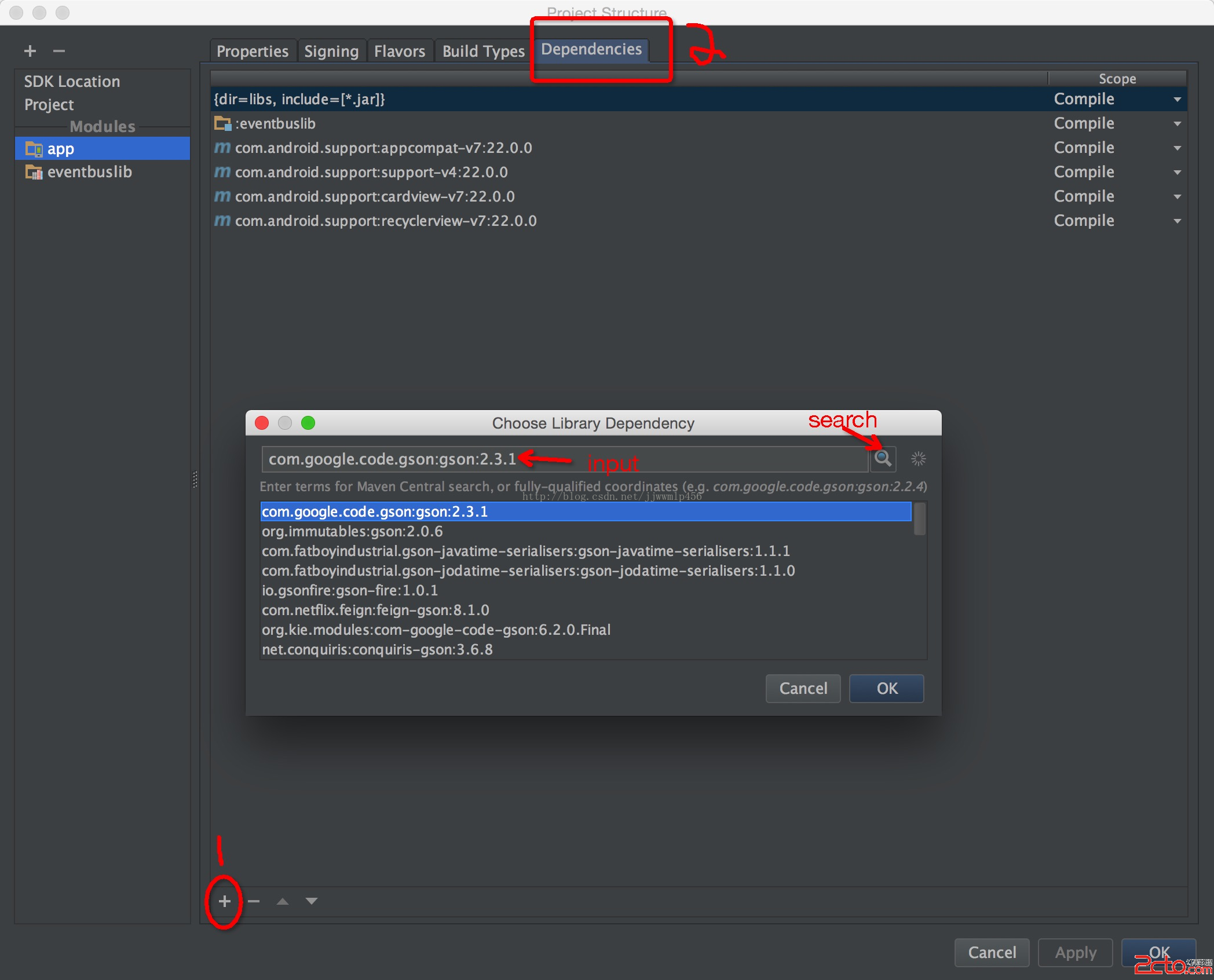 Android 多渠道打包實戰:用 Gradle 與 Android Studio 一鍵出包
Gradle 初看讓人頭痛,但在 Android 開發裡,我們其實只需要掌握「它大概怎麼用」以及「配置寫在哪裡」,就足以應付日常打包需求。 一、build.gradle
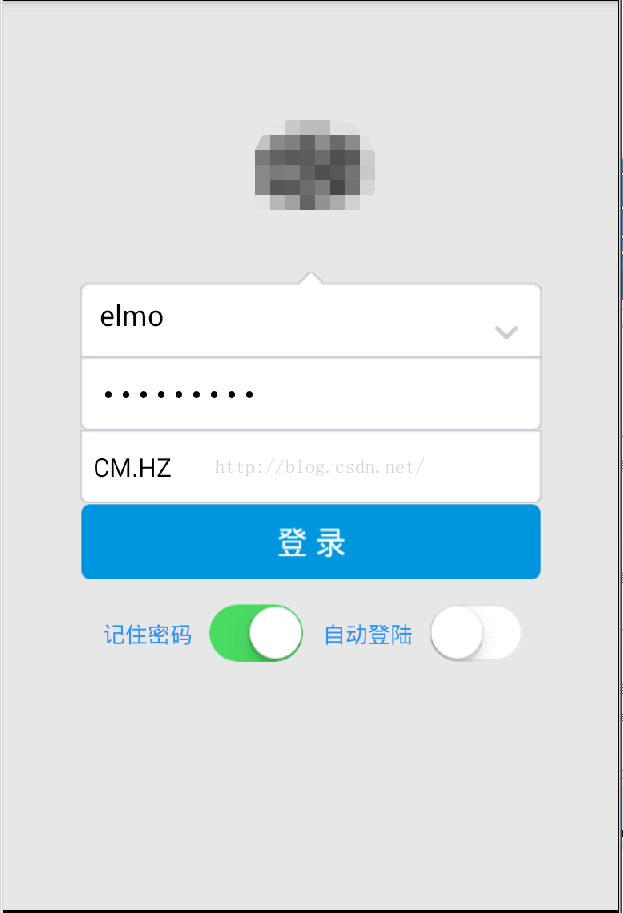 Android 手機簽核系統實作記錄:Eclipse + VS2010 + MSSQL
這是自己研究的安卓 App 簽核系統,目前公司內部用著相對穩定,就用這篇文章記錄一下。 工具環境:Eclipse 4.2、ADT 23.0、JDK 1.8.0,服務端使用