

編輯:關於 Android 程式設計
Intent 主要分為顯式意圖與隱式意圖兩類。顯式意圖通常用於啟動本應用內的 Activity 並在組件間傳遞數據;隱式意圖則常見於調用系統的某些特定動作(如打電話、發短信),或跨應用的 Activity 啟動(比如在 QQ 裡點擊鏈接彈出瀏覽器)。
顯式意圖:通過 Intent.setComponent()、setClass()、setClassName() 等方法明確指定了目標組件名,系統會直接將意圖投遞給該組件。
隱式意圖:沒有明確指定組件名。系統會根據意圖中設置的動作(action)、類別(category)、數據(URI 與數據類型),在經過 intent-filter 過濾後,找到最合適的組件來處理。
下面用一個例子演示兩種意圖的打開方式以及 Activity 間的數據傳遞。
NewActivity.java(接收數據並回傳結果)
package cn.android.intent; import java.util.Date; import android.app.Activity; import android.content.Intent; import android.os.Bundle; import android.view.KeyEvent; import android.view.View; import android.widget.TextView; public class NewActivity extends Activity { @Override protected void onCreate(Bundle savedInstanceState) { super.onCreate(savedInstanceState); setContentView(R.layout.other); Intent intent = getIntent(); String title = intent.getStringExtra("title"); double since = intent.getDoubleExtra("since", 1995.5); TextView textView = (TextView) this.findViewById(R.id.textView); textView.setText("語言:" + title + ",發布時間:" + since + "。"); } public void closeActivity(View v) { Intent intent = new Intent(); intent.putExtra("result", new Date().toString()); setResult(501, intent); this.finish(); } @Override public boolean onKeyDown(int keyCode, KeyEvent event) { if (keyCode == KeyEvent.KEYCODE_BACK) { closeActivity(null); } return true; } }
這裡用 getStringExtra、getDoubleExtra 接收上一個 Activity 傳來的值;關閉時則用 setResult 把結果裝進 Intent 回傳。
main.xml
<?xml version="1.0" encoding="utf-8"?> <RelativeLayout xmlns:android="https://schemas.android.com/apk/res/android" android:layout_width="fill_parent" android:layout_height="fill_parent"> <TextView android:layout_width="fill_parent" android:layout_height="wrap_content" android:text="@string/hello" android:id="@+id/textView" /> <LinearLayout android:layout_width="fill_parent" android:layout_height="fill_parent" android:orientation="horizontal" android:gravity="center_horizontal" android:layout_below="@id/textView"> <Button android:layout_width="wrap_content" android:layout_height="wrap_content" android:text="@string/button_display" android:id="@+id/buttonDisplay" android:onClick="openActivityDisplay" /> <Button android:layout_width="wrap_content" android:layout_height="wrap_content" android:text="@string/button_hidden" android:onClick="openActivityHidden" /> </LinearLayout> </RelativeLayout>
other.xml
<?xml version="1.0" encoding="utf-8"?> <LinearLayout xmlns:android="https://schemas.android.com/apk/res/android" android:layout_width="fill_parent" android:layout_height="fill_parent" android:orientation="vertical"> <TextView android:layout_width="fill_parent" android:layout_height="wrap_content" android:text="@string/newActivity" android:id="@+id/textView" /> <Button android:layout_width="wrap_content" android:layout_height="wrap_content" android:text="@string/button_close" android:onClick="closeActivity" /> </LinearLayout>
AndroidManifest.xml(隱式意圖的 intent-filter 配置)
要被隱式意圖匹配到,目標 Activity 必須聲明相應的 intent-filter,裡面配置 action、category 與 data:
<intent-filter> <category android:name="android.intent.category.DEFAULT" /> <category android:name="cn.java.category.intent" /> <category android:name="cn.java.category.action" /> <data android:scheme="intent" android:host="www.android.com" /> <data android:mimeType="image/*" /> </intent-filter>
strings.xml
<?xml version="1.0" encoding="utf-8"?> <resources> <string name="hello">Hello World, MainActivity!</string> <string name="newActivity">New Activity!</string> <string name="app_name">Android意圖</string> <string name="button_display">打開顯示意圖</string> <string name="button_hidden">打開隱式意圖</string> <string name="button_close">關閉窗口</string> </resources>
顯示意圖直接指定組件,穩妥可靠;隱式意圖則依賴 intent-filter 的匹配,靈活但需要注意 action、category、data 三者要對應上,否則會找不到目標組件。

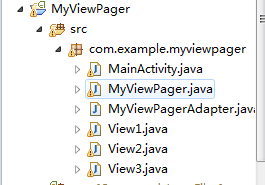 Android ViewPager 實現 Tab 切換的完整總結
在同一個窗口內用 Tab 切換頁面,比開多個 Activity 更流暢:頁面共享同一窗口的資源,切換時不必經歷 Activity 的創建與銷毀。ViewPager 正是為
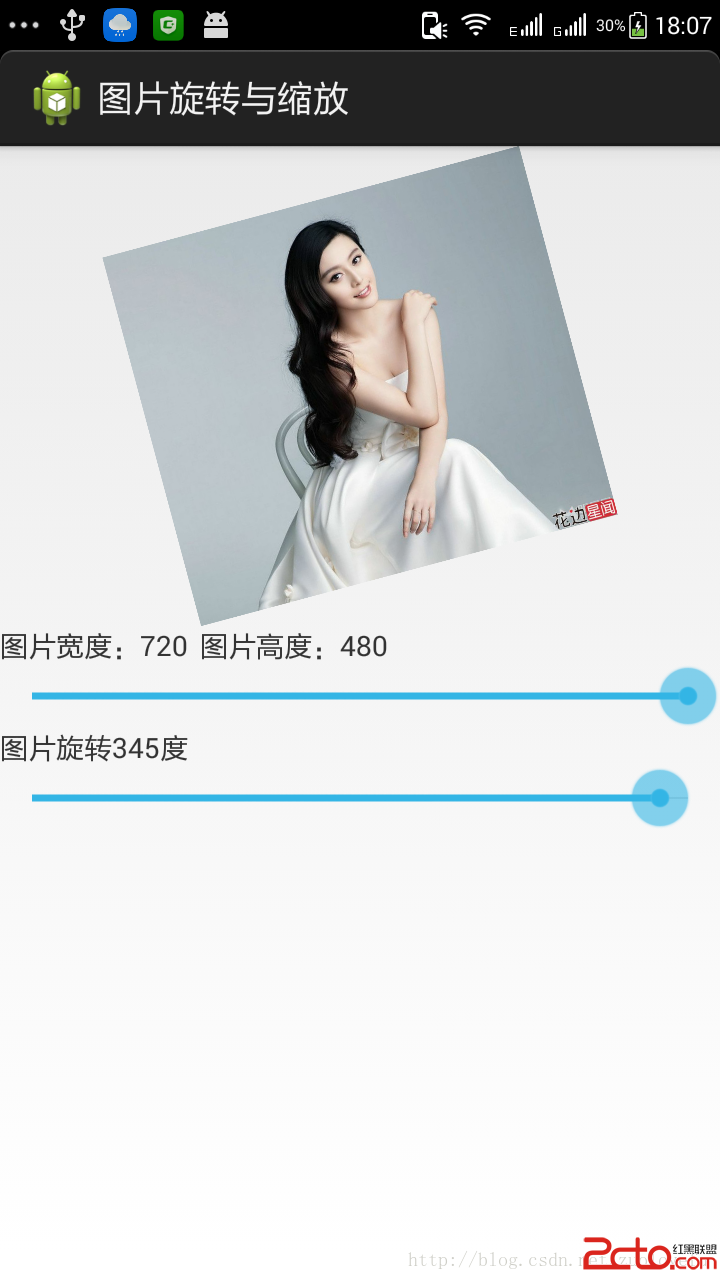 ImageView 圖片縮放與旋轉:SeekBar 即時控制實作
做圖片瀏覽器時,縮放與旋轉是最基本的兩個操作。這篇用兩個 SeekBar 分別控制寬高與旋轉角度,順便把「改 LayoutParams」與「改 Bitmap 矩陣」這兩種
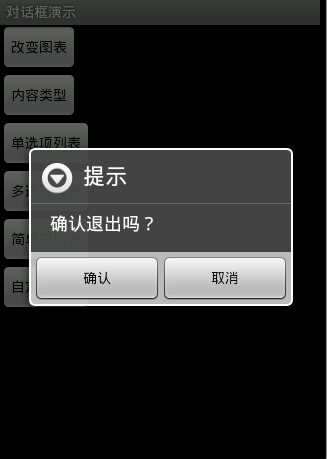 Android 對話框(Dialog)完全整理:七種常見形態與源碼
Activity 為開發者提供了一套方便的對話框管理機制,透過 onCreateDialog(int)、onPrepareDialog(int, Dialog)、show
 高仿微信風格的網頁載入進度條:SlowlyProgressBar 實作
一、為什麼說是「真正的高仿」? 先說明這個問題。網路上搜尋「仿微信打開網頁的進度條效果」,可以找到大量類似文章,但它們有個共同點:實作方式幾乎一模一樣,而且都忽略了微信載