

編輯:關於 Android 程式設計
Activity 與 Activity 之間要交換資料,最常見也最輕量的做法就是搭配 Intent 使用 Bundle。下面以一個報價場景為例:清單頁 ListViewActivity 點選某一筆物料後,把物料名稱、規格與 id 帶到詳情頁 ReplyActivity。
// 建立 Intent 並指定目標 Activity
Intent intent = new Intent();
intent.setClass(ListViewActivity.this, ReplyActivity.class);

// 將需要傳遞的欄位放入 Bundle
Bundle bundle = new Bundle();
bundle.putString("materialName", map.get("materialName").toString());
bundle.putString("materialFormat", map.get("materialFormat").toString());
bundle.putString("mapId", map.get("mapId").toString());

intent.putExtras(bundle);
startActivity(intent);
這裡有兩個細節值得注意:一是 setClass() 明確指出要啟動哪個元件,屬於顯式 Intent,系統不必額外做比對,效率較好;二是 Bundle 內部以 key-value 形式存放,key 必須在兩頁之間保持一致。
到了 ReplyActivity,只要呼叫 getIntent() 就能拿到啟動自己的那個 Intent,再從中取出 Bundle:
// 取得啟動本頁的 Intent
Intent intent = this.getIntent();

// 取出 Bundle 內容
Bundle bundle = intent.getExtras();
String materialName = bundle.getString("materialName");
String materialFormat = bundle.getString("materialFormat");
String mapId = bundle.getString("mapId");
Bundle 能承載的不只是基本型別與字串,也可以放入实现了 Parcelable 或 Serializable 介面的自訂物件。若資料量較大或結構較複雜,建議改成由目的頁透過 ContentProvider 或資料庫查詢,避免 Bundle 過肥造成 TransactionTooLargeException。
此外,若需要在目的頁結束後把結果帶回來,就不能用 startActivity(),而要改用 startActivityForResult() 搭配 setResult(),這是單向傳遞與雙向回傳的分水嶺。
 Android ScrollView 的兩種宣告方式
Android 的版面配置一般來說有兩種宣告方式:一種寫在 XML 裡,另一種用程式碼動態建立。ScrollView 兩者都支援。 方式一:XML 宣告 <?xm
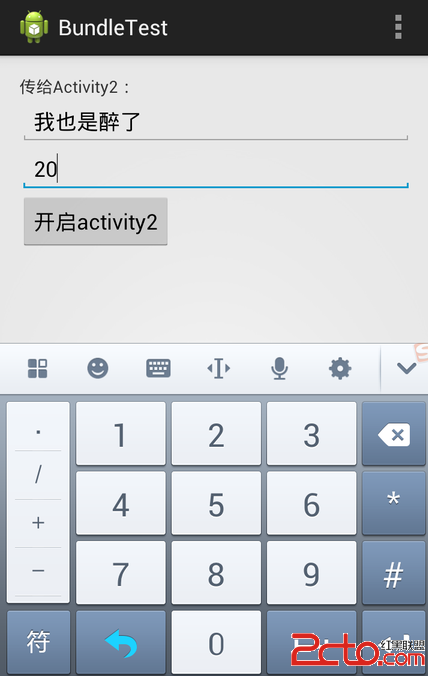 Android 介面跳轉與資料交換完整教學
本文透過一個小 Demo,完整演示 Android 中兩個 Activity 之間的介面跳轉與資料交換流程。核心概念是:利用 Bundle 封裝要傳遞的資料,再透過 In
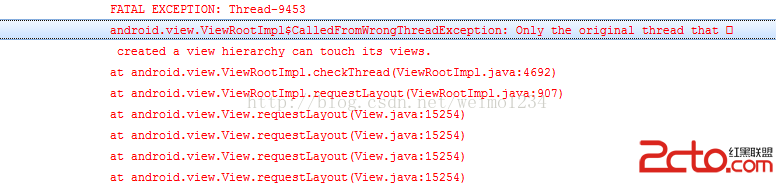 Android Handler 詳解:為什麼更新 UI 非它不可
Handler 是什麼 Handler 是 Android 提供的一套消息處理機制,同時也是更新 UI 的官方通道。我們可以用它發送消息,也可以用它處理消息。 為什麼需要
 Android SlidingTabLayout 搭配 ViewPager 實現頁籤滑動
SlidingTabLayout 的效果SlidingTabLayout 常搭配 ViewPager 使用,讓頁籤能隨頁面滑動而移動,並提供清楚的當前位置回饋。核心類別使