

編輯:關於 Android 程式設計
commons-codec-1.3.jar
commons-httpclient-3.1.jar
commons-logging-1.1.jar
1、在 layout 下的佈局 xml 檔中,定義一個用於輸入檔案路徑的 EditText 與一個觸發上傳的 Button:
 <EditText
     android:id="@+id/et_file_path"
     android:layout_width="match_parent"
     android:text="/mnt/sdcard/a.jpg"
     android:layout_height="wrap_content" >

 <Button
     android:layout_width="wrap_content"
     android:layout_height="wrap_content"
     android:onClick="uploadfile"
     android:text="上傳文件" />
2、在 Activity 類別中實作上傳按鈕的點擊方法:
 // 把 SD 卡上的檔案上傳到伺服器上
 public void uploadfile(View view){
     // 獲取被上傳檔案的路徑
     String filepath = et_file_path.getText().toString().trim();
     if(TextUtils.isEmpty(filepath)){
         Toast.makeText(this, "檔案路徑不能為空", 0).show();
         return;
 }
     File file = new File(filepath);
     if(file.exists()){ // 判斷上傳的檔案是否存在
         // 獲取上傳檔案的伺服器路徑
         String path = getResources().getString(R.string.uploadurl);
         // 呼叫做上傳的方法
         String result = NetService.uploadfile(path, file);
         if(result != null){
             Toast.makeText(this, result, 0).show();
         }else{
             Toast.makeText(this, "上傳檔案失敗", 0).show();
         }
     }else{
         Toast.makeText(this, "檔案不存在", 0).show();
         return;
 }
 }
3、在 Service 中實作上傳方法:
 public static String uploadfile(String path, File file) {
     try {
         PostMethod filePost = new PostMethod(path);
         // 指定上傳的檔案和參數
         Part[] parts = {
             new StringPart("name", "zhangsan"),
             new StringPart("password", "123"), // 參數
             new FilePart("file", file) // 上傳的檔案
         };
         // 設置請求體
         filePost.setRequestEntity(new MultipartRequestEntity(parts, filePost.getParams()));
         // 創建 httpClient 物件
         org.apache.commons.httpclient.HttpClient client = new org.apache.commons.httpclient.HttpClient();
         // 設置超時時長 5 秒
         client.getHttpConnectionManager().getParams().setConnectionTimeout(5000);
         // 執行
         int status = client.executeMethod(filePost);
         return "上傳成功";
     } catch (Exception e) {
         return "上傳失敗";
     } finally {
         // filePost.releaseConnection();
     }
 }
整體思路是:透過 MultipartRequestEntity 將檔案與普通參數(StringPart)組裝成多部件請求體,再交由 HttpClient 執行上傳。使用者先在介面輸入或確認檔案路徑,點擊上傳後由 Service 層完成實際的網路傳輸,並將結果回饋給使用者。
 Android 在一個 Activity 中實現多個 ListView 共享滾動條
當我們直接在佈局檔中放三個 ListView 時,會出現三個滾動條,而且每個 ListView 都只顯示一個 item,必須拖動才會顯示更多。要如何改善呢? 做法是有
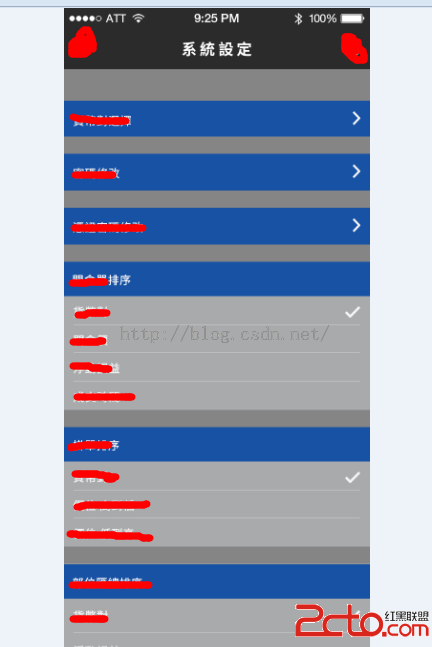 SharedPreferences 的正確使用:App 設置界面的數據保存與讀取
歷經兩個多月的努力,項目即將在 11 月交付使用,基礎功能都已完成,只剩下系統設置界面還沒做完,如下圖: 這個界面的實現要點是:多個界面需要顯示大量數據,並依據某一項進
 Android 通用下拉刷新與上拉加載控件:一套 PullToRefreshLayout 搞定多種 View
通用下拉刷新與上拉加載的需求 在 Android 應用中,下拉刷新與上拉加載是非常常見的互動模式。早期很多實作只針對 ListView,導致 GridView、Scrol
 免費送書好康!帶你一起「愛上 Android」
感謝各位長期以來對本站的支持!這次小編又準備了一波送書福利,只要你參與就有機會免費把好书帶回家,快來一起共襄盛舉。 《愛上 Android》 內容提要 本書深入淺出,