

編輯:關於 Android 程式設計
如果開發者對 SQL 語法不熟,甚至以前從未使用過任何資料庫,那麼 Android 的 SQLiteDatabase 提供了一組 insert、update、delete、query 方法,可以讓你不必直接撰寫 SQL 語句就能操作資料庫。
long insert(String table, String nullColumnHack, ContentValues values)
table:代表要插入到的資料表;nullColumnHack:代表強行插入 null 值的資料列的列名,當 values 參數為 null 或不包含任何 key-value 鍵值對時該參數有用;values:代表一行記錄的資料。
insert 方法使用 ContentValues 物件封裝插入的資料,ContentValues 類似於 Map,提供 put(String key, Object value) 及 getAsXxx(String key) 方法。
 // 創建或打開數據庫
 db = SQLiteDatabase.openOrCreateDatabase(this.getFilesDir().toString() + "/my.db", null);
 // 創建數據表
 db.execSQL("create table news_inf(_id integer primary key autoincrement,"
         + " news_title varchar(50),"
         + " news_content varchar(255))");
 // 插入數據
 ContentValues values = new ContentValues();
 values.put("news_title", "title1");
 values.put("news_content", "content1");
 db.insert("news_inf", null, values);
update(String table, ContentValues values, String whereClause, String[] whereArgs)
table:代表要更新的表;values:代表想要更新的資料;whereClause:滿足該 whereClause 子句的記錄將會被更新;whereArgs:用於為 whereClause 子句傳入參數。該方法回傳受此 update 語句影響的記錄條數。
例如:更新上表中 _id > 2 的 news_title 值。
 // 更新記錄
 ContentValues values2 = new ContentValues();
 values2.put("news_title", "title1_update");
 db.update("news_inf", values2, "_id > ?", new String[]{"2"});
delete(String table, String whereClause, String[] whereArgs)
table:代表要刪除的表名;whereClause:滿足該 whereClause 子句的記錄將會被刪除;whereArgs:用於為 whereClause 子句傳入參數。該方法回傳受此 delete 子句影響的記錄條數,使用方式與 update 相同。
query(boolean distinct, String table, String[] columns, String selection, String[] selectionArgs, String groupBy, String having, String orderBy, String limit)
distinct:指定是否去除重複記錄;table:查詢資料的表名;columns:要查詢的欄位名;selection:條件查詢;selectionArgs:條件查詢的參數;groupBy:控制分組;having:分組過濾;orderBy:排序;limit:進行分頁。
 Cursor cursor = db.query("news_inf", new String[]{"news_content", "news_title"},
         null, null, null, null, null);
 while(cursor.moveToNext()){
     Toast.makeText(this, cursor.getString(1), 2000).show();
 }
 cursor.close();
 Android RSA 加解密實作:金鑰、分段與填充方式
RSA 加密的基本概念RSA 是一種非對稱加密演算法,使用公鑰與私鑰配對。公鑰可以公開,用於加密;私鑰由持有者保存,用於解密。RSA 的安全性建立在「大數分解很難」的數學
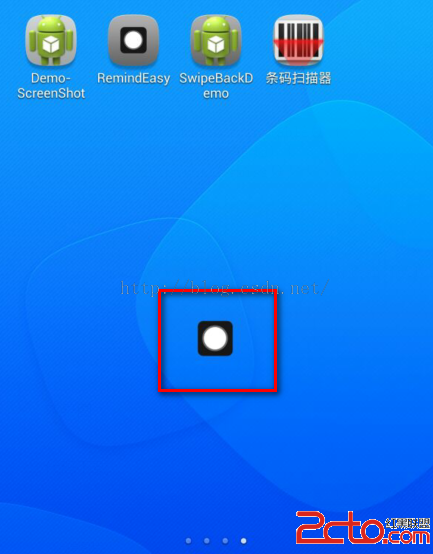 仿 iOS AssistiveTouch 的懸浮球 EasyTouch 實作全解析
iOS 的 AssistiveTouch 最初是為行動不便的使用者設計的輔助功能,但它在華語圈的普及程度遠超預期——很多人用它是為了省下實體鍵的損耗,或者單手操作更順手。
 用 BitmapShader 做出圓形與圓角圖片:原理與完整實作
BitmapShader 是什麼 建構子長這樣: public BitmapShader(Bitmap bitmap, Shader.TileMode tileX, S
 Android shape 與 selector 結合使用教學:做出漂亮的圓角 ListView
想自訂一個圓角 Button,點下去還要有顏色變化,靠的就是 shape 與 selector 這兩個標籤。可以說,在美化控制項這件事上,它們的地位舉足輕重——不需要寫一