

編輯:關於 Android 程式設計
在網路傳輸與資料儲存時,把圖片轉換成 Base64 字串是很常見的需求,例如將一張圖片作為字串嵌入 JSON 送到伺服器,或反過來把 Base64 還原成圖片檔。本文提供一組可直接複用的工具方法,讓你在 Android 中輕鬆完成雙向轉換。
這支 ReadImgToBinary2 工具類提供了兩個關鍵能力:imgToBase64 把圖片編碼為 Base64 字串,base64ToBitmap 則把 Base64 字串還原並存檔為圖片。
import java.io.ByteArrayOutputStream;
import java.io.File;
import java.io.FileNotFoundException;
import java.io.FileOutputStream;
import java.io.IOException;
import android.graphics.Bitmap;
import android.graphics.BitmapFactory;
import android.util.Base64;

public class ReadImgToBinary2 {

    /**
     * 把圖片轉為 Base64 字串
     * @param imgPath   圖片路徑(若提供則從檔案讀取)
     * @param bitmap    直接傳入的 Bitmap(可為 null)
     * @param imgFormat 圖片格式
     * @return Base64 字串
     */
    public static String imgToBase64(String imgPath, Bitmap bitmap, String imgFormat) {
        if (imgPath != null && imgPath.length() > 0) {
            bitmap = readBitmap(imgPath);
        }
        if (bitmap == null) {
            // bitmap not found!!
            return null;
        }
        ByteArrayOutputStream out = null;
        try {
            out = new ByteArrayOutputStream();
            bitmap.compress(Bitmap.CompressFormat.JPEG, 100, out);
            out.flush();
            out.close();
            byte[] imgBytes = out.toByteArray();
            return Base64.encodeToString(imgBytes, Base64.DEFAULT);
        } catch (Exception e) {
            return null;
        } finally {
            try {
                if (out != null) {
                    out.flush();
                    out.close();
                }
            } catch (IOException e) {
                e.printStackTrace();
            }
        }
    }

    // 從路徑讀取 Bitmap
    private static Bitmap readBitmap(String imgPath) {
        try {
            return BitmapFactory.decodeFile(imgPath);
        } catch (Exception e) {
            return null;
        }
    }

    /**
     * 把 Base64 字串還原為圖片並存檔
     * @param base64Data Base64 字串
     * @param imgName    輸出的圖片檔名
     * @param imgFormat  圖片格式
     */
    public static void base64ToBitmap(String base64Data, String imgName, String imgFormat) {
        byte[] bytes = Base64.decode(base64Data, Base64.DEFAULT);
        Bitmap bitmap = BitmapFactory.decodeByteArray(bytes, 0, bytes.length);

        File myCaptureFile = new File("/sdcard/", imgName);
        FileOutputStream fos = null;
        try {
            fos = new FileOutputStream(myCaptureFile);
            boolean isTu = bitmap.compress(Bitmap.CompressFormat.JPEG, 100, fos);
            if (isTu) {
                fos.flush();
            }
        } catch (FileNotFoundException e) {
            e.printStackTrace();
        } catch (IOException e) {
            e.printStackTrace();
        } finally {
            if (fos != null) {
                try {
                    fos.close();
                } catch (IOException e) {
                    e.printStackTrace();
                }
            }
        }
    }
}
編碼方向(imgToBase64)的關鍵,是先用 Bitmap.compress 把圖片壓縮寫入 ByteArrayOutputStream,取得 byte[] 後再交給 Base64.encodeToString 轉成字串。
解碼方向(base64ToBitmap)則相反:先用 Base64.decode 還原出 byte[],再用 BitmapFactory.decodeByteArray 生成 Bitmap,最後壓縮存檔。
使用上有兩點提醒:其一,存取 /sdcard 需在 Manifest 中申請 WRITE_EXTERNAL_STORAGE 權限;其二,原範例中內嵌了一些預設的 Base64 字串常量,實務上通常不需要,這裡已省略,你可依實際需求自行加入。掌握這組方法,圖片與 Base64 之間的雙向轉換就能輕鬆搞定。
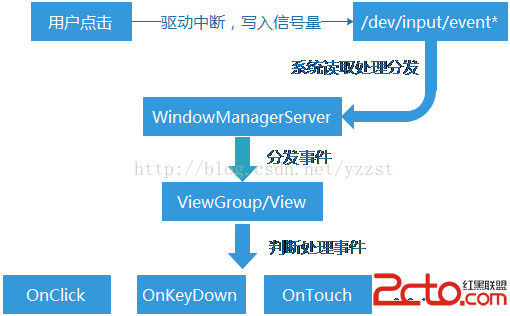 Android 鍵盤事件監控原理解析:從輸入事件到安全防護
鍵盤監控的基本概念所謂鍵盤監控,通常是指在系統或應用運行期間,對使用者的按鍵、觸控與手勢等輸入事件進行記錄與分析。這類技術在除錯、自動化測試與安全研究中有其用途,但也涉及
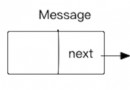 深入拆解 Android 訊息處理機制:從 ThreadLocal 到 Handler 的完整鏈路
前言 關於 Android 的訊息處理機制,網路上已有大量分析文章。多數人讀完之後,都能說出 MessageQueue、Handler、Looper 三者大致如何協同運作
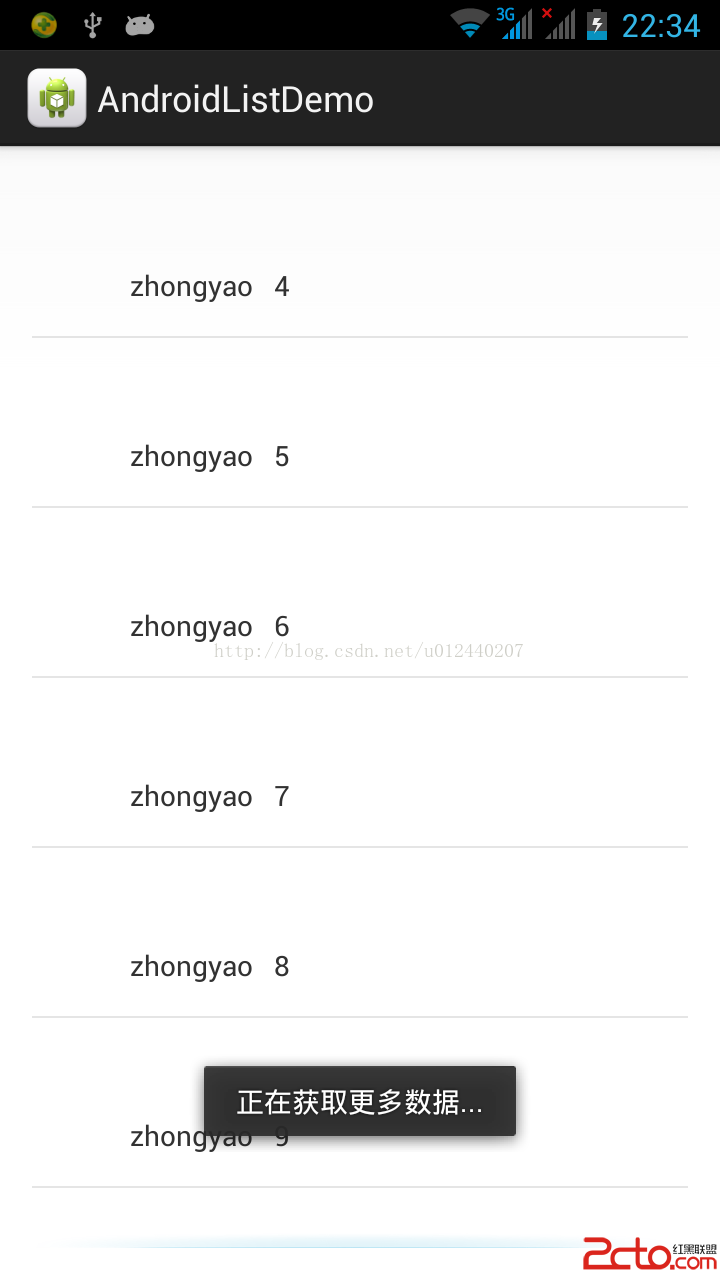 Android ListView 上拉刷新(加載更多)實戰
以前也實現過 ListView 的上拉刷新,不過當時用的是開源代碼。由於本人比較「懶」,源碼沒怎麼深入研究,所以現在自己動手寫起來還不夠流暢。好在我意識到了這些短板,於是
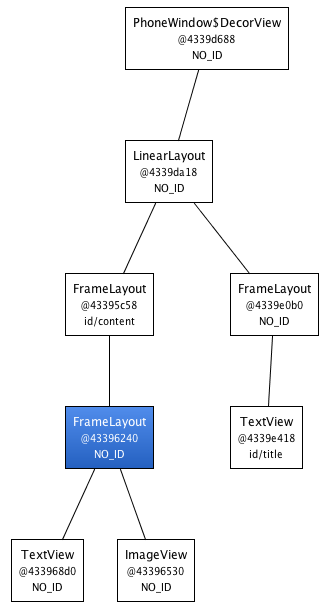 Android 版面配置優化:ViewStub、include、merge 使用與源碼分析
一、include:讓共用版面配置可重複使用 在 Android 介面開發中,隨著畫面數量增加,重複的標題欄、返回按鈕、搜尋列或提示區塊也會變多。若每個版面配置都重新撰寫