

編輯:關於 Android 程式設計
在開發檔案下載功能時,我們常常需要從一個 URL 中解析出檔案的真實名稱。由於伺服器可能會透過 HTTP 標頭指定檔名,單純從 URL 擷取往往並不可靠。以下提供一個實用的方法來解決這個問題。
public static String getReallyFileName(String url) {
    String filename = "";
    URL myURL;
    HttpURLConnection conn = null;
    if (url == null || url.length() < 1) {
        return null;
    }
    try {
        myURL = new URL(url);
        conn = (HttpURLConnection) myURL.openConnection();
        conn.connect();
        conn.getResponseCode();
        URL absUrl = conn.getURL();  // 獲得真實 Url
        Log.e("H3c", "x:" + absUrl);

        // 可選擇列印伺服器 Header 資訊以利除錯
        // Map<String, List<String>> map = conn.getHeaderFields();
        // for (String str : map.keySet()) {
        //     if (str != null) {
        //         Log.e("H3c", str + map.get(str));
        //     }
        // }

        // 透過 Content-Disposition 取得檔名,這點與伺服器實作有關,需靈活應變
        filename = conn.getHeaderField("Content-Disposition");
        if (filename == null || filename.length() < 1) {
            filename = absUrl.getFile();
        }
    } catch (MalformedURLException e) {
        e.printStackTrace();
    } catch (IOException e) {
        e.printStackTrace();
    } finally {
        if (conn != null) {
            conn.disconnect();
            conn = null;
        }
    }
    return filename;
}
這個方法的關鍵在於優先嘗試從 Content-Disposition 標頭中讀取檔名。當伺服器在回應標頭中提供了這個欄位時,我們就能取得最準確的檔名(通常還能避免中文亂碼或特殊字元的問題)。若該標頭不存在,則退而求其次,直接從重新導向後的真實 URL(conn.getURL())中擷取檔案路徑。
需要留意的是,Content-Disposition 的解析在實務上會因伺服器而異,有時其值可能包含額外的前綴(如 attachment; filename=),因此實際應用時可能需要進一步的字串處理,才能取出純粹的檔名。
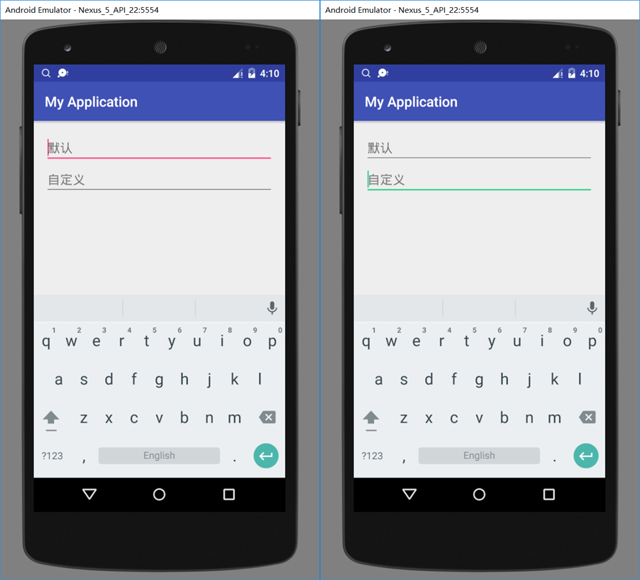 Android 修改 EditText 下劃線顏色的做法
前言 使用 AppCompatEditText(即 Layout 中的 EditText)時,預設的下劃線會跟隨主題的 colorControlNormal 與 colo
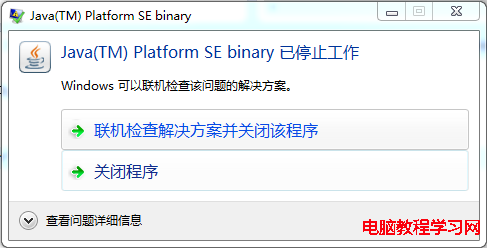 解決 Eclipse 開發 Android 時出現的 Cannot connect to VM 錯誤
在 Eclipse 中開發 Android,執行時偶爾會跳出這樣的錯誤訊息:Launching ???? has encountered a problem. Canno
 Android 熱修復技術方案全整理:HotFix、AndFix 與 Nuwa
為什麼需要熱修復 專案快速迭代的過程中,Bug 幾乎無法避免。線上出問題時,傳統做法就是發新版讓使用者更新;但緊急發版的使用者不一定會升級,強制升級體驗又不友善。熱修復技
 Android 基於 IIS 的 APK 下載(四):數據下載與安裝
在〈Android 基於 IIS 的 APK 下載(三)用 JSON 傳輸更新數據〉中,我們已從伺服器取得更新資料並呈現到 UI。更新列表每一行末尾都有一個「行為」按鈕,