

編輯:關於 Android 程式設計
在 Android 4.0.3 版本中,長按 Power 鍵會跳出關機選項對話框。然而在部分專案(例如 kiosk 單一功能裝置或特定商用設備)中,我們往往希望長按 Power 鍵能直接關機,而非跳出選擇對話框。由於 Android 4.0.3 原始碼中並無「長按直接關機」的內建選項,因此需要我們自行添加。
參照長按 Power 鍵跳出關機對話框的相關程式碼,可以發現涉及的關鍵檔案集中在:
framework/base/core/res/res/values/config.xmlframework/base/policy/src/com/android/internal/policy/impl/PhoneWindowManager.java在 PhoneWindowManager.java 中新增一個常數 LONG_PRESS_POWER_OFF_NOW:
static final int LONG_PRESS_POWER_NOTHING = 0;
static final int LONG_PRESS_POWER_GLOBAL_ACTIONS = 1;
static final int LONG_PRESS_POWER_SHUT_OFF = 2;
static final int LONG_PRESS_POWER_OFF_NOW = 3;
其中各個變數即為長按 Power 鍵時的條件選項。
找到 mPowerLongPress 這個 Runnable——它是長按 Power 鍵後系統啟動的執行緒,在其中加入新的 case 分支:
private final Runnable mPowerLongPress = new Runnable() {
    public void run() {
        // The context isn't read
        if (mLongPressOnPowerBehavior < 0) {
            mLongPressOnPowerBehavior = mContext.getResources().getInteger(
                    com.android.internal.R.integer.config_longPressOnPowerBehavior);
        }
        switch (mLongPressOnPowerBehavior) {
        case LONG_PRESS_POWER_NOTHING:
            break;
        case LONG_PRESS_POWER_GLOBAL_ACTIONS:
            mPowerKeyHandled = true;
            performHapticFeedbackLw(null, HapticFeedbackConstants.LONG_PRESS, false);
            sendCloseSystemWindows(SYSTEM_DIALOG_REASON_GLOBAL_ACTIONS);
            showGlobalActionsDialog();
            break;
        case LONG_PRESS_POWER_SHUT_OFF:
            mPowerKeyHandled = true;
            performHapticFeedbackLw(null, HapticFeedbackConstants.LONG_PRESS, false);
            sendCloseSystemWindows(SYSTEM_DIALOG_REASON_GLOBAL_ACTIONS);
            ShutdownThread.shutdown(mContext, true);
            break;
        case LONG_PRESS_POWER_OFF_NOW:  // 長按 Power 鍵關機程式碼
            Log.d(TAG, "-->> mPowerLongPress:run():LONG_PRESS_POWER_OFF_NOW");
            mPowerKeyHandled = true;
            performHapticFeedbackLw(null, HapticFeedbackConstants.LONG_PRESS, false);
            sendCloseSystemWindows(SYSTEM_DIALOG_REASON_GLOBAL_ACTIONS);
            ShutdownThread.shutdown(mContext, false);
            break;
        }
    }
};
在第一步中我們新增了長按直接關機的處理程式碼,接著需要在 config.xml 中修改預設設定,將預設行為改為「長按直接關機」。找到以下設定,將預設的 1 改為 3:
<!--
<integer name="config_longPressOnPowerBehavior">1</integer>
-->
<integer name="config_longPressOnPowerBehavior">3</integer>
說明:ShutdownThread.shutdown(mContext, false) 中的第二個參數控制是否顯示關機動畫——設為 false 可實現無提示的直接關機。完成以上三個步驟後,重新編譯並燒錄,長按 Power 鍵便會直接關機。此客製化方式適用於需要簡化操作流程的專用裝置。
 魅藍E與魅藍Note3差在哪 詳細區別對比
魅藍E和魅藍Note3有哪些不同?兩者之間該怎麼選?小編今天就帶來這兩款機型的詳細對比。 魅藍E與魅藍Note3詳細對比 魅藍E 參數對照:螢幕同為5.5英寸1920×
 Android Notification.Builder 使用指南:打造完整通知體驗
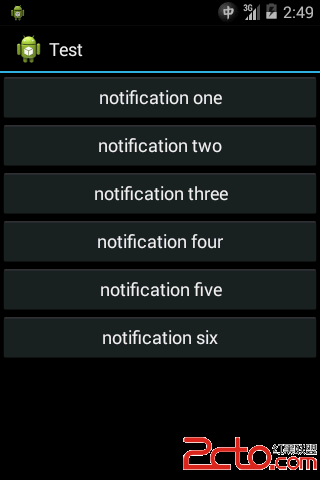
通知的主要用途通知是 Android 中非常重要的互動方式,常用於提示訊息、背景任務狀態與即時事件。透過 Notification.Builder,開發者可以建立包含標題
 行動電源怎麼用?充電、指示燈與使用教學
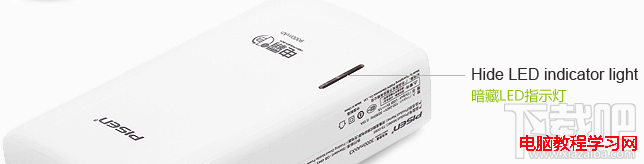
行動電源可先在外出前充飽電,再為手機、平板等裝置補充電力。以下整理指示燈、充電與使用方式。指示燈說明紅燈閃爍通常代表電量不足,綠燈長亮代表電力充足。為行動電源充電時,紅燈
 Android UI 實作:分組懸停式 ListView(Pinned Section List)
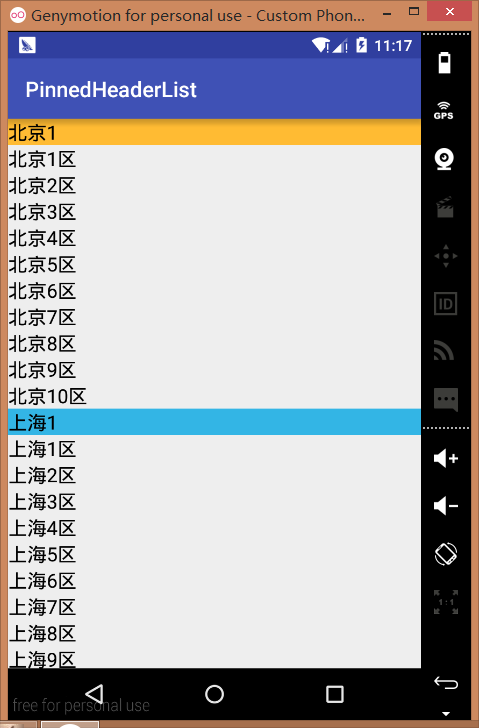
能讓分組標題懸停在頂部的列表,在實務專案中非常常見——通訊錄的好友分組、地區選擇器、商品分類,幾乎都會用到。本文記錄如何以開源的 PinnedSectionListVie