

編輯:關於 Android 程式設計
為應用接入廣告是變現的常見手段。本文以 Google Play Services 中的 AdMob 為例,介紹從工程配置到代碼接入的完整步驟。
sdk/extras/google/google_play_services/libproject/google-play-services_lib 添加到當前工程。在 AndroidManifest.xml 中加入網絡相關權限:
<!-- 用於請求 banner 與插屏廣告 -->
<uses-permission android:name="android.permission.INTERNET" />
<!-- 用於在無網絡時避免發送廣告請求 -->
<uses-permission android:name="android.permission.ACCESS_NETWORK_STATE" />
在 AndroidManifest.xml 的 <application> 中添加 AdActivity:
<!-- 展示廣告覆蓋層所需的 Activity -->
<activity
    android:name="com.google.android.gms.ads.AdActivity"
    android:configChanges="keyboard|keyboardHidden|orientation|screenLayout|uiMode|screenSize|smallestScreenSize"/>
若應用的 target SDK 版本過低,screenSize | smallestScreenSize 這兩個參數可能無效。此時不要為通過編譯而刪除它們,否則運行時廣告區域會顯示警告:missing AdActivity with android:configChanges in androidManifest.xml。正確做法是在項目屬性 → Android 中選擇更高版本的 Project Build Target(如 Android 4.3 及以上)。
先在 Activity 中引入命名空間:
import com.google.android.gms.ads.*;
在對應的布局文件中添加 AdView:
<com.google.android.gms.ads.AdView
    android:id="@+id/adView"
    android:layout_width="match_parent"
    android:layout_height="wrap_content"
    android:layout_alignParentBottom="true"
    android:layout_alignParentLeft="true"
    ads:adSize="BANNER"
    ads:adUnitId="@string/ad_unit_id"/>
注意需保證根布局帶有 xmlns:ads="https://schemas.android.com/apk/res-auto" 命名空間聲明。接著在 onCreate 中加載廣告:
AdView mAdView = (AdView) findViewById(R.id.adView);
mAdView.setAdListener(new AdListener() {});
mAdView.loadAd(new AdRequest.Builder().build());
如果不使用 XML 布局,也可以在代碼中動態創建 AdView 並添加到容器:
setContentView(R.layout.your_layout);
ViewGroup contentView = (ViewGroup) findViewById(R.id.yourlayout_id); // 獲得布局容器
AdView mAdView = new AdView(this);
mAdView.setAdUnitId(getString(R.string.ad_unit_id));
mAdView.setAdSize(AdSize.BANNER);
mAdView.setAdListener(new AdListener() {});
RelativeLayout.LayoutParams params = new RelativeLayout.LayoutParams(
        RelativeLayout.LayoutParams.MATCH_PARENT, RelativeLayout.LayoutParams.WRAP_CONTENT);
contentView.addView(mAdView, params);
mAdView.loadAd(new AdRequest.Builder().build());
最重要的一步,是申請屬於自己的 ads id,並填入字符串資源 ad_unit_id:
<string name="ad_unit_id">a15273abf6a0db9</string>
把上面的示例值換成你在 AdMob 後台申請到的真實廣告位 ID 即可。完成以上步驟後,重新編譯運行,就能在應用中看到廣告展示。實際接入時,還需注意遵守平台政策、合理選擇廣告形式與展示時機,以免影響用戶體驗。
 Android Drawable 資源完整指南:位圖、九宮格、形狀與狀態列表
Drawable 資源總覽 Drawable 是可繪製到畫面的資源,可透過 getDrawable 或 XML 屬性引用。Android 支援多種類型,包括位圖、九宮格、
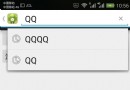 Android 搜索 suggestions 實現搜索聯想:SearchRecentSuggestions 完整實踐
所謂搜索 suggestions(搜索建議、搜索聯想),就是當用戶在搜索框裡輸入某個關鍵詞後,系統自動給出幾條包含相近關鍵詞的候選項,用戶可以直接點擊而不必輸完。 這個功
 Android 拍照與相簿選圖上傳的實作範例
在許多商務或訂單類應用中,使用者需要拍照或從相簿選擇憑證圖片並上傳。本文以一個實際案例為例,說明如何設計拍照與選圖流程,並將圖片送出至伺服器。 先釐清需求 實作前可先確認
 自訂元件三部曲之繪圖篇(十三):Canvas 與圖層(一)
講完 Paint 的幾個方法之後,有必要補一篇 Canvas 的系統性說明。前面已經介紹過 Canvas 的繪圖用法與 save()、restore(),這篇則聚焦在「圖