

編輯:關於 Android 程式設計
Android 上處理 ZIP 檔用的是 Java 標準的 java.util.zip 套件,核心是 ZipFile 與 ZipEntry。實作時要留意兩件事:目錄層級的重建,以及中文檔名的編碼問題。
/**
 * 解壓縮含有資料夾的壓縮檔
 *
 * @param zipFile    來源 ZIP 檔
 * @param folderPath 解壓縮目標目錄
 * @throws ZipException
 * @throws IOException
 */
public void upZipFile(File zipFile, String folderPath) throws ZipException, IOException {
    File desDir = new File(folderPath);
    if (!desDir.exists()) {
        desDir.mkdirs(); // 建立目標目錄
    }

    ZipFile zf = new ZipFile(zipFile);
    for (Enumeration<?> entries = zf.entries(); entries.hasMoreElements();) {
        ZipEntry entry = ((ZipEntry) entries.nextElement());

        if (entry.isDirectory()) {
            String tmpStr = folderPath + File.separator + entry.getName();
            tmpStr = new String(tmpStr.getBytes("8859_1"), "GB2312");
            File folder = new File(tmpStr);
            folder.mkdirs();
        } else {
            InputStream is = zf.getInputStream(entry);
            String str = folderPath + File.separator + entry.getName();
            // 轉換編碼,避免中文亂碼
            str = new String(str.getBytes("8859_1"), "GB2312");
            File desFile = new File(str);
            if (!desFile.exists()) {
                desFile.createNewFile(); // 建立目標檔案
            }
            OutputStream os = new FileOutputStream(desFile);
            byte[] buffer = new byte[1024];
            int realLength;
            while ((realLength = is.read(buffer)) > 0) {
                os.write(buffer, 0, realLength);
                os.flush();
            }
            is.close();
            os.close();
        }
    }
    zf.close();
}
這個版本會判斷 entry.isDirectory():遇到目錄條目就建立對應資料夾,遇到檔案才走讀寫流程。因為它把資料夾層級還原出來,所以寫檔前不需要額外處理父目錄。
/**
 * 解壓縮不含資料夾的壓縮檔
 *
 * @param zipFile    來源 ZIP 檔
 * @param folderPath 解壓縮目標目錄
 * @throws ZipException
 * @throws IOException
 */
public void upZipFile(File zipFile, String folderPath) throws ZipException, IOException {
    File desDir = new File(folderPath);
    if (!desDir.exists()) {
        desDir.mkdirs(); // 建立目標目錄
    }

    ZipFile zf = new ZipFile(zipFile);
    for (Enumeration<?> entries = zf.entries(); entries.hasMoreElements();) {
        ZipEntry entry = ((ZipEntry) entries.nextElement());
        InputStream is = zf.getInputStream(entry);
        String str = folderPath + File.separator + entry.getName();
        // 轉換編碼,避免中文亂碼
        str = new String(str.getBytes("8859_1"), "GB2312");
        File desFile = new File(str);
        if (!desFile.exists()) {
            File fileParentDir = desFile.getParentFile();
            if (!fileParentDir.exists()) {
                fileParentDir.mkdirs(); // 建立目標檔案的父目錄
            }
            desFile.createNewFile(); // 建立目標檔案
        }
        OutputStream os = new FileOutputStream(desFile);
        byte[] buffer = new byte[1024];
        int realLength;
        while ((realLength = is.read(buffer)) > 0) {
            os.write(buffer, 0, realLength);
            os.flush();
        }
        is.close();
        os.close();
    }
    zf.close();
}
這版不判斷是否為目錄,而是靠 desFile.getParentFile() 補建父目錄。實務上這種寫法更通用,因為它同時能處理有層級與沒層級的壓縮檔,建議優先採用。
new String(str.getBytes("8859_1"), "GB2312") 這行是個常見但容易誤解的寫法。Java 的 ZipFile 在讀取 entry 名稱時,若壓縮端未標註 UTF-8 旗標,會以 ISO-8859-1 解讀原始位元組。這行程式把名稱「還原」回位元組,再以 GB2312 重新解碼,就能正確顯示繁體中文或簡體中文檔名。
要注意的是:編碼必須與壓縮時一致。若來源是 UTF-8 打包的(例如 macOS 或新版 7-Zip 預設),硬轉 GB2312 反而會產生亂碼。較穩妥的做法是先判斷 ZipEntry 的 UTF-8 旗標,或直接改用 ZipInputStream 搭配 Charset 參數(Java 7 以後 ZipFile 建構子已支援指定 charset)。
原始寫法在正式專案中還缺少幾項保護,建議補齊:
../../,解壓後檔案會寫到目標目錄之外。解壓前應檢查 desFile.getCanonicalPath() 是否以 desDir.getCanonicalPath() 開頭,不符合就跳過。另外,解壓縮屬於 I/O 密集操作,在 Android 上務必放到背景執行緒(例如 ExecutorService 或 Kotlin 的 Dispatchers.IO),否則會觸發 NetworkOnMainThread 之外的主執行緒卡頓與 ANR 問題。
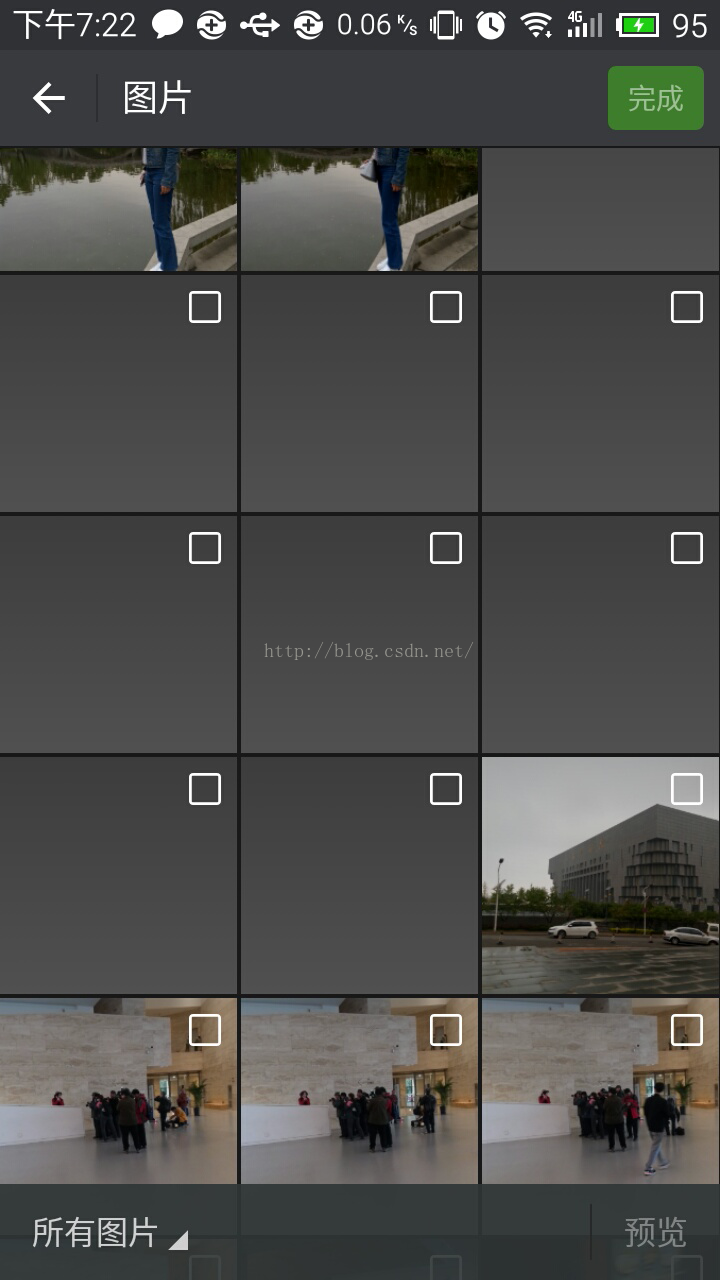 Android 自定義本地圖片加載庫:借鑑微信的流暢體驗
先總結一下微信本地圖片加載的幾個特點,這些也正是提升用戶體驗的關鍵: 1、縮略圖逐個加載,一個接一個,直到當前屏幕的所有縮略圖都加載完成; 2、不必等本屏全部加載完,快速
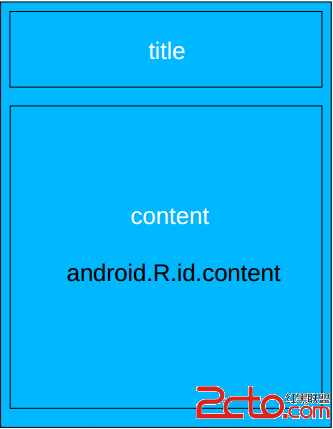 Android View 系統解析:繪制流程與自定義
本文聚焦 Android View 系統的下半部分,說明繪製流程、MeasureSpec 與自定義 View 的關鍵概念。ViewRoot 與 DecorViewView
 Android 自定義 View:用 Canvas 畫出時鐘
當系統 View 無法滿足需求時,可自定義 View。自定義 View 通常繼承 View,並實作 onMeasure 與 onDraw。onMeasure 決定尺寸,o
 滾動列表中的視頻自動播放實戰:從 ListView 到 RecyclerView
滑動信息流時視頻會自動播放——這樣的體驗在 Facebook、Instagram、Magisto 等熱門應用裡隨處可見。本文將完整梳理如何在滾動列表(無論是 ListVi