

編輯:關於 Android 程式設計
在需要依「是否佩戴耳機」切換輸出路徑的場景裡(例如通話錄音、語音提示、媒體播放),我們必須先取得藍牙耳機的連接狀態。做法是把 BluetoothAdapter 回報的 profile 狀態,轉換成系統熟悉的 ACTION_HEADSET_PLUG 廣播再發送出去,讓其餘模組沿用既有的有線耳機邏輯即可。
private void handleHeadsetStateChange() {
    Intent intent = new Intent(Intent.ACTION_HEADSET_PLUG);
    if (BluetoothProfile.STATE_CONNECTED == adapter.getProfileConnectionState(BluetoothProfile.HEADSET)) {
        intent.putExtra("state", 1);
        intent.putExtra("microphone", 1);
        mContext.sendBroadcast(intent);
    } else if (BluetoothProfile.STATE_DISCONNECTED == adapter.getProfileConnectionState(BluetoothProfile.HEADSET)) {
        intent.putExtra("state", -1);
        mContext.sendBroadcast(intent);
    }
}
首先是 getProfileConnectionState() 屬於較耗時的 IPC 呼叫,不適合在每次 UI 事件或高頻回撥中反覆呼叫。實務上更建議註冊 BluetoothHeadset 的 ACTION_CONNECTION_STATE_CHANGED 監聽器,在狀態真正變化時才被動通知,再呼叫一次查詢即可。
其次是 microphone 欄位。有線耳機的 state 與 microphone 是兩個獨立資訊(有些耳機只有聽筒沒有麥克風),程式碼這裡固定填 1,代表藍牙耳機視為具備麥克風能力。若產品需要區扶手作模式,這個值應該依實際 profile 能力決定。
最後,偽造系統廣播需要 android.permission.BAIDU_LOCATION_SERVICE 之外的系統權限等級,一般第三方應用並不能直接送出 ACTION_HEADSET_PLUG。因此這段程式碼通常出現在系統應用或需要平台簽章的模組中;普通應用請改用 BluetoothHeadset.ACTION_CONNECTION_STATE_CHANGED 或 registerReceiver 監聽 BluetoothDevice.ACTION_ACL_CONNECTED 並自行判斷裝置類別。
 Android 滑動到頂部懸停效果的兩種實現思路
先看目標效果: 思路一:多寫一份布局做「替身」 網上大量教程用的是這種土辦法:在需要懸浮的區域之外,再寫一個一模一樣的 layout,初始可見性設為 gone。當內容
 Android RelativeLayout 對齊與 setPadding 整合技巧
在 Android 版面配置中,常會遇到一個需求:某個文字必須緊跟在另一個文字後面,但当前面的文字太長時,後面的文字仍要完整顯示,而前面的文字則用省略號表示。本文以 Re
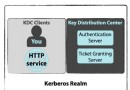 Kerberos 安全體系詳解——Kerberos 的簡單實現
1. Kerberos 簡介 1.1 功能 Kerberos 是一種安全認證協議,通過 tickets 進行驗證,避免在本地保存密碼或在互聯網上傳輸密碼。它包含一個可信任
 扣丁音樂(五):用 Service 實現歌曲播放功能
一、效果演示 二、建立 MusicService 服務 這裡先貼出後續會用到的部分代碼。MusicPlayService 需要實現:點擊列表歌曲播放、播放/暫停切換、