

編輯:關於 Android 程式設計
Relative Layout 的所有行為都由這十幾個屬性決定。理解它們的關鍵是分辨兩件事:這個屬性參照的是「某個元件」還是「父容器」,以及 它對齊的是我的哪一邊、對方的哪一邊。
android:layout_below:把自己的頂部放到指定 ID 元件的下方android:layout_toLeftOf:自己的右緣對齊指定元件的左緣(也就是站在它左邊)android:layout_toRightOf:自己的左緣對齊指定元件的右緣(站在它右邊)android:layout_alignBottom:自己的底緣與指定元件的底緣對齊android:layout_alignLeft:自己的左緣與指定元件的左緣對齊android:layout_alignRight:自己的右緣與指定元件的右緣對齊android:layout_alignTop:自己的頂緣與指定元件的頂緣對齊to 系列與 align 系列很容易搞混,記法很簡單:to 是「站在它的某一側」,align 是「和它某一邊齊頭」。toLeftOf 會讓兩個元件並排,alignLeft 會讓它們左邊對齊但寬度可不同。
android:layout_alignParentBottom:底緣貼齊父容器底部android:layout_alignParentLeft:左緣貼齊父容器左側android:layout_alignParentRight:右緣貼齊父容器右側android:layout_alignParentTop:頂緣貼齊父容器頂部android:layout_centerHorizontal:水平居中android:layout_centerVertical:垂直居中android:layout_centerInParent:在父容器內水平與垂直雙重居中margin 是「我和別人(或邊界)之間的距離」,属于元件的外側:
android:layout_marginTop / Bottom / Left / Right:單邊外距android:layout_margin:四边外距一次設定padding 是「我的內容和我的邊框之間的距離」,属于元件的內側:
android:paddingLeft / Top / Right / Bottom:單邊內距android:padding:四边內距一次設定兩者的差別在背景著色時最明顯:padding 區域會被背景填滿,margin 區域則露出父容器的背景。這也是「為什麼我的按鈕點擊範圍比看起來大」的答案——那圈外觀上是間距的區域,其實仍屬於可點擊的 padding。
 Android Support Library 中的 Toolbar:打造可自訂的應用程式列
自 Android 3.0 起,ActionBar 成為應用程式列(App Bar)的預設形式,但它樣式固定、擴充不易。v7 兼容庫推出 Toolbar 後,開發者可以自
 Android 支付密碼輸入框的自定義實現
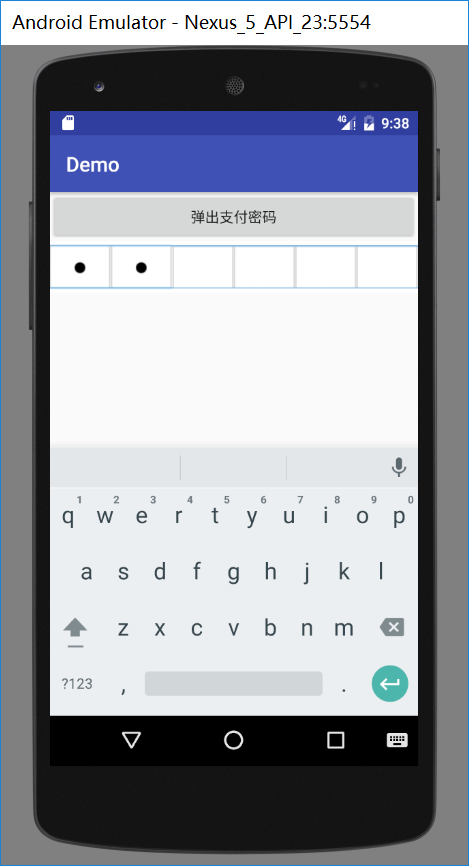
先看效果: 實現思路 關鍵點是:真正接收輸入的仍然是 EditText,但顯示圓點的並不是它,而是覆蓋在下層的六個 ImageView。做法是先用 Relative
 Android 隱式 Intent 通訊:Action、Data、Category 與 Intent Filter
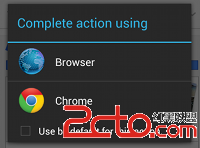
隱式 Intent 的概念 Intent 是 Android 元件溝通的核心。顯式 Intent 會指定要啟動的元件;隱式 Intent 則只描述想完成的工作,例如檢視網
 Android-PullRefreshLayout:一套搞定 AbsListView 與 RecyclerView
專案地址:Android-PullRefreshLayout 簡介:以 SwipeRefreshLayout 為基礎封裝,同時支援下拉刷新與上拉載入,且通吃所有 AbsL