

編輯:關於 Android 程式設計
Radio Group 天生只支援單排單列的單選效果,這是很多人做到一半才發現的限制。
查文件會發現 Radio Group 繼承自 Linear Layout,於是自然想到用巢狀布局:
<RadioGroup>
    <LinearLayout><RadioButton /><RadioButton /></LinearLayout>
    <LinearLayout><RadioButton /><RadioButton /></LinearLayout>
    <LinearLayout><RadioButton /></LinearLayout>
</RadioGroup>
編譯通過,畫面也排得出來,但執行後會發現致命問題:Radio Button 之間不再互斥。原因是 Radio Group 的互斥邏輯是遍歷自己的直接子 View 尋找 Radio Button,中間隔了一層 Linear Layout 之後它就找不到人了。
既然一個 Radio Group 管不了跨列的互斥,那就用多個,每列一個,再由程式碼協調。
<LinearLayout xmlns:android="https://schemas.android.com/apk/res/android"
    android:layout_width="match_parent"
    android:layout_height="match_parent"
    android:orientation="vertical">

    <RadioGroup android:id="@+id/orderBy1"
        android:layout_width="fill_parent"
        android:layout_height="wrap_content"
        android:orientation="horizontal">
        <RadioButton android:id="@+id/orderBy1_1" android:text="名稱" />
        <RadioButton android:id="@+id/orderBy1_2" android:text="日期" />
    </RadioGroup>

    <RadioGroup android:id="@+id/orderBy2"
        android:layout_width="fill_parent"
        android:layout_height="wrap_content"
        android:orientation="horizontal">
        <RadioButton android:id="@+id/orderBy2_1" android:text="類型" />
        <RadioButton android:id="@+id/orderBy2_2" android:text="大小" />
    </RadioGroup>

    <RadioGroup android:id="@+id/orderBy3"
        android:layout_width="fill_parent"
        android:layout_height="wrap_content"
        android:orientation="horizontal">
        <RadioButton android:id="@+id/orderBy3_3" android:text="系統默認" />
    </RadioGroup>

</LinearLayout>
public class MainActivity extends Activity {

    private RadioGroup radioGroup1, radioGroup2, radioGroup3;
    private Boolean changeedGroup = false;

    @Override
    protected void onCreate(Bundle savedInstanceState) {
        super.onCreate(savedInstanceState);
        setContentView(R.layout.activity_main);

        radioGroup1 = (RadioGroup) findViewById(R.id.orderBy1);
        radioGroup1.setOnCheckedChangeListener(new MyRadioGroupOnCheckedChangedListener());
        radioGroup2 = (RadioGroup) findViewById(R.id.orderBy2);
        radioGroup2.setOnCheckedChangeListener(new MyRadioGroupOnCheckedChangedListener());
        radioGroup3 = (RadioGroup) findViewById(R.id.orderBy3);
        radioGroup3.setOnCheckedChangeListener(new MyRadioGroupOnCheckedChangedListener());
    }

    class MyRadioGroupOnCheckedChangedListener implements OnCheckedChangeListener {
        @Override
        public void onCheckedChanged(RadioGroup group, int checkedId) {
            if (!changeedGroup) {
                changeedGroup = true;
                if (group == radioGroup1) {
                    radioGroup2.clearCheck();
                    radioGroup3.clearCheck();
                } else if (group == radioGroup2) {
                    radioGroup1.clearCheck();
                    radioGroup3.clearCheck();
                } else if (group == radioGroup3) {
                    radioGroup1.clearCheck();
                    radioGroup2.clearCheck();
                }
                changeedGroup = false;
            }
        }
    }
}
執行後,三列兩行的 Radio Button 完成了網格排版,同時保持互斥選擇的邏輯。
這是整段程式碼最關鍵的一行。呼叫 clearCheck() 會觸發其他 Radio Group 的 onCheckedChanged,而它們的監聽器又會回頭 clear 你這一组——若不加防護就是無限遞迴,直接 Stack Overflow。用一個 boolean 閘門把重入擋掉,是處理這類「事件互相觸發」問題的標準手法。
如果需求只是「多選一」,其實用一顆 Spinner 或改採 Chip Group(Material Components)會乾淨得多,後者原生支援 setSingleSelection(true) 的多行單選排版。手寫多組 Radio Group 加旗標的做法,適用在必須維持既有樣式、無法引入新元件庫的維護情境。
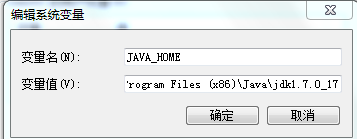 Android NDK r9 環境配置與第一個 JNI 程序
NDK 是一套工具集,讓你能夠在應用中通過 C、C++ 等原生代碼語言實現部分功能。Android NDK 是在 SDK 前面加上了「原生」二字,即 Native Dev
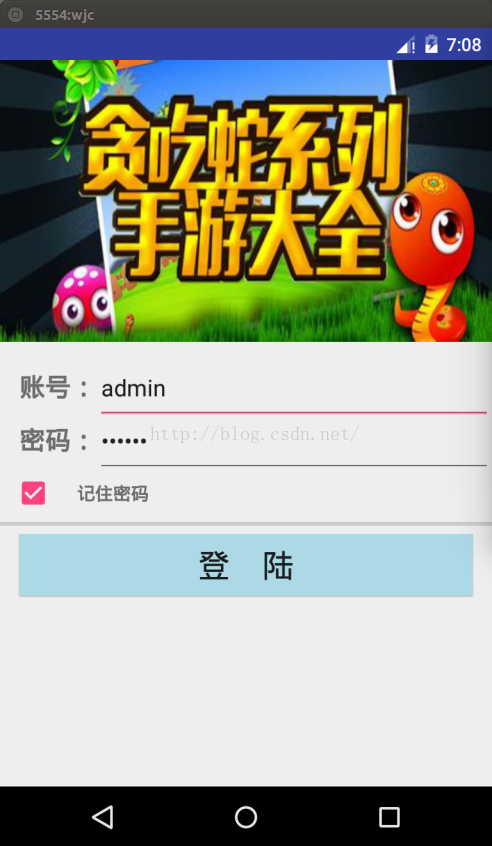 Android 開發經典遊戲貪吃蛇:多界面與自定義 View 完整實作
前言這款遊戲的實作思路與源碼參考了 Google 自帶的 Snake 範例,我在其基礎上修改了一些自認為還不夠完善的地方,並加入了幾個新功能,比如螢幕上的方向操作盤、暫停
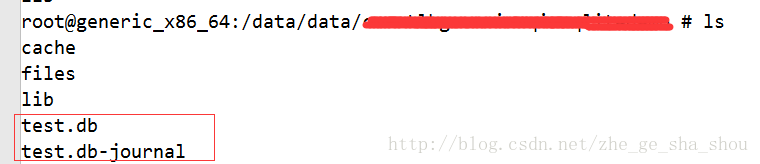 Android中SQLite數據庫的使用詳解
一、簡介 SQLite是一款輕量級的數據庫管理系統(DBMS)。它以單個文件的形式存儲數據,Android標準庫自帶SQLite庫及配套的Java輔助類。其主要特點是:輕
 AsyncTask 異步任務:用法、源碼原理與實踐陷阱
搞懂 Android 的緩存機制之後,我打算自己動手寫一個基於 LruCache 與 DiskLruCache 二級緩存的輕量級圖片請求框架。搭框架時卡在了一個問題上:下