

編輯:關於 Android 程式設計
撰寫 Android 版面配置時,熟悉各項 XML 屬性的用途能大幅提昇效率。以下將常見的 layout 屬性依功能分類整理,方便查閱。
android:id:為元件指定唯一識別碼。
android:text:指定元件顯示的文字,建議盡量引用 strings.xml 中的字串資源,而非直接寫死。
android:textSize:設定元件中字體的大小。
android:background:指定元件的背景色,採 RGB 命名法。
android:hint:當 EditText 為空時,輸入框內顯示的提示文字。
android:gravity:指定元件「內部內容」的對齊方式,例如置中、靠右等,對齊的是文字本身而非元件。
android:layout_gravity:與 gravity 不同,它指定的是元件「本身」在父容器中的位置。例如放在 LinearLayout 中的 button,可用 android:layout_gravity="right" 讓它靠右對齊。
android:width / android:height:指定元件本身的寬度與高度。
android:layout_width / android:layout_height:指定容器(Container)的寬度與高度。
android:layout_weight:非常重要的屬性,用於按比例分配剩餘空間。
android:padding:元件內容與邊框之間的內距。
android:paddingLeft / android:paddingRight:分別設定左右內距。
android:layout_marginLeft / marginRight / marginTop / marginBottom:元件距離某元素各邊緣的外距。
android:singleLine:設為 true 時,元件內容會限制在同一行顯示。
android:scaleType:控制圖片如何縮放或移動以符合 ImageView 的尺寸。
android:layout_centerHorizontal:水平居中。
android:layout_centerVertical:垂直居中。
android:layout_centerInParent:相對於父元素完全居中。
android:layout_alignParentBottom / Left / Right / Top:貼緊父元素的對應邊緣。
android:layout_alignWithParentIfMissing:若找不到對應的兄弟元素,則以父元素作為參照。
android:layout_below / above / toLeftOf / toRightOf:相對於某元素 positioning 於其下方、上方、左邊或右邊。
android:layout_alignTop / Left / Bottom / Right:讓本元素與某元素的對應邊緣對齊。
android:orientation:決定 LinearLayout 的排列方向,vertical 為垂直排列,horizontal 為水平排列。
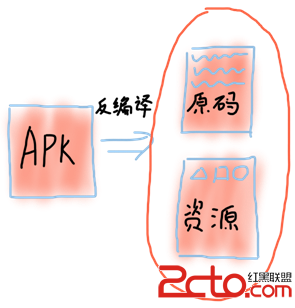 安卓應用反編譯(二)-APK 包反編譯實戰解析
第二章 APK 包反編譯 經過編譯器處理後的程式碼與資源,最終會被層層打包成一個 APK 檔案,其中不少內容甚至已被轉換為二進位格式。所幸我們仍有辦法把這些編譯過的產物「
 Android Recovery 機制分析
Recovery 的作用 Android 通過 Recovery 模式完成三件事:恢復出廠設置、全量包 OTA 升級、增量包升級。 升級的執行載體是升級包中的 META-
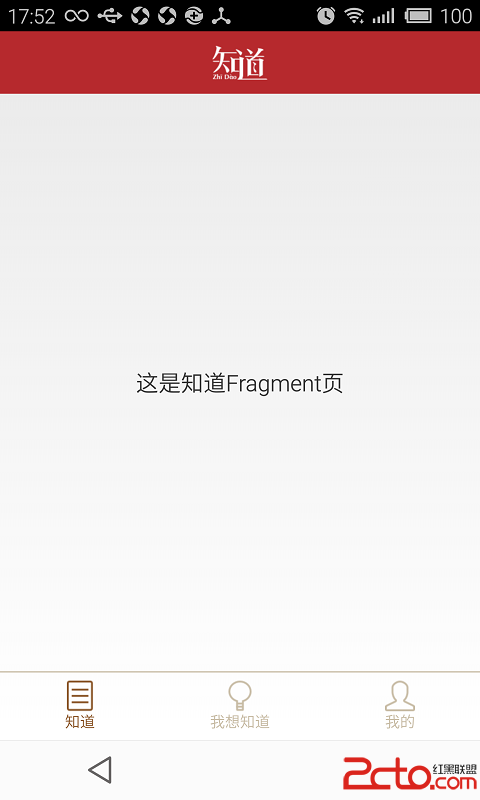 Android 底部標籤頁實作:以 Fragment 切換多個分頁
前言 底部標籤頁是很常見的 UI 模式,微信就是最典型的例子——既可以點擊標籤切換,也能左右滑動。本文先聚焦在比較基礎的部分:如何透過點擊底部標籤切換 Fragment。
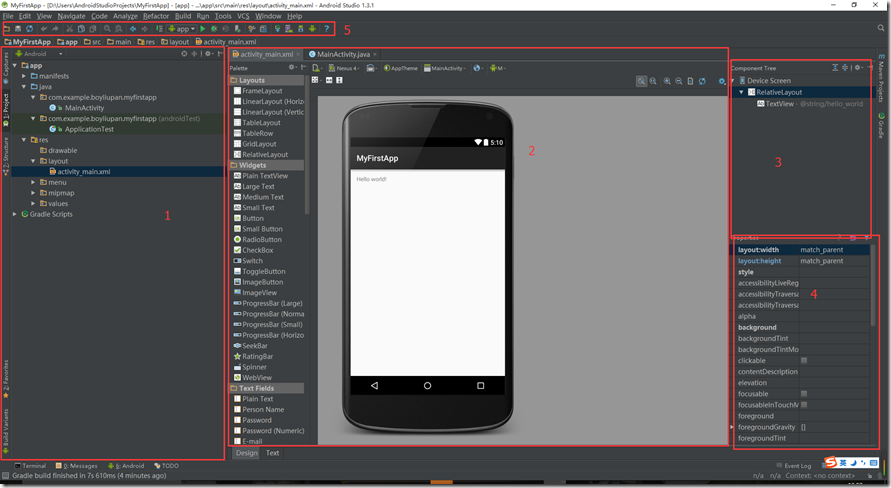 Android Studio 常用功能與介面導覽
Android Studio 是現代 Android 開發的重要工具。本文整理介面配置、常用面板與快捷鍵,幫助初次使用者快速上手。 介面總覽 左側是專案結構區,中央是設