

編輯:關於 Android 程式設計
本案例的目標是在 Android 系統中預設兩個小區廣播(Cell Broadcast)信道 50 與 60,並且要求同時支援雙卡(Gemini)情境。整個實作主要圍繞 PhoneApp.java 展開,透過監聽 SMS 就緒廣播、在資料庫中建立信道記錄,再呼叫電話框架的設定介面完成配置。
首先在檔案開頭補上相關 import:
import android.provider.Telephony;
import com.android.internal.telephony.gsm.SmsBroadcastConfigInfo;
import android.content.ContentValues;
import android.database.Cursor;
接著在類別開頭加入廣播接收器與相關常數,其中 CHANNEL_URI 與 CHANNEL_URI1 分別對應兩張 SIM 卡的信道表:
private final BroadcastReceiver mSmsReadyReceiver = new SmsReadyBroadcastReceiver();
private static final int MESSAGE_SET_STATE = 33;
private static final int MESSAGE_SET_CONFIG = 32;
private static final String KEYID = "_id";
private static final String NAME = "name";
private static final String NUMBER = "number";
private static final String ENABLE = "enable";
private static final Uri CHANNEL_URI = Uri.parse("content://cb/channel");
private static final Uri CHANNEL_URI1 = Uri.parse("content://cb/channel1");
case MESSAGE_SET_STATE:
    handleSetStateResponse(msg);
    break;
在 onCreate 方法中註冊 SMS 狀態變化的監聽器,以便電話模組就緒時能即時反應:
IntentFilter smsReadyIntentFilter = new IntentFilter("android.provider.Telephony.SMS_STATE_CHANGED");
registerReceiver(mSmsReadyReceiver, smsReadyIntentFilter);
當收到 SMS_STATE_CHANGED 廣播且模組已就緒時,會依是否為 MTK 雙卡平台,分別呼叫對應的啟用介面,觸發後續的狀態回呼:
private class SmsReadyBroadcastReceiver extends BroadcastReceiver {
    @Override
    public void onReceive(Context context, Intent intent){
        Log.e("kpp","Sms Ready!!");
        String action = intent.getAction();
        Log.e("kpp","Sms Ready action ="+action);
        if (action.equals("android.provider.Telephony.SMS_STATE_CHANGED")) {
            int extra = intent.getIntExtra("simId",0);
            boolean isReady = intent.getBooleanExtra("ready",false);
            Log.e("kpp","Sms Ready extra ="+extra);
            Log.e("kpp","Sms Ready isReady ="+isReady);
            if(!isReady){
                return;
            }
            Message msg;
            msg = mHandler.obtainMessage(MESSAGE_SET_STATE, extra, MESSAGE_SET_STATE,null);
            if (FeatureOption.MTK_GEMINI_SUPPORT == true)
            {
                ((GeminiPhone)phone).activateCellBroadcastSmsGemini(0,msg, extra);
            }
            else
            {
                phone.activateCellBroadcastSms(0,msg);
            }
        }
    }
狀態回呼成功後,會針對兩張卡各自寫入信道 50 與 60:
private void handleSetStateResponse(Message msg) {
    int simId = msg.arg1;
    if (msg.arg2 == MESSAGE_SET_STATE) {
        AsyncResult ar = (AsyncResult) msg.obj;
        if (ar == null) {
            Log.i(LOG_TAG, "handleSetStateResponse,ar is null");
            return;
        }
        if (ar.exception != null) {
            if (DBG)
                Log.d(LOG_TAG, "handleSetStateResponse: ar.exception="+ ar.exception);
        } else {
            Log.i(LOG_TAG, "handleSetStateResponse: re get ok");
            addCustomChanneltoList(PhoneConstants.GEMINI_SIM_1,"Channel1",50);
            addCustomChanneltoList(PhoneConstants.GEMINI_SIM_1,"Channel2",60);
            addCustomChanneltoList(PhoneConstants.GEMINI_SIM_2,"Channel1",50);
            addCustomChanneltoList(PhoneConstants.GEMINI_SIM_2,"Channel2",60);
        }
    }
最後由 addCustomChanneltoList 負責在資料庫查無該信道時建立記錄,並組出 SmsBroadcastConfigInfo 陣列下發設定:
private void addCustomChanneltoList(int mSimId,String channelName,int channelNum){
    Log.d(LOG_TAG, "addCustomChanneltoList: mSimId=" + mSimId
        + ", channelName= " + channelName + ", channelNum= " + channelNum);
    if(queryChannelFromDatabase(mSimId,channelName,channelNum)){
        SmsBroadcastConfigInfo[] objectList = new SmsBroadcastConfigInfo[1];
        objectList[0] = new SmsBroadcastConfigInfo(channelNum,channelNum, -1, -1, true);
        Message msg1 = mHandler.obtainMessage(MESSAGE_SET_CONFIG, 0,MESSAGE_SET_CONFIG, null);
        if (FeatureOption.MTK_GEMINI_SUPPORT == true)
        {
            ((GeminiPhone)phone).setCellBroadcastSmsConfigGemini(objectList, objectList, msg1, mSimId);
        }
        else
        {
            phone.setCellBroadcastSmsConfig(objectList, objectList, msg1);
        }
    }
}

private boolean queryChannelFromDatabase(int mSimId,String channelName,int channelNum){
    Log.d(LOG_TAG, "queryChannelFromDatabase: mSimId=" + mSimId
        + ", channelName= " + channelName + ", channelNum= " + channelNum);
    String[] projection = new String[] { KEYID, NAME, NUMBER, ENABLE };
    String SELECTION = "(" + NUMBER + " = " + channelNum + ")";
    Cursor cursor = null;
    if(mSimId==PhoneConstants.GEMINI_SIM_1){
        cursor = this.getContentResolver().query(CHANNEL_URI,projection, SELECTION, null, null);
    }else if(mSimId==PhoneConstants.GEMINI_SIM_2){
        cursor = this.getContentResolver().query(CHANNEL_URI1,projection, SELECTION, null, null);
    }
    if (cursor.getCount() == 0){
        ContentValues values = new ContentValues();
        values.put(NAME,channelName);
        values.put(NUMBER, channelNum);
        values.put(ENABLE, true);
        try {
            if(mSimId==PhoneConstants.GEMINI_SIM_1){
                this.getContentResolver().insert(CHANNEL_URI, values);
            }else if(mSimId==PhoneConstants.GEMINI_SIM_2){
                this.getContentResolver().insert(CHANNEL_URI1, values);
            }
        } catch (Exception e){
            return false;
        }
    }
    cursor.close();
    return true;
}
透過上述流程,設備在開機完成、電話模組就緒之後,就能自動為兩張 SIM 卡建立並啟用信道 50 與 60,滿足印度市場對特定小區廣播信道的需求。
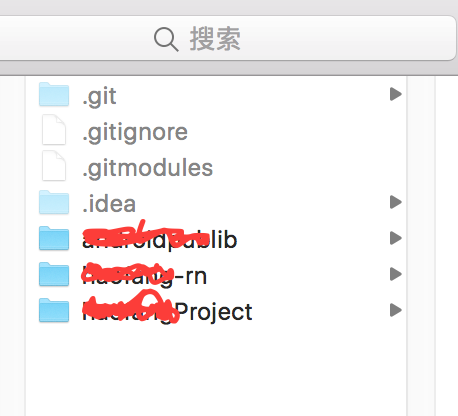 React Native 與 Android 原生混合開發聯調指南
在既有 Android 專案中導入 React Native,不一定需要全新建置。只要理解目錄結構、Node 服務、Gradle 依賴與 Activity 生命週期,就能
 餘額寶與微信理財通哪個好?額度、到帳與收益比較
餘額寶與微信理財通各有優勢。餘額寶可直接消費購物,轉出額度與到帳時間較成熟;理財通操作入口方便,收益在部分時期較高。 選擇時可看流動性、額度、收益率與使用習慣。
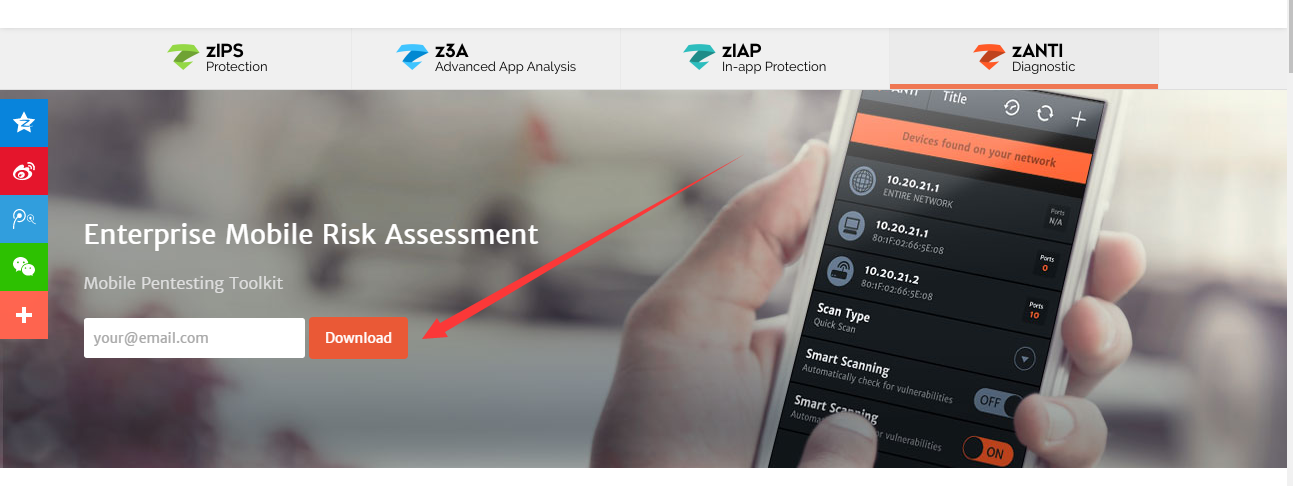 Android 平台滲透測試工具透視:zANTI 2.5 功能解析
0x00 前言 zANTI 是一款運行於 Android 平台的滲透測試工具,支持嗅探已連接網絡、中間人攻擊測試、端口掃描、Cookie 獲取與路由安全測試等操作,由以色
 安卓結合阿裡雲 OSS 實現視頻、音頻與圖片的上傳與下載
阿里雲 OSS 是什麼 阿里雲物件儲存服務 OSS 提供海量、安全、低成本的雲端儲存能力。開發者可透過 API 在任何時間、任何地點上傳與下載資料,也可以用來保存圖片、音