

編輯:關於 Android 程式設計
在 Android 中,「退出應用」其實不像桌面程式那樣直接關掉一個視窗就好。一個 App 往往由多個 Activity、背景服務、鬧鐘、通知與網路連線組成,因此真正的「乾淨退出」需要把這些資源逐一收尾。本文以一段實際的 SystemExit() 為例,說明完整的退出流程。
使用者按下離開時,先跳出一個 AlertDialog 詢問「是否退出本程式?」。按下「確定」才執行真正的清理,按下「取消」則直接返回,避免誤觸。
App 在啟動時通常會把每個開啟過的 Activity 記錄在一個全域的 activityList 中。退出時遍歷這個清單,逐一呼叫 finish(),確保沒有残留在背景中的頁面。
如果 App 註冊了週期性任務,必須記得取消對應的 PendingIntent 與 AlarmManager,並停止背景 Service,否則即使畫面關掉了,工作仍會在背景執行。此外也要把先前發出的通知從通知欄移除。
若 App 有 VPN 這類需要主動登出的連線,別忘了呼叫登出方法;最後再以 System.exit(0) 結束整個行程。
public void SystemExit() {
    AlertDialog exitDialog = new AlertDialog.Builder(SystemBaseActivity.this)
        .setTitle("提示")
        .setMessage("是否退出本程序?")
        .setPositiveButton("確定", new DialogInterface.OnClickListener() {
            @Override
            public void onClick(DialogInterface dialog, int which) {
                // 1. 逐一關閉所有 Activity
                for (int i = 0; i < Global.activityList.size(); i++) {
                    if (Global.activityList.get(i) != null) {
                        Global.activityList.get(i).finish();
                    }
                }

                // 2. 取消廣播鬧鐘
                Intent iRefreshService = new Intent(Intent.ACTION_RUN);
                iRefreshService.setClass(sys_Context, BootReceiver.class);
                iRefreshService.setAction("ASYNCREFRESH");
                PendingIntent sender =
                    PendingIntent.getBroadcast(sys_Context, 0, iRefreshService, 0);
                AlarmManager am =
                    (AlarmManager) sys_Context.getSystemService(sys_Context.ALARM_SERVICE);
                am.cancel(sender);

                // 3. 停止背景服務
                Intent iRefresh = new Intent(Intent.ACTION_RUN);
                iRefresh.setClass(sys_Context, AsyncRefresh.class);
                sys_Context.stopService(iRefresh);

                // 4. 清除通知欄
                CommonUtil common = new CommonUtil();
                common.removeNotification(sys_Context, -1);

                // 5. 注銷 VPN
                if (StringUtil.vpnAuth != null) {
                    StringUtil.vpnAuth.VPNLogOut();
                }

                // 6. 結束行程
                System.exit(0);
            }
        })
        .setNegativeButton("取消", new DialogInterface.OnClickListener() {
            @Override
            public void onClick(DialogInterface dialog, int which) {
                return;
            }
        })
        .create();
    exitDialog.show();
}實務上要提醒的是:System.exit(0) 並非 Android 官方推薦的結束方式,系統本身會依記憶體狀況自動回收背景行程。上述做法比較像是為了「重啟 App」或「登出後徹底清空狀態」這類特定情境而設計。若只是想回到首頁,優先考慮攔截返回鍵並導回首頁 Activity,會是更符合 Android 設計哲學的做法。
 Android EditText 詳解及示例代碼
EditText 在 API 中的結構 java.lang.Object → android.view.View → android.widget.TextView →
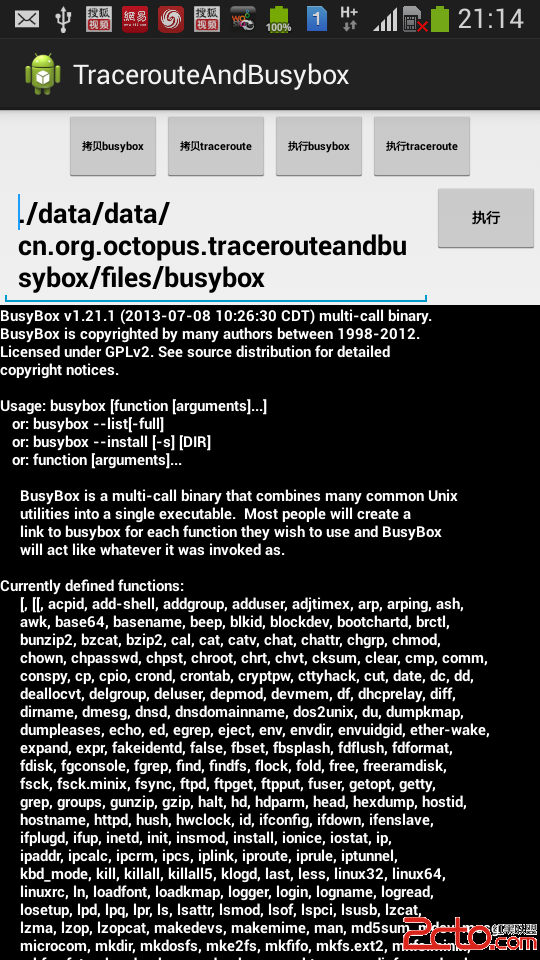 Android 免 Root 實作 Traceroute:非 Root 環境下移植可執行檔與腳本
1. 原理思路 想在手机上跑 busybox 或 traceroute,第一个撞到的墙就是文件权限:如果没有 root,你无法改变二进制文件的执行权限。 推送 busyb
 cocos2d-x 3.0 實戰筆記:把《跑酷》從 Windows 搬到 Android 手機
這篇筆記的起點是曉風殘月前輩的博客。他把泰然網的跑酷教程用 cocos2d-x 2.X 重寫了一遍,而我當時正在啃 cocos2d-x 3.0,於是索性照著他的思路用 3
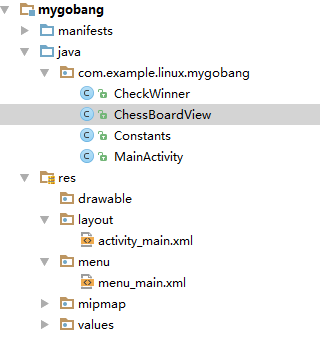 Android 五子棋完整實作:自訂棋盤 View、落子判斷與四方向勝負演算法
近來學了五子棋相關的課程,收穫不少,於是動手做了一個 Android 版本。這個題目看似簡單,卻很適合練習自訂 View、事件處理、狀態保存與演算法設計,能學到的東西比預