

編輯:關於 Android 程式設計
同一組字型大小、顏色、寬高反覆寫在每個配置檔裡,是版面維護失控的起點。Style 就是把這些屬性抽成一份可重複引用的樣式定義,概念等同 CSS 的 class。
在 res/values/styles.xml 中宣告。除了自訂樣式,這裡也能看到 Android 專案預設產生的樣式繼承鏈:
<resources xmlns:android="https://schemas.android.com/apk/res/android">

    <style name="AppBaseTheme" parent="android:Theme.Light">
    </style>

    <style name="AppTheme" parent="AppBaseTheme">
    </style>

    <!-- 自訂樣式 -->
    <style name="testStyle">
        <item name="android:textSize">30px</item>
        <item name="android:textColor">#1110CC</item>
        <item name="android:width">150dip</item>
        <item name="android:height">150dip</item>
    </style>

</resources>
每個 <item> 的 name 就是你在配置檔中會寫的屬性名稱,只是把 android: 前綴搬到 name 裡。若要建立繼承關係,用 parent 屬性指向另一個 style 即可,如上例的 AppTheme 繼承 AppBaseTheme。
<RelativeLayout xmlns:android="https://schemas.android.com/apk/res/android"
    android:layout_width="match_parent"
    android:layout_height="match_parent">

    <TextView
        style="@style/testStyle"
        android:layout_width="wrap_content"
        android:layout_height="wrap_content"
        android:gravity="center"
        android:layout_centerHorizontal="true"
        android:layout_centerVertical="true"
        android:text="@string/hello_world" />
</RelativeLayout>
套用 style 之後,Java 程式碼完全不需要改動,一切都在宣告式版面裡完成:
public class MainActivity extends Activity {
    @Override
    protected void onCreate(Bundle savedInstanceState) {
        super.onCreate(savedInstanceState);
        setContentView(R.layout.main);
    }
}
樣式的價值在規模變大後才顯現。建議從「同一畫面內重複三次以上」的屬性組合開始抽,並依用途命名(如 TextLabel.Small.Gray),而不是依外觀命名(如 Style12),否則設計一改就名不符實。另外,Style 與 Theme 的分工要清楚:Style 修飾單一檢視,Theme 則是套給整個 Activity 或應用的預設外觀,透過 android:theme 指定。兩者搭配得當,換版或改配色時往往只需改一個檔案。
 Android UI 自動化測試:UiObject.getFromParent() 的實用技巧
在 Android UI 自動化測試中,經常需要從畫面中取得特定欄位的值。當目標文字與數值位於同一列或同一層級時,UiObject.getFromParent() 就能派
 Android 刮刮樂效果控制項實作分享
本文分享一個以 Android 自定義 View 實作的刮刮卡(刮獎)效果控制項,重點在於用 Canvas 搭配 Xfermode 做出「越刮越透」的視覺,並附上可直接套
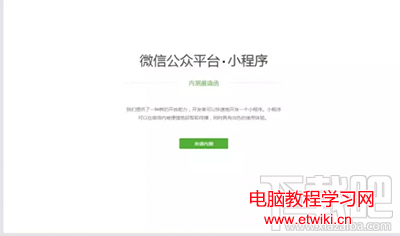 微信應用號是什麼?小程序內測信息一次看懂
一段時間裡,關於微信應用號的討論越來越多。傳聞已久的應用號終於有了實質動靜——有网友在微博曬出了一張微信應用號內測邀請函,引來大量轉發與猜測。那麼,微信應用號究竟是什麼?
 Android 6.0 運行時權限封裝實作指南
Android 6.0 之後,敏感權限不再只在安裝時一次授予,而是改為使用過程中動態請求。這代表開發者需要在合適的時機檢查權限、引導使用者授權,並處理授權成功或失敗後續流