

編輯:關於 Android 程式設計
在 Android 中呼叫相機拍照後,若希望自訂照片儲存位置並在拍攝完成後顯示,可以透過 Intent 指定輸出檔案,再於 onActivityResult 中讀取圖片。
按下按鈕時,建立影像擷取 Intent,並透過 MediaStore.EXTRA_OUTPUT 指定照片要儲存的位置:
Intent intent = new Intent("android.media.action.IMAGE_CAPTURE");
mPhotoPath = Environment.getExternalStorageDirectory().getPath() + "/DCIM/Camera/" + getPhotoFileName();
mPhotoFile = new File(mPhotoPath);
if (!mPhotoFile.exists()) {
    mPhotoFile.createNewFile();
}
intent.putExtra(MediaStore.EXTRA_OUTPUT, Uri.fromFile(mPhotoFile));
startActivityForResult(intent, CAMERA_RESULT);
檔名可利用時間戳產生,例如 IMG_年月日_時分秒.jpg,如此一來每次拍照都能保留獨立檔案,也方便後續管理。
在 onActivityResult 中,若 requestCode 等於拍照請求碼,就能透過 BitmapFactory.decodeFile 讀取剛剛拍好的照片:
if (requestCode == CAMERA_RESULT) {
    Bitmap bitmap = BitmapFactory.decodeFile(mPhotoPath);
    mImageView.setImageBitmap(bitmap);
}畫面可簡單配置一個拍攝按鈕與一個 ImageView:
<Button
    android:id="@+id/button"
    android:layout_width="fill_parent"
    android:layout_height="wrap_content"
    android:text="點擊按鈕拍照" />

<ImageView
    android:id="@+id/imageView"
    android:layout_below="@id/button"
    android:layout_width="fill_parent"
android:layout_height="wrap_content" />若應用需要拍照與寫入外部儲存空間,記得加入相應權限:
<uses-permission android:name="android.permission.CAMERA" />
<uses-permission android:name="android.permission.WRITE_EXTERNAL_STORAGE" />
在較新的 Android 版本中,若涉及敏感資源,還可能需要處理執行期權限請求。完成這些設定後,就能穩定完成拍照、存檔與預覽流程。
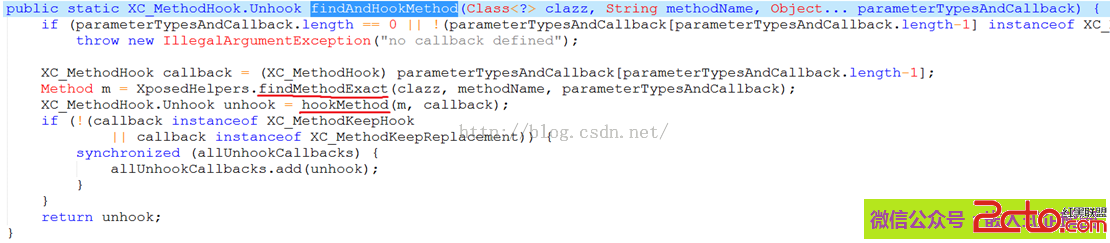 Android熱補丁技術解析:dexposed 的 Hook 原理
本文整理自嵌入式企鵝圈原創團隊成員、阿裡資深工程師 Hao 的分享。上一篇《Android 無線開發的幾種常用技術》介紹了多種常見開發技術,其中熱補丁正被越來越多團隊採用
 Android 圖片壓縮上傳實戰:Service 篇的並發優化之道
本文承接上一篇的內容,重點探討如何借助 Service 來承擔圖片壓縮任務,並借此機會深入剖析 Service 的使用方式,以及如何妥善應對大量任務所帶來的並發挑戰。
 嵌套滑動控件沖突解決與 ViewPager 自適應子控件高度實戰
最近項目有一個需求,需要多層可滑動控件的嵌套展示,demo 效果如下,demo 的下載地址在最下方。 乍一看好像挺簡單,不就是一個 ScrollView + ViewP
 Android NDK 多線程:pthread 與 mutex 互斥同步
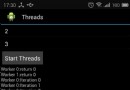
範例結構 這個範例在 Android 中透過 JNI 呼叫原生方法,使用 pthread 建立多個工作線程,並以 mutex 保護共享資源。MainActivity 提供